
AutoFigure Edit, ReimaginedMethod Text to Editable SVG Diagrams in 30 Seconds
Looking for AutoFigure Edit online? FigEditor turns paper method text, reference figures, and research prompts into editable SVG scientific diagrams with a browser editor, reference style transfer, and 4K export. Built for AI, CS, NLP, and research teams that need camera-ready figures before the deadline.
Generate Editable Scientific Figures
Turn method text into a publication-ready SVG figure. Preview the PNG, download the assets, then open the editor only when you need to refine it. Generating one SVG scientific illustration typically takes about 5-10 minutes.
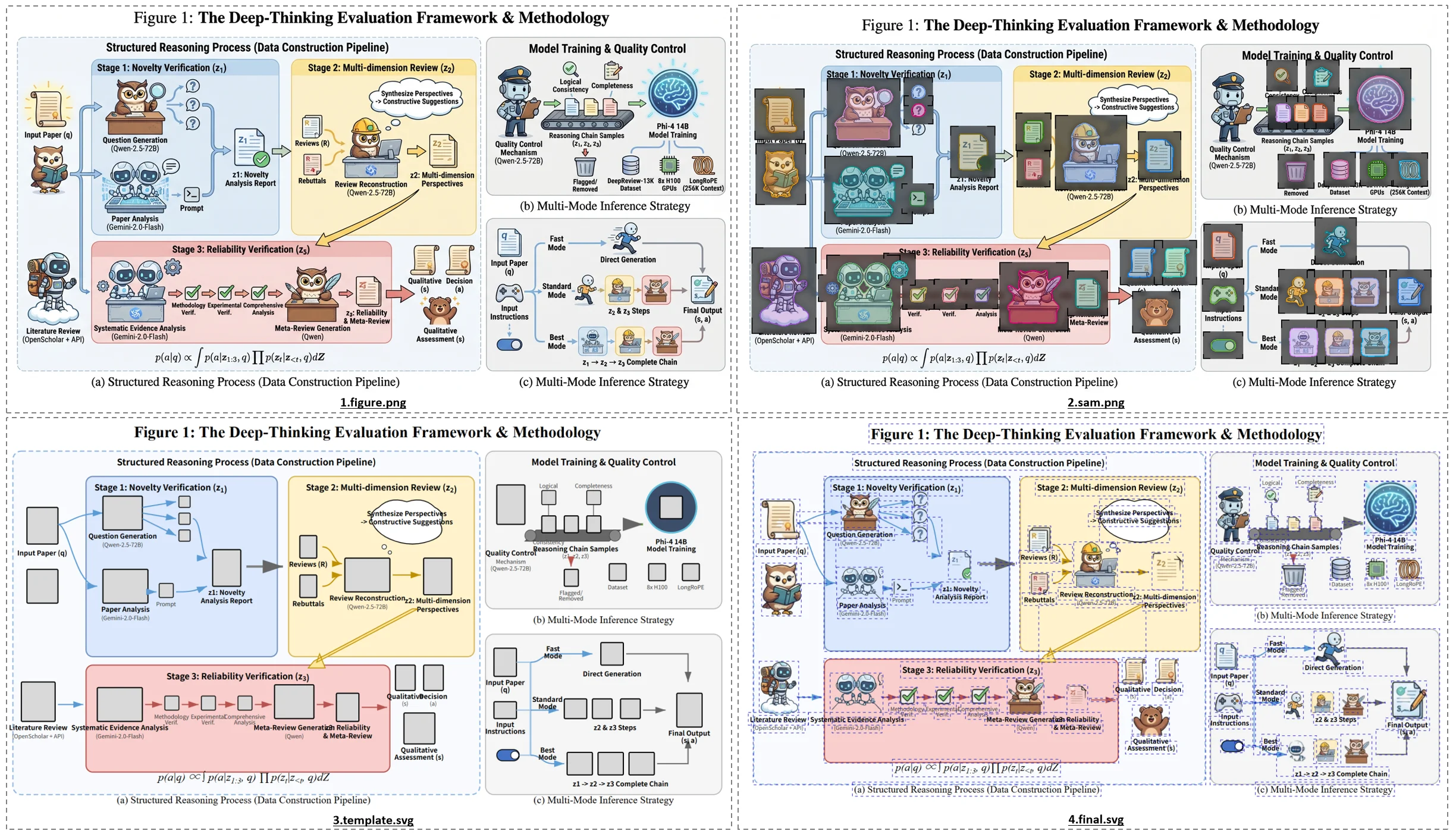
Editable SVG Diagrams Built from Real Papers
What Is AutoFigure Edit?
Method Text to Figure
Paste a method section, architecture description, or reviewer request and generate a structured diagram.
Editable SVG by Default
Avoid flat AI images. Keep text, arrows, modules, and panels editable after generation.
Style-Consistent Output
Use a reference figure to keep diagrams consistent across a paper, survey, blog, or lecture deck.
Powered by the AutoFigure-Edit Pipeline (ICLR 2026)
Why Researchers Pick FigEditor over AutoFigure-Edit
FigEditor keeps the promise of AutoFigure Edit but adds the workflow researchers need after generation: editing, style control, high-resolution export, and saved creations.
No Local Setup or Access Gate
Use the workflow online without installing research dependencies or passing a paper-id gate. Start from text or a reference image in the browser.
Reference Style Transfer
Upload a paper figure, lab style, or previous diagram so every output follows the same colors, strokes, and typography.
Editable SVG Vector Output
Every label, shape, connector, and module can be edited after generation. Export to Illustrator, Inkscape, Figma, or draw.io.
4K PNG for Slides and Posters
Download high-resolution raster output when you need a quick slide, poster, preview, or submission asset alongside SVG.
Multi-Round Refinement
Use prompt refinement and browser edits to handle advisor comments, reviewer feedback, and last-minute camera-ready fixes.
No Local Setup or Access Gate
Use the workflow online without installing research dependencies or passing a paper-id gate. Start from text or a reference image in the browser.
Reference Style Transfer
Upload a paper figure, lab style, or previous diagram so every output follows the same colors, strokes, and typography.
Editable SVG Vector Output
Every label, shape, connector, and module can be edited after generation. Export to Illustrator, Inkscape, Figma, or draw.io.
4K PNG for Slides and Posters
Download high-resolution raster output when you need a quick slide, poster, preview, or submission asset alongside SVG.
Multi-Round Refinement
Use prompt refinement and browser edits to handle advisor comments, reviewer feedback, and last-minute camera-ready fixes.
FigEditor vs AutoFigure-Edit: Side-by-Side
| Capability | FigEditor | AutoFigure-Edit Official | Other AutoFigure Clones |
|---|---|---|---|
| Online without install | Yes — browser only | Local Python setup | Yes |
| Paper-id / access gate | None | Required | Sometimes |
| Editable SVG output | Yes | Yes | Yes |
| 4K PNG export | Yes — 1K / 2K / 4K | Limited | No |
| Multi-mode studio (Diagram / Plot / Edit) | Yes | Diagram only | Diagram only |
| Multi-round prompt refinement | Yes | Single shot | Single shot |
| Reference style transfer | Yes — custom upload | 5 built-in styles | 5 built-in styles |
| Pricing transparency | Subscription + credits | Demo only | Opaque per-call cost |
FigEditor is built for the moment your method is written but the camera-ready figure is still missing.
Try AutoFigure Edit OnlineFrom Method Text to Camera-Ready Editable SVG
Paste Method Text or Upload a Reference
Generate a Structured Academic Diagram
Edit, Export, and Submit
A practical AutoFigure Edit style pipeline for real submissions
Instead of giving you one flat image, FigEditor moves through drafting, structure detection, style alignment, SVG assembly, and final polishing so the result can be edited and reused.
Method Text to SVG Workflows for Real Papers
AI / ML Paper Architecture Figures (NeurIPS, ICML, ICLR)
Create encoder-decoder diagrams, agent workflows, RAG pipelines, training loops, and evaluation setups from method text for NeurIPS, ICML, ACL, CVPR, and ICLR submissions.
Survey Taxonomy Diagrams
Convert many related works into clean hierarchy maps, comparison frameworks, and taxonomy visuals with one consistent academic style.
Rebuttal and Revision Figures
Answer reviewer requests with new system diagrams fast, then edit labels and layout across multiple revision rounds without redrawing.
Technical Blog Illustrations
Turn explanatory paragraphs into SVG diagrams for Medium, Substack, docs, and product engineering posts with reusable visual style.
Lecture and Lab Meeting Slides
Generate consistent method figures for reading groups, class slides, and seminar decks, then export SVG or 4K PNG for presentations.
Beyond Computer Science
Use the same editable-vector workflow for biology pathways, chemistry processes, engineering systems, and scientific schematics.
Trusted by Scientists Worldwide
From PhD students to principal investigators, researchers use FigEditor to ship publication-ready figures faster.
I used to spend an entire afternoon redrawing pathway diagrams in Illustrator. FigEditor gives me a publication-ready figure in under a minute.
The architecture diagrams are clean enough that my advisor actually approved the first draft. That has literally never happened before.
We replaced our paid BioRender subscription for the lab. FigEditor handles 80% of our figures and the editing workflow is faster.
Graphical abstracts used to be the worst part of submission. Now I generate three options in 5 minutes and pick one.
Finally an AI tool that produces vector-quality scientific figures, not blurry slop. The SVG export is exactly what journals want.
English isn't my first language, but FigEditor understands my technical descriptions and renders the diagram correctly every time.
AutoFigure Edit — Frequently Asked Questions
How FigEditor compares with AutoFigure-Edit, what it generates, and how researchers edit the SVG output
Generate Your First AI Scientific Illustration
Stop juggling Illustrator, BioRender, and PowerPoint. The FigEditor AI scientific illustration suite turns prompts into journal-ready diagrams, papers and images into editable SVG vectors, and lets you refine every output in the in-browser editor — free to start. Posters and slides coming soon.
No credit card required · Free credits on signup