


• FigEditorCreate scientific figures
Workspace
  • Home
  • Studio
Creation tools
  • Paper Banana
  • AI Scientific Illustration
  • Scientific Poster Maker
Image models
  • Nano Banana
  • Nano Banana 2
  • Nano Banana Pro
  • GPT Image 2
Sign in
FigEditor logo
FigEditor
HomeToolsImage ModelsPricing
Start Creating Free
FigEditor
FigEditorFigEditor

FigEditor turns scientific ideas, sketches, and references into polished, editable figures.

support@figeditor.ai

Image Models

  • Nano Banana
  • Nano Banana 2
  • Nano Banana Pro
  • GPT Image 2

Scientific Figure Tools

  • Paper Banana
  • AI Scientific Illustration
  • Scientific Poster Maker

FigEditor

  • About FigEditor
  • Contact

© 2026 FigEditor. All rights reserved.

Privacy Policy
•Terms of Service
AI Scientific Poster Maker

AI Scientific Poster Maker from paper to print-ready

Upload a PDF paper. Our AI scientific poster maker structures the IMRaD story, adds research visuals, and helps you ship a conference-ready research poster without wrestling with PowerPoint.

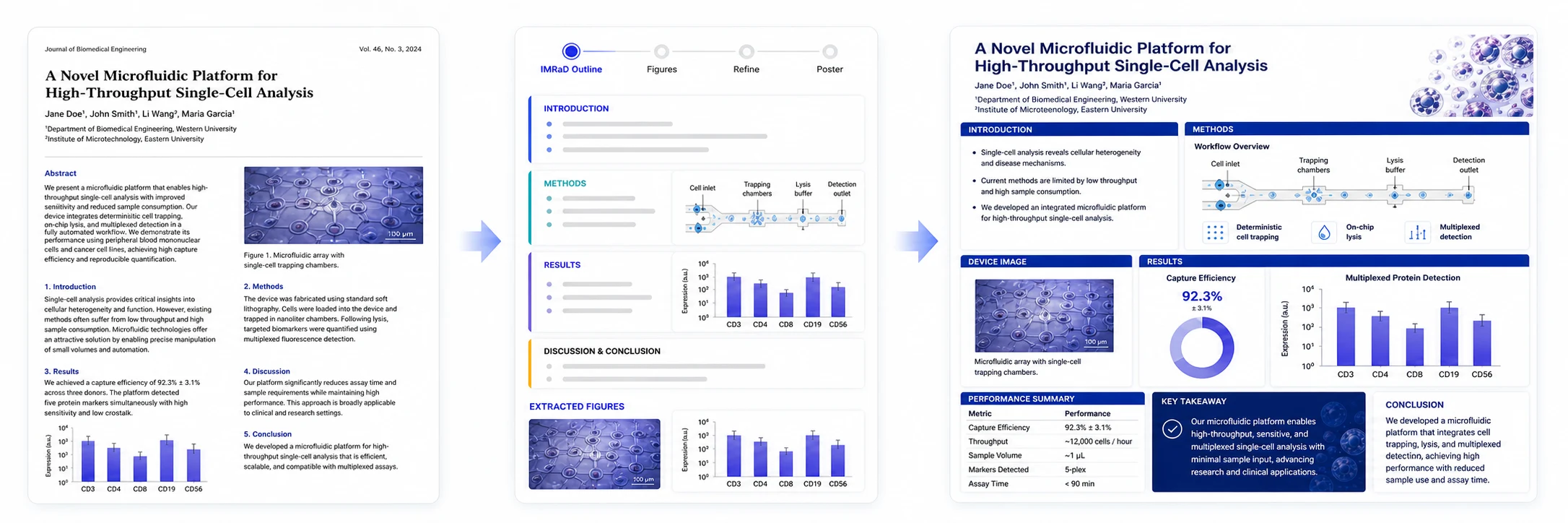
A research paper is transformed into an IMRaD outline and a polished scientific poster
1Upload research PDF
2Structure the IMRaD story
3Generate the final poster
One focused workflow from paper to poster

What is a scientific poster maker?

It connects the three jobs researchers usually split across several tools: bring in the paper, organize the research story, and generate a poster image ready to review and download.
01

Bring in the research paper

Upload one PDF up to 50 MB so the paper, figures, captions, and key findings become the source.
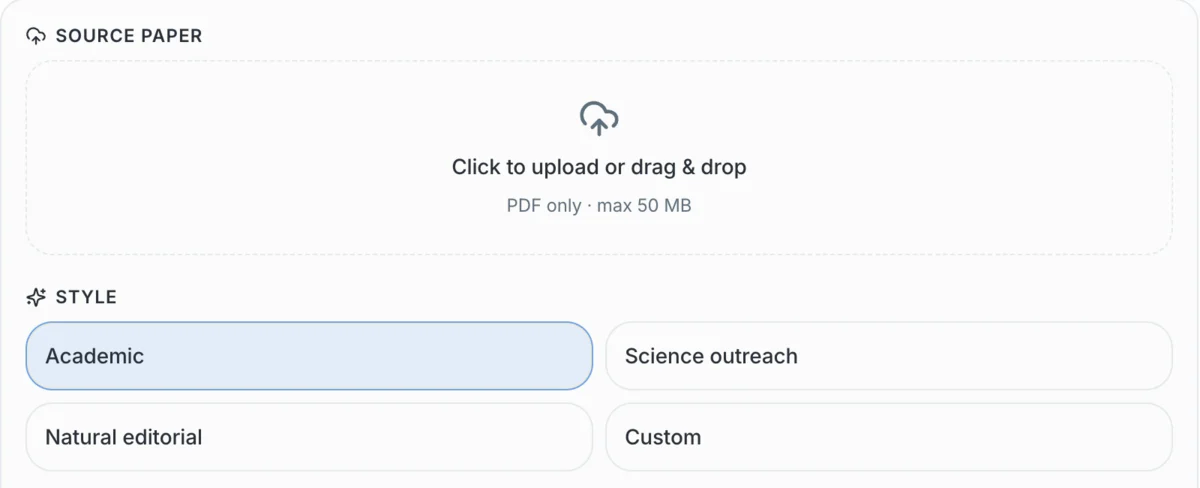
Bring in the research paper
02

Let AI organize the poster story

The job indexes the paper, summarizes the research, plans the hierarchy, and renders the poster in the background.

Inside the AI step
01 · Index
Read the PDF and its figures
02 · Summarize
Condense the research story
03 · Plan
Choose the poster hierarchy
04 · Render
Create the final poster image
03

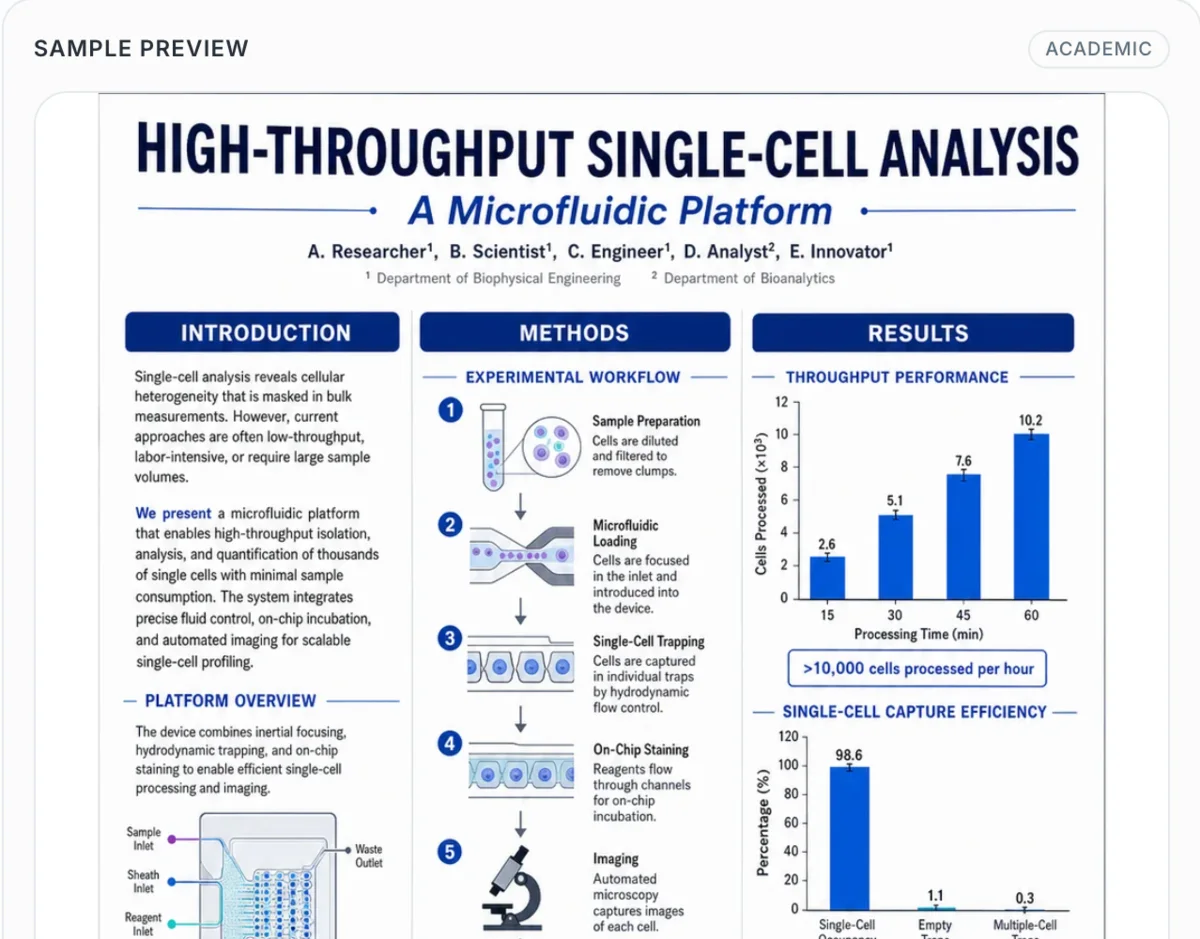
Review and download the poster image

Inspect the generated poster in the preview, then download the final image when it is ready.
Review and download the poster image
How it works
From paper to poster in 3 steps
Upload a research PDF, choose how the poster should look, then let AI structure the paper and generate a downloadable poster image.
Step 1: Upload your research PDF in the scientific poster maker
01

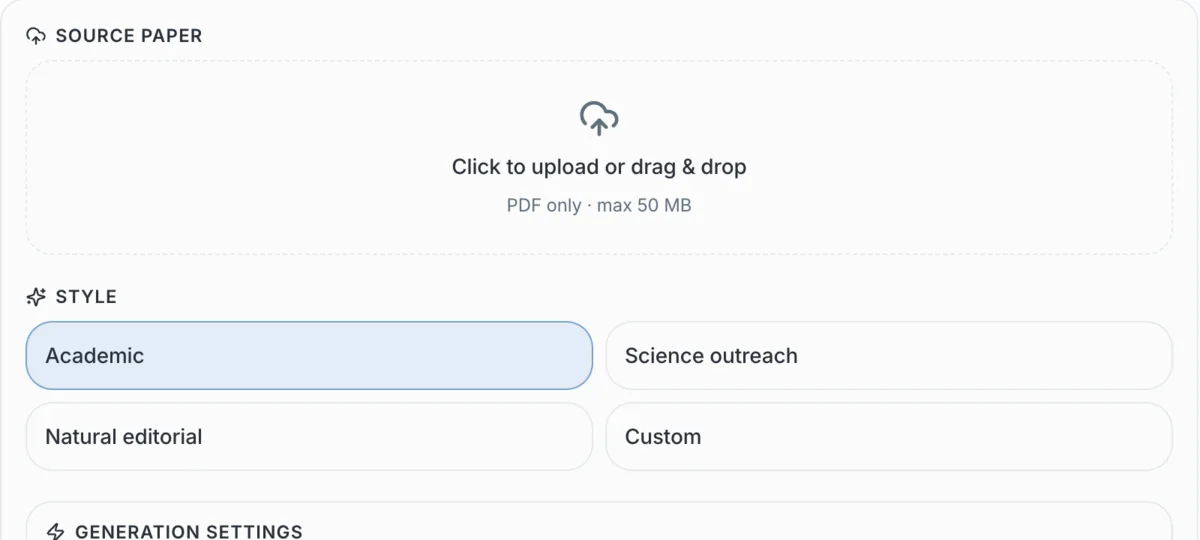
Upload your research PDF

Add one PDF up to 50 MB. The paper, figures, captions, and key findings become the source for the poster.
Step 2: Choose the poster direction in the scientific poster maker
02

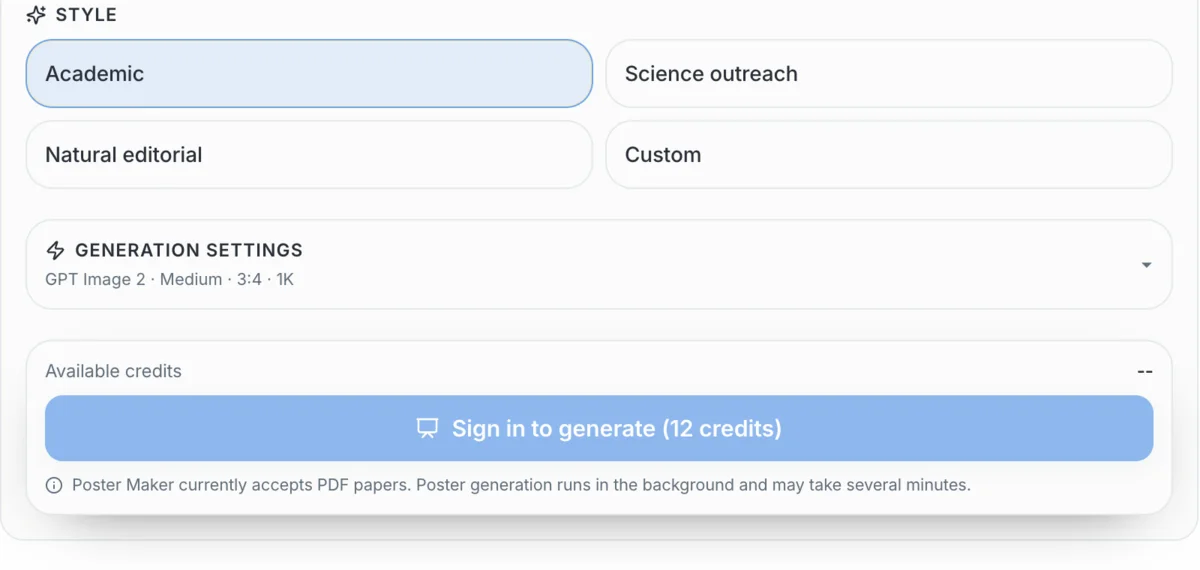
Choose the poster direction

Select an academic, outreach, natural, or custom style. Recommended defaults handle model, density, aspect ratio, and resolution.

Step 3: Generate and download the poster in the scientific poster maker
03

Generate and download the poster

AI processes the paper in the background, builds the poster, and returns a final image you can preview and download.

One paper, four ways to present your research

Choose a poster structure built for conferences, clinical cases, doctoral reviews, or lab showcases
Academic Conferences

Make your research clear in 30 seconds

Distill the research question, method, strongest results, and conclusion into a conference poster that remains easy to scan from across the room.

  • Three-column conference layout
  • Key results prioritized for fast scanning
  • Balanced layout with a clear section hierarchy
Create from Your PaperBuild Scientific Figures

Make your research clear in 30 seconds

Made for real research milestones

Start with your paper, then adapt the story, visual hierarchy, and level of detail to the room you are presenting in.

CSAI & CSPDF input
MDMedicineCase posters
PhDGrad SchoolDefense ready
LabLab TeamsShared style
Showcase

Scientific posters made for researchers

Six disciplines, six different visual stories—each example uses the figures and evidence structure that best fit the research.
Generate your posterBrowse illustrations
Why this tool

Everything needed to move from paper to poster

A focused workflow for the part researchers actually need: upload the paper, choose a visual direction, keep advanced settings optional, follow generation, and download the result.

Start with the PDF you already have

Upload one research paper up to 50 MB instead of rebuilding its content in a blank slide deck.

Start with the PDF you already have

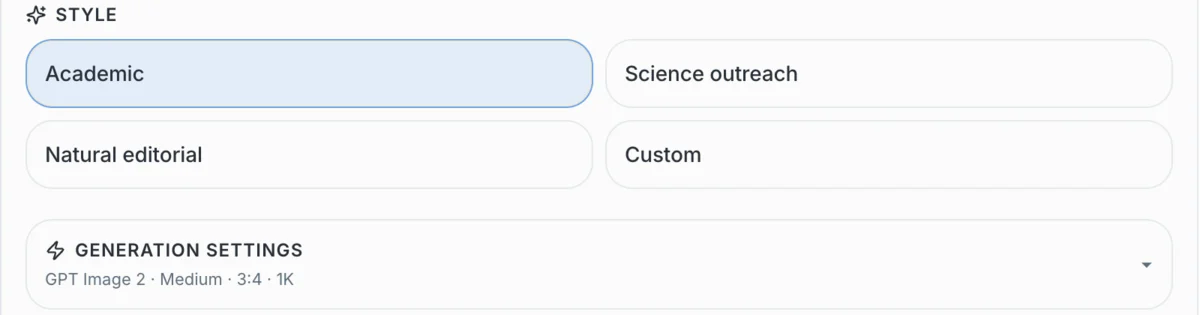
Choose a visual direction

Select academic, science outreach, natural editorial, or describe a custom style for the poster.
Choose a visual direction

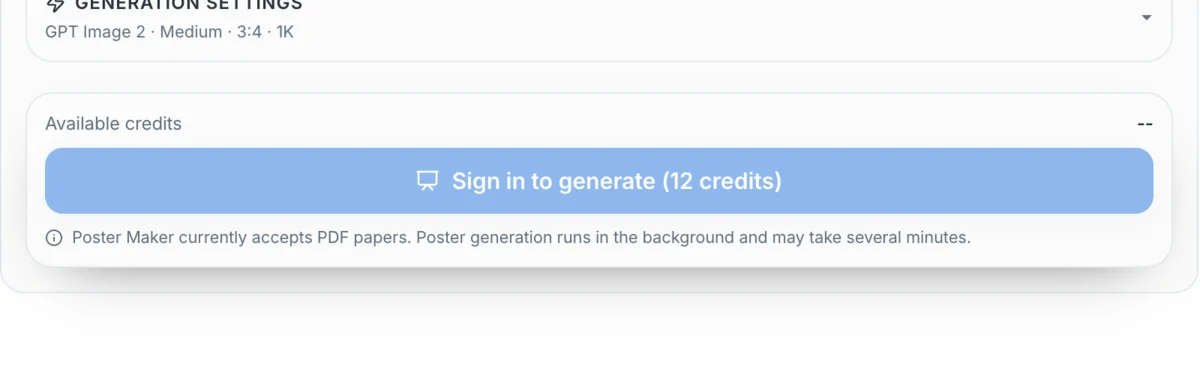
Keep generation settings optional

Recommended defaults summarize the model, content density, aspect ratio, and resolution in one line.
Keep generation settings optional

Follow every background stage

See paper indexing, summary, poster planning, and rendering while the job runs in the background.

01
Paper indexing
02
Paper summary
03
Poster planning
04
Poster rendering

Preview and download the final image

Inspect a real poster preview and download the generated image when the job is complete.
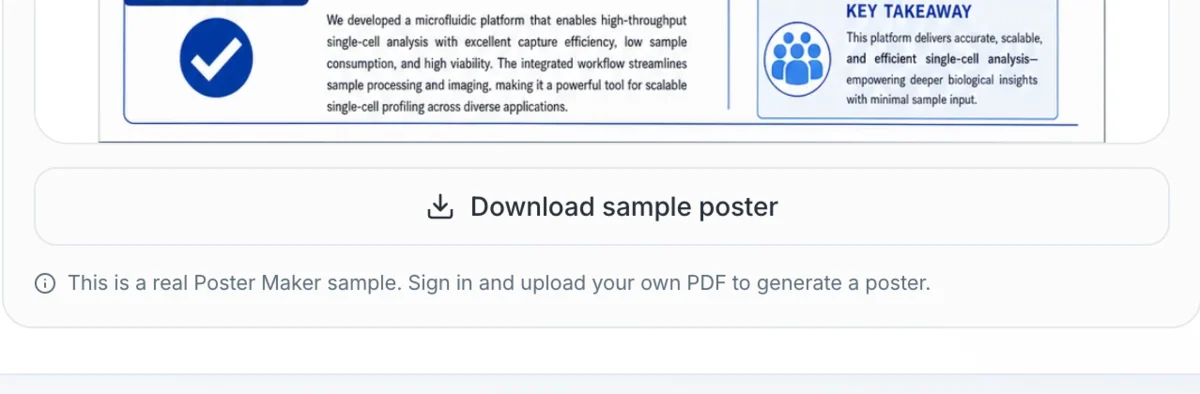
Preview and download the final image

Built for real poster deadlines

Research poster workflows need structure, editability, and print readiness
A scientific poster maker is useful only when it solves the work researchers actually face: condensing a paper, matching a conference size, adding credible visuals, and leaving room for last-minute edits.
48x36
Common Conference Size
IMRaD
Research Story Structure
PDF
Print-ready Output
Poster Needthe scientific poster makerManual WorkflowResult
Paper condensationAI-assisted IMRaD outlineCopy and trim by handFaster first draft
Scientific visualsBuilt-in illustration generatorSeparate BioRender or PPT workOne workflow
Conference formatPoster size aware layoutManual slide setupFewer resize fixes
PI reviewEditable blocks and export pathPDF email loopsCleaner revision flow

Poster readiness checklist

Editable poster blocks100% editable
Common print size support48x36 ready
Core creation flow3-step flow
Design software required0 design apps

Why researchers choose this workflow

Content stays research-first
The page is structured around research question, methods, results, figures, and conclusions instead of generic poster decoration.
Review remains editable
Researchers can correct wording, preserve citations, and adjust claims before anything goes to print.
Illustrations are part of the poster
The workflow combines poster layout with the scientific figures that make a conference poster readable from a distance.
Researcher controlAI drafts the structure, but you approve the science.
Flexible pricing

Choose a plan that fits your figure workload

Start with free credits, subscribe for regular figure creation, or purchase a credit pack for your next paper or presentation.

Scientific Poster Maker FAQ

Answers for researchers comparing AI poster tools, PowerPoint, Canva, BioRender, and conference templates

The best option depends on your workflow. PowerPoint is familiar but slow for alignment and large-format posters. Illustrator is powerful but has a steep learning curve. Canva is easy but generic. FigEditor’s Scientific Poster Maker is designed around research content, IMRaD sections, scientific figures, and conference poster export.

Creation tools

Create scientific figures, flowcharts, and editable SVGs

Choose a specialized tool to generate, refine, and export the research visual you need.
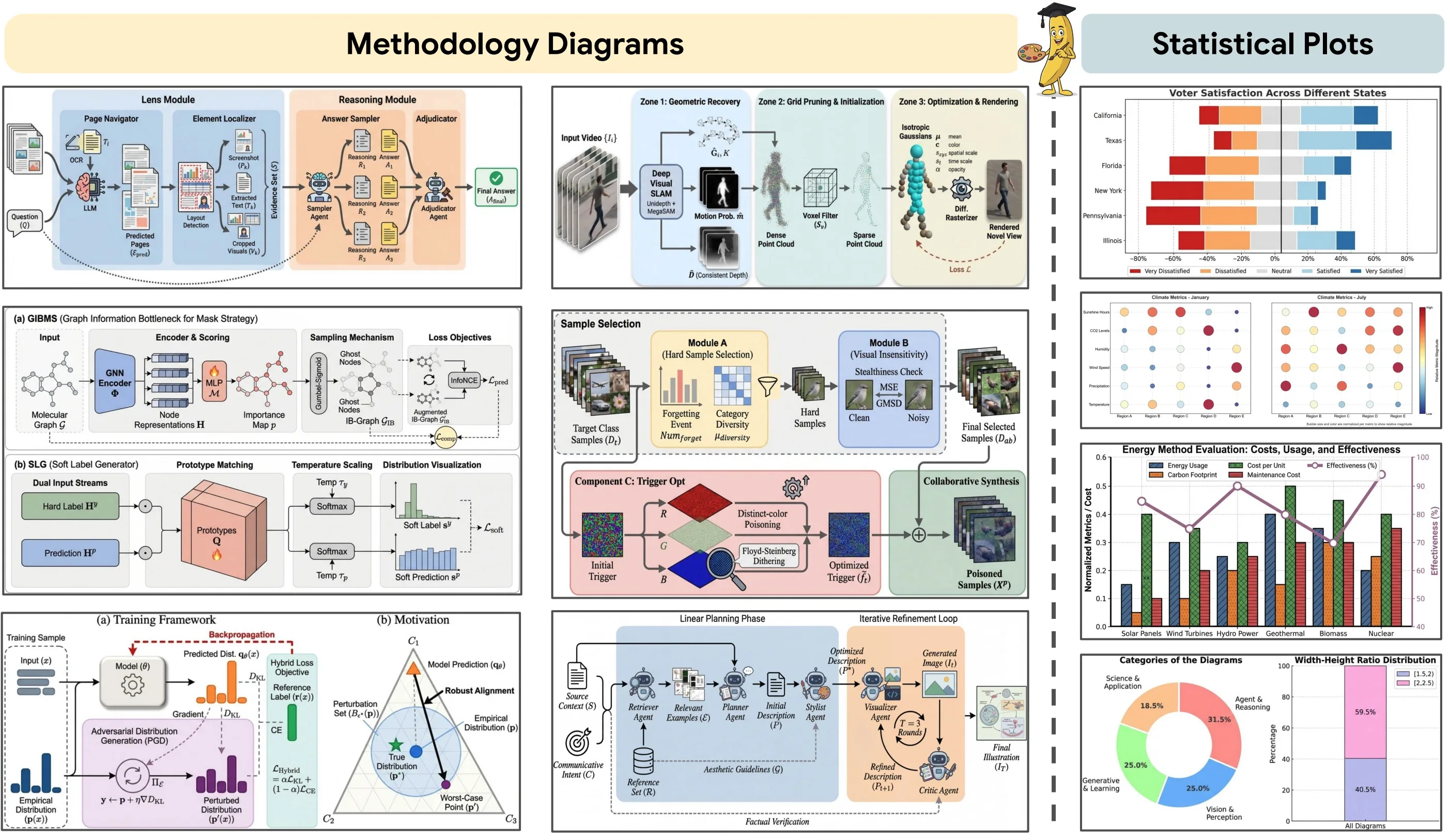
Paper Banana academic figure workflow preview
🍌
Agentic workflow
FigEditor

Paper Banana

Turn papers, methods, and reference material into a structured academic figure workflow.
Best for: paper-to-figure projects
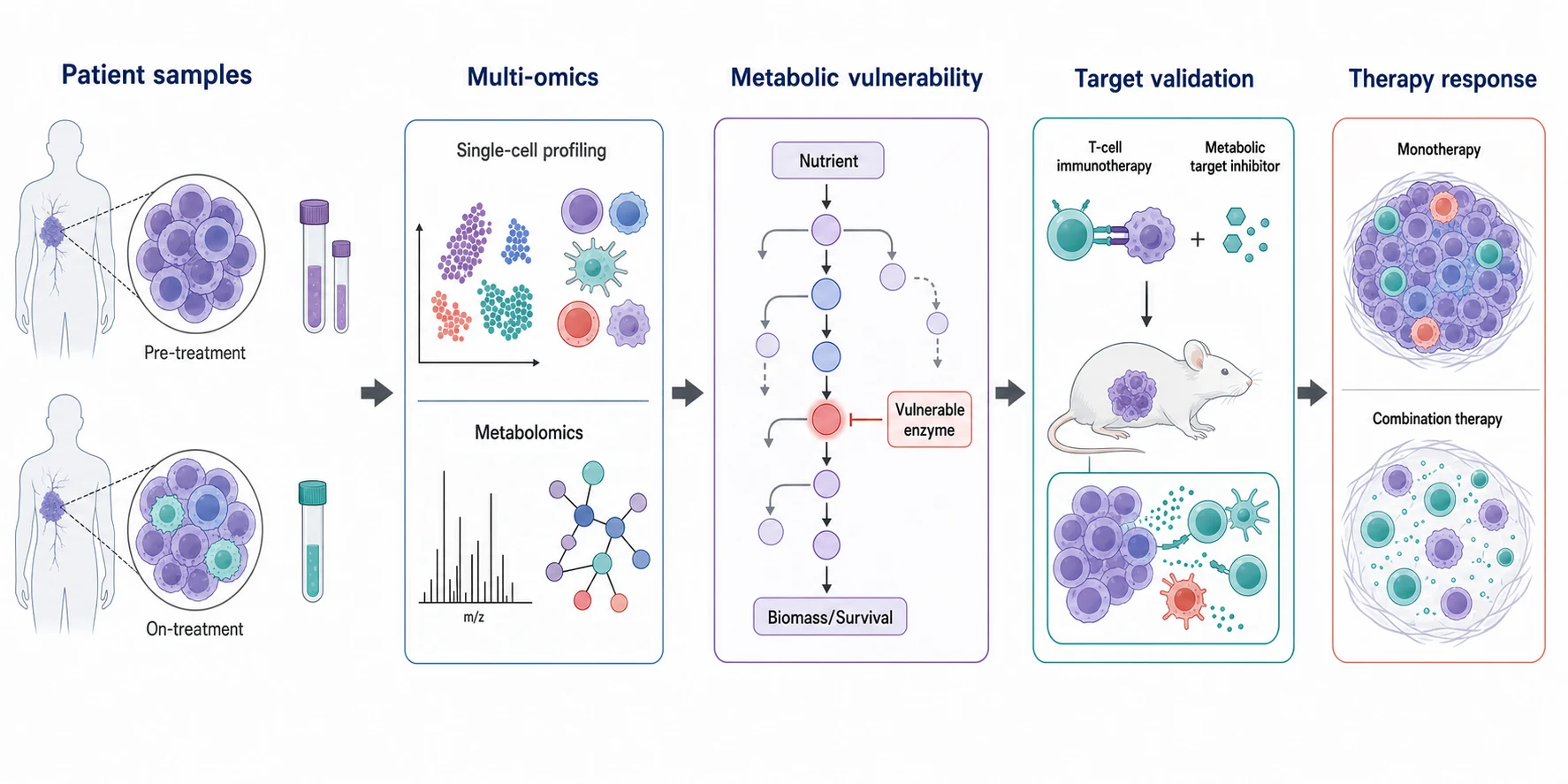
Nano Banana Pro biomedical graphical abstract
4K ready
Google

Nano Banana Pro

Create polished, high-resolution scientific illustrations with dense visual detail.
Best for: graphical abstracts
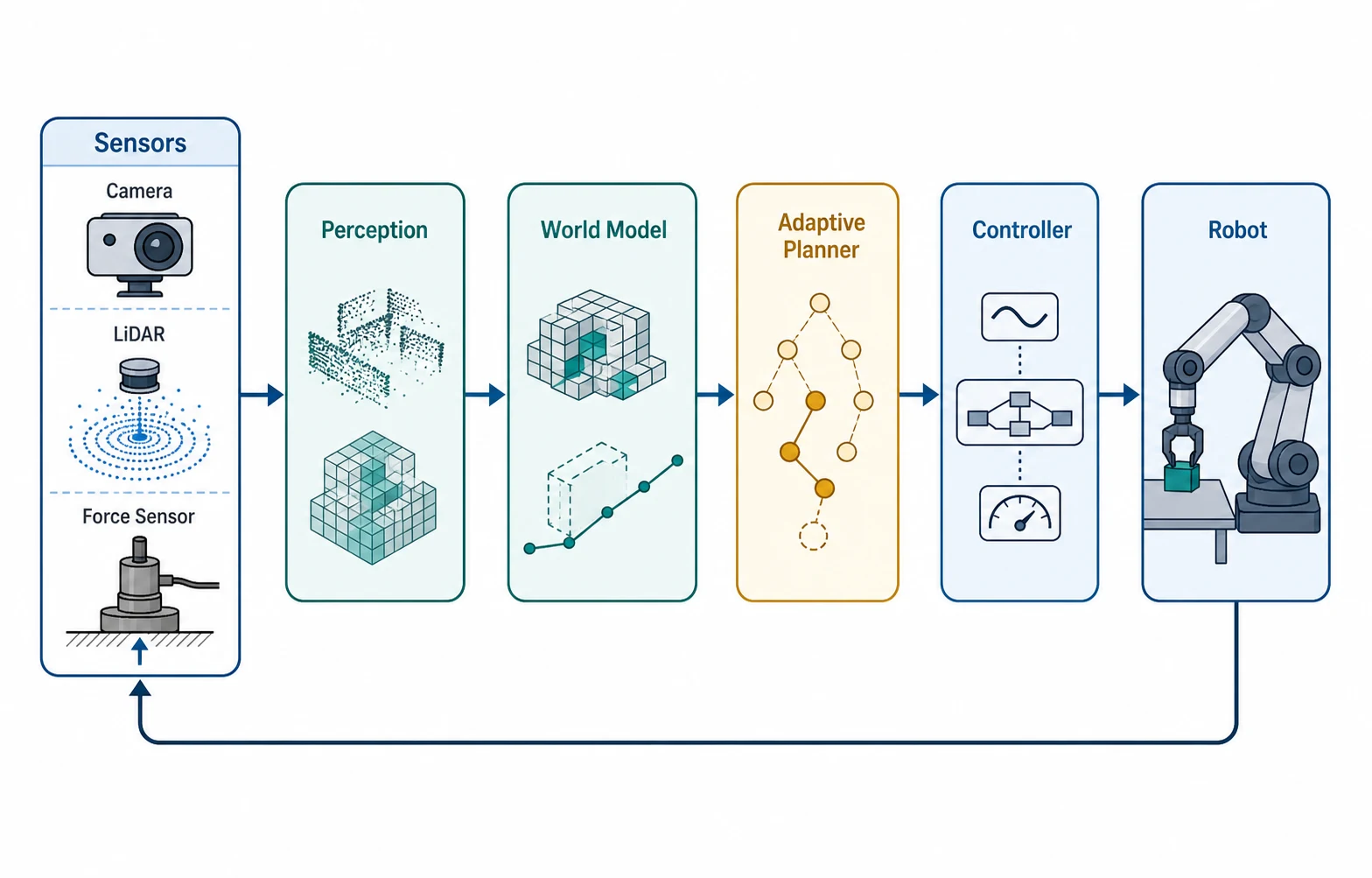
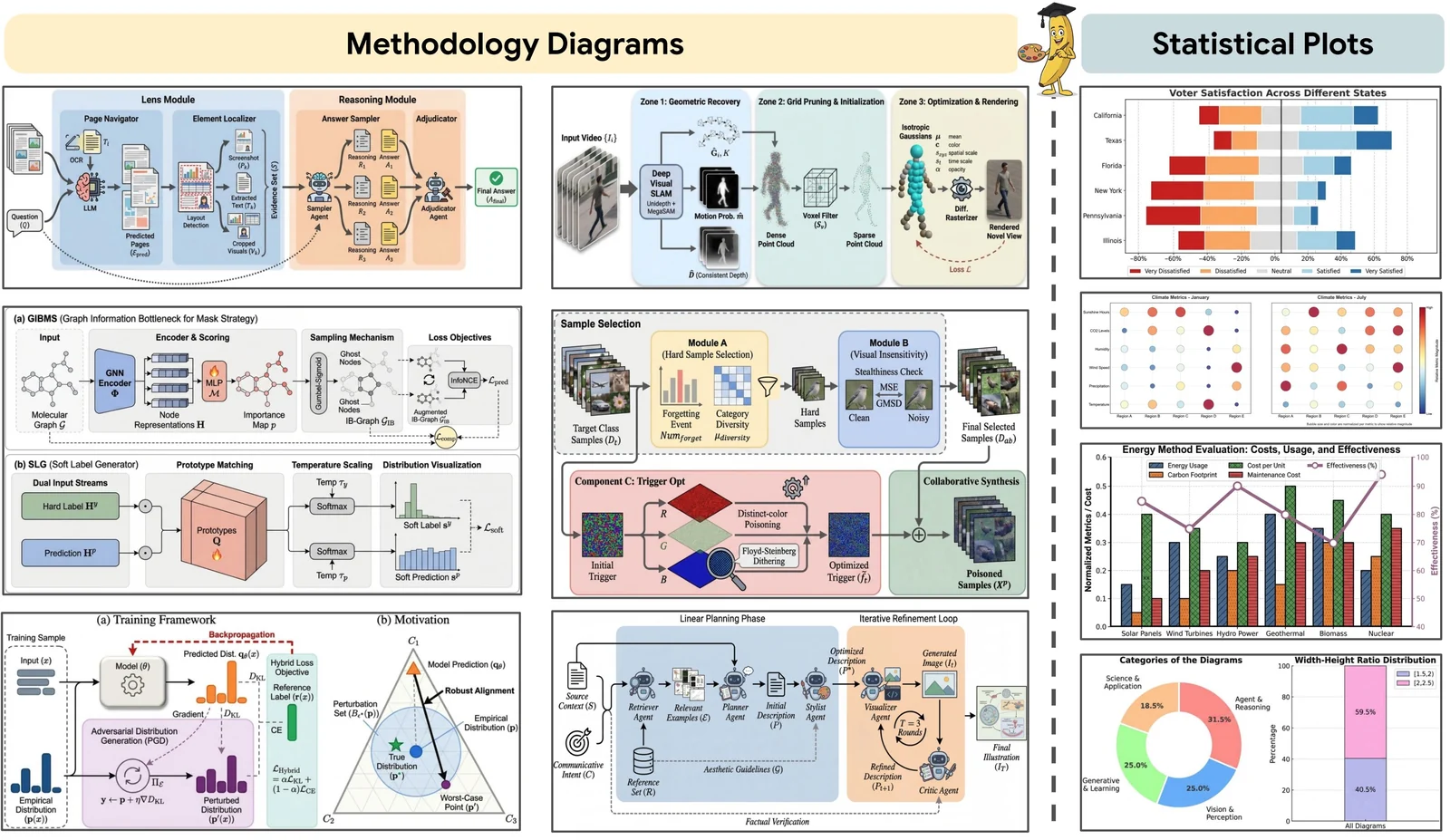
GPT Image 2 robotics system diagram
Text aware
OpenAI

GPT Image 2

Build clear compositions with strong short-label and diagram rendering.
Best for: labeled system diagrams
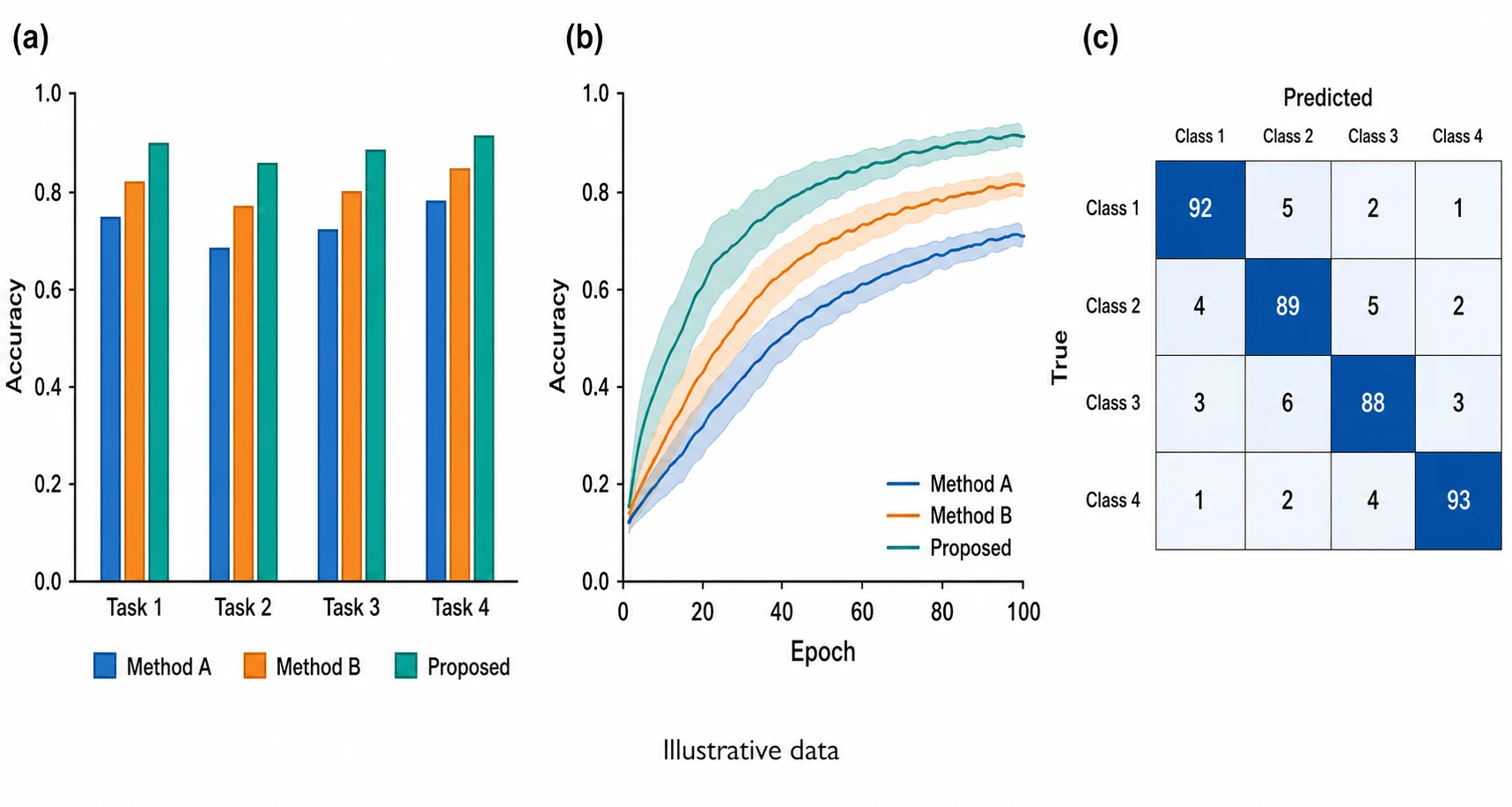
Nano Banana 2 academic results panel
Flexible canvas
Google

Nano Banana 2

Generate research visuals across varied aspect ratios and resolution needs.
Best for: results and methods panels
Nano Banana research brief to figure example
Fast draft
Google

Nano Banana

Move quickly from a research brief to a clean visual starting point.

Best for: early figure concepts
Ready for your next conference?

Create a professional scientific poster for your next conference

Move from a dense PDF paper to a clear poster outline, supporting visuals, and export-ready assets. Built for researchers, PhD students, medical residents, and lab teams.
Make Scientific Poster NowView Pricing

Cancel anytime · Subscription credits are valid for 30 days

Basic

$19$9.5/month
$114/year🔥 Save 50%
Cost per image≈ $0.18/image

For individual researchers who need the complete visual workflow with a practical credit allowance

Subscribe

  • 5,040 credits/year (≈630 academic illustrations)
  • Commercial License (Yearly Only)
  • Watermark-free downloads across generated images
  • GPT Image 2, Nano Banana, Nano Banana Pro, and Nano Banana 2
  • Up to 4K generation on supported models
  • Paper Banana multi-stage scientific figure pipeline
  • Scientific Poster Maker from uploaded PDF papers
  • Editable SVG scientific figures with a built-in editor
  • Flowchart Agent with SVG, PNG, and JPG export
Popular

Plus

$39$19.5/month
$234/year🔥 Save 50%
Cost per image≈ $0.14/image

For researchers who need more iterations, commercial use, and every advanced visual workflow

Subscribe

  • 12,960 credits/year (≈1,620 academic illustrations)
  • Commercial License
  • Watermark-free downloads across generated images
  • GPT Image 2, Nano Banana, Nano Banana Pro, and Nano Banana 2
  • Up to 4K generation on supported models
  • Paper Banana multi-stage scientific figure pipeline
  • Scientific Poster Maker from uploaded PDF papers
  • Editable SVG scientific figures with a built-in editor
  • Flowchart Agent with SVG, PNG, and JPG export
  • Dedicated Support (2h response)
  • Custom Enterprise Service

Enterprise

$69$34.5/month
$414/year🔥 Save 50%
Cost per image≈ $0.12/image

For teams that need high-volume credits, commercial use, and support across the full workflow

Subscribe

  • 28,800 credits/year (≈3,600 academic illustrations)
  • Commercial License
  • Watermark-free downloads across generated images
  • GPT Image 2, Nano Banana, Nano Banana Pro, and Nano Banana 2
  • Up to 4K generation on supported models
  • Paper Banana multi-stage scientific figure pipeline
  • Scientific Poster Maker from uploaded PDF papers
  • Editable SVG scientific figures with a built-in editor
  • Flowchart Agent with SVG, PNG, and JPG export
  • Dedicated Support (2h response)
  • Custom Enterprise Service