• FigEditorCreate scientific figures
Workspace
  • Home
  • Studio
Creation tools
  • Paper BananaPaper Banana
  • AI Scientific IllustrationAI Scientific Illustration
  • Scientific Poster MakerScientific Poster Maker
Image models
  • Nano BananaNano Banana
  • Nano Banana 2Nano Banana 2
  • Nano Banana ProNano Banana Pro
  • GPT Image 2GPT Image 2
Sign in
FigEditor logo
FigEditor
CreateResourcesPricingInvite Friends
Start Creating Free
  1. Home
  2. Image Models
  3. Nano Banana
FigEditor
FigEditorFigEditor

FigEditor turns scientific ideas, sketches, and references into polished, editable figures.

support@figeditor.ai

Image Models

  • Nano Banana
  • Nano Banana 2
  • Nano Banana Pro
  • GPT Image 2

Scientific Figure Tools

  • Paper Banana
  • AI Scientific Illustration
  • Scientific Poster Maker

FigEditor

  • Blog
  • About FigEditor
  • Contact

© 2026 FigEditor. All rights reserved.

Privacy Policy
•Terms of Service
•Acceptable Use Policy
Google Gemini for Research Figures

Nano Banana: Edit Scientific Figures Without Starting Over

Nano Banana, Google's Gemini 2.5 Flash Image model, is available in FigEditor for turn-by-turn edits that keep subjects, layout, and style recognizable.

Nano Banana Scientific Figure Examples

Explore common research-visualization tasks—from methods and systems diagrams to anatomy plates, evidence synthesis, and graphical abstracts.

Edit Existing Research Figures Instead of Rebuilding Them

Use conversational revisions for the visual tasks where preserving the original figure matters as much as changing it.

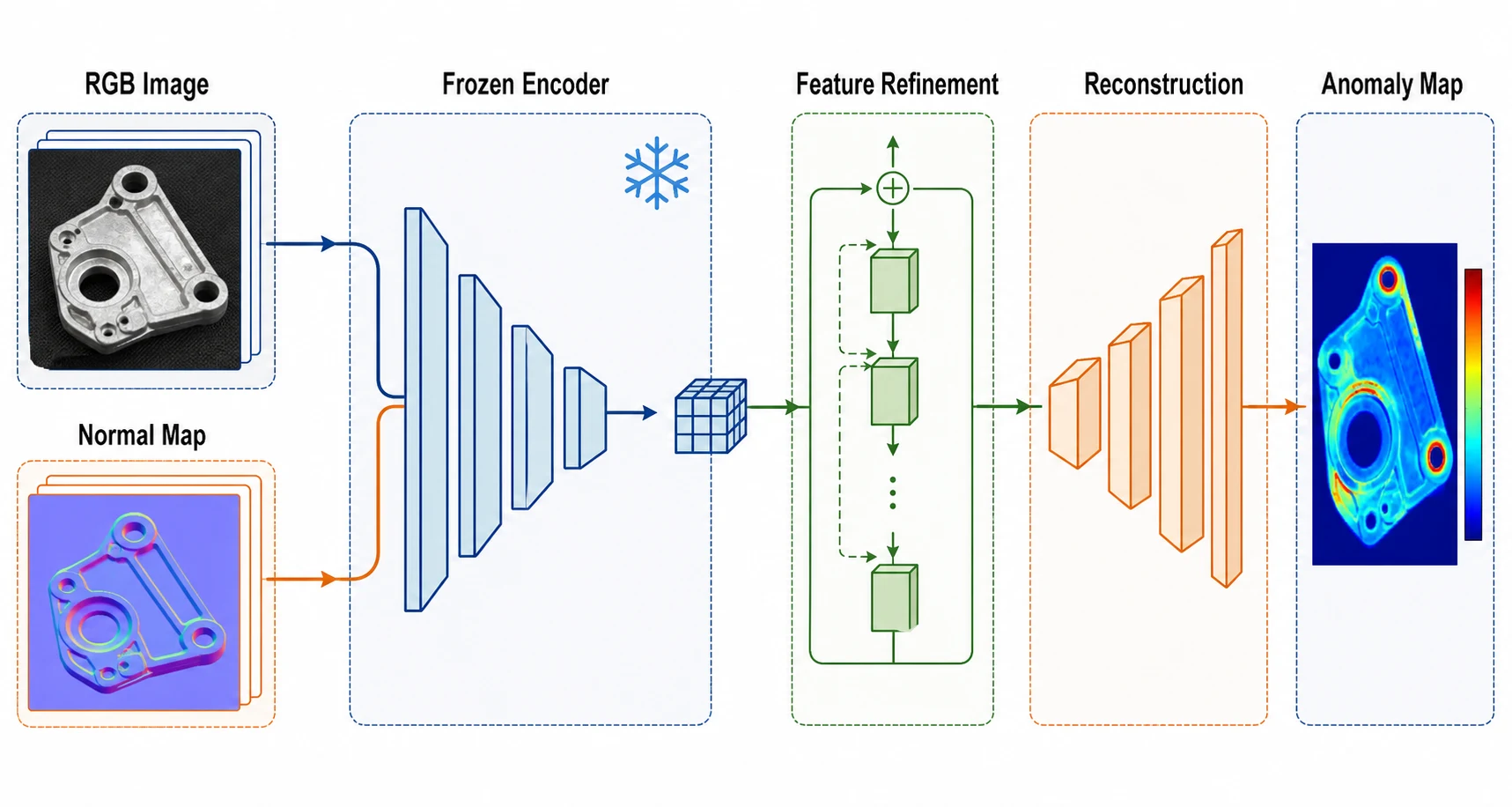
Revise Methods Without Redrawing the Flow — Add a stage, shorten a label, or reroute one connector while asking the model to retain the remaining modules and directional logic.
Revise Methods Without Redrawing the Flow

Add a stage, shorten a label, or reroute one connector while asking the model to retain the remaining modules and directional logic.

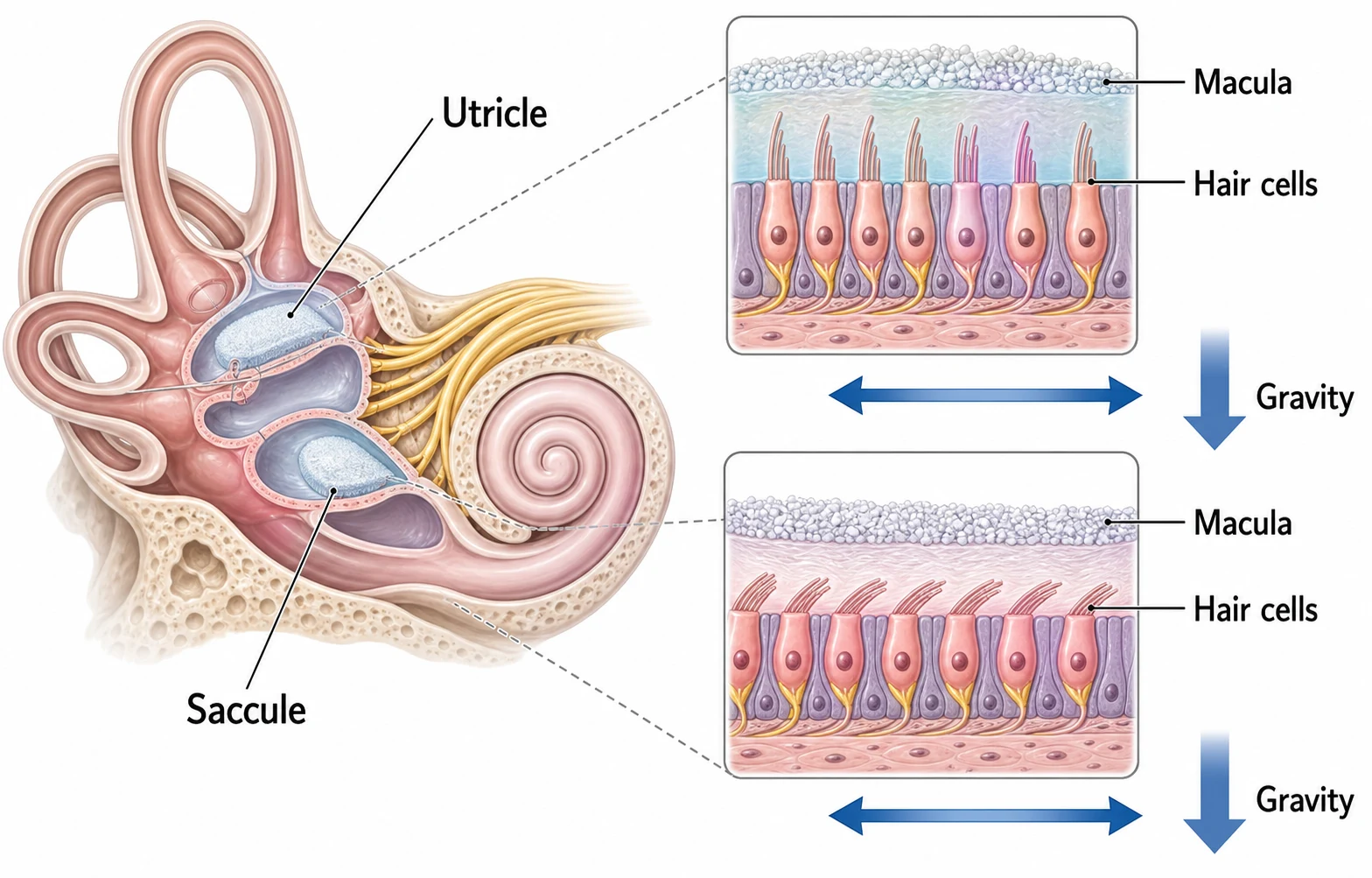
Preserve Subjects Across Biomedical Edits — Refine callouts, colors, or explanatory insets while keeping the same specimen, anatomical subject, or visual identity recognizable.
Preserve Subjects Across Biomedical Edits

Refine callouts, colors, or explanatory insets while keeping the same specimen, anatomical subject, or visual identity recognizable.

Blend References into One Visual Direction — Combine source content with a layout sketch or style reference to build a coherent graphical abstract, review flow, or concept figure.

Blend References into One Visual Direction

Combine source content with a layout sketch or style reference to build a coherent graphical abstract, review flow, or concept figure.

02Research Figure Capabilities

Conversational Editing That Keeps the Figure Recognizable

Move beyond one-shot generation by refining the same visual in focused turns instead of recreating every element.
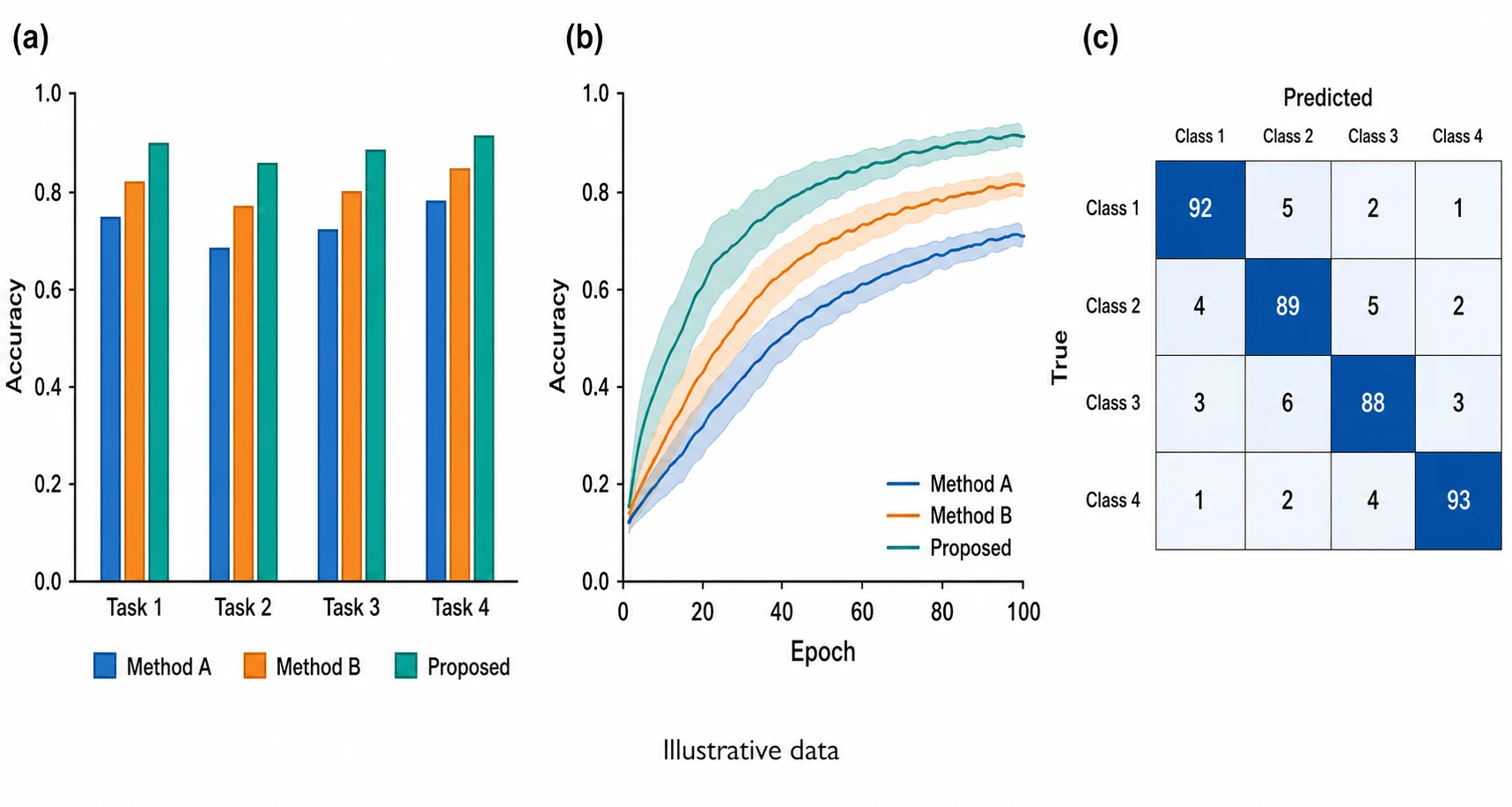
Change One Element, Protect the Rest — Name the exact label, object, panel, or color to change and list the elements that must remain fixed, reducing unnecessary redraws during figure revision.
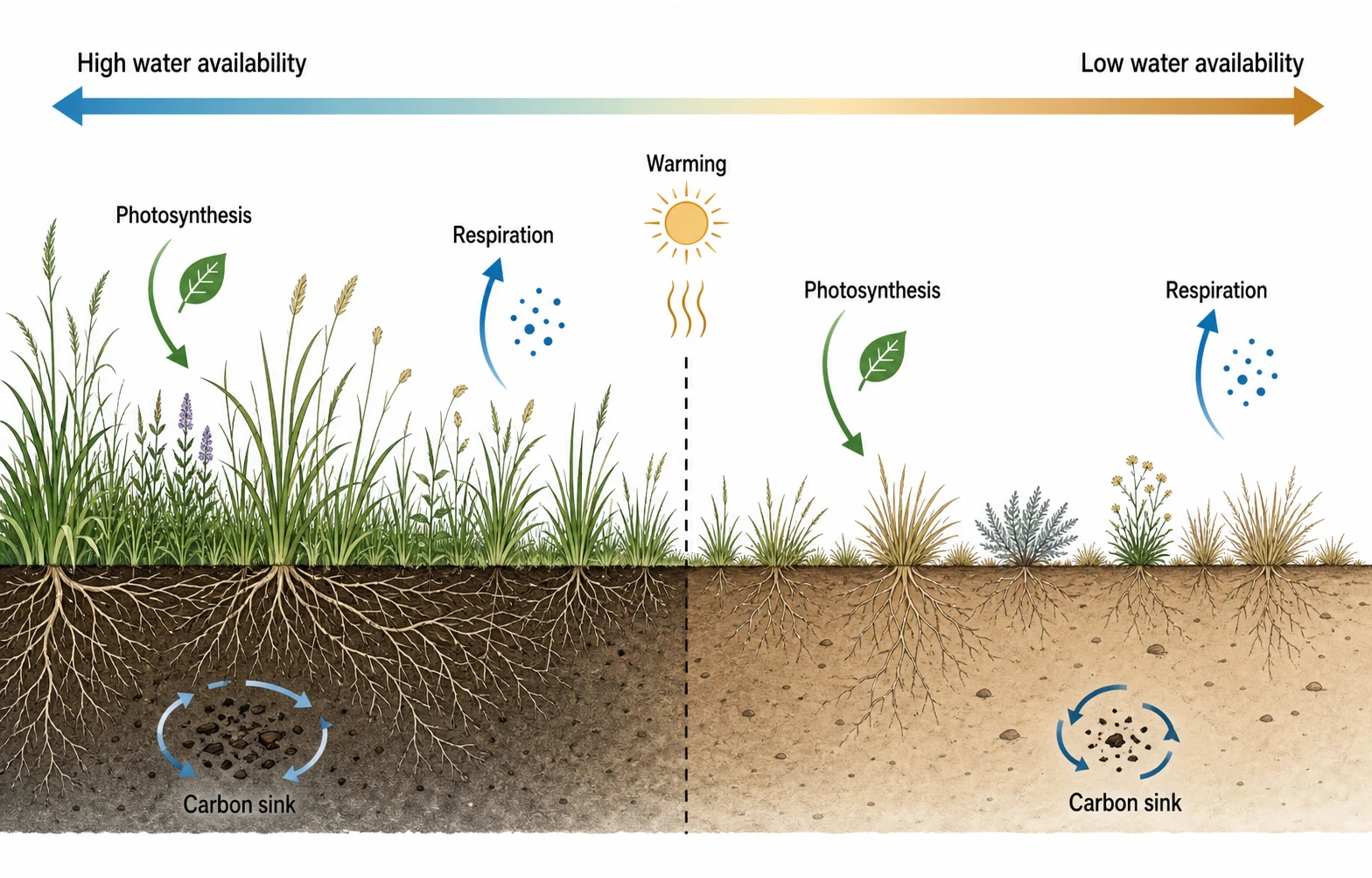
Change One Element, Protect the Rest

Name the exact label, object, panel, or color to change and list the elements that must remain fixed, reducing unnecessary redraws during figure revision.

Keep Subjects Consistent Across Turns — Continue editing the same person, specimen, device, or diagram so the visual stays recognizable while the surrounding explanation evolves.
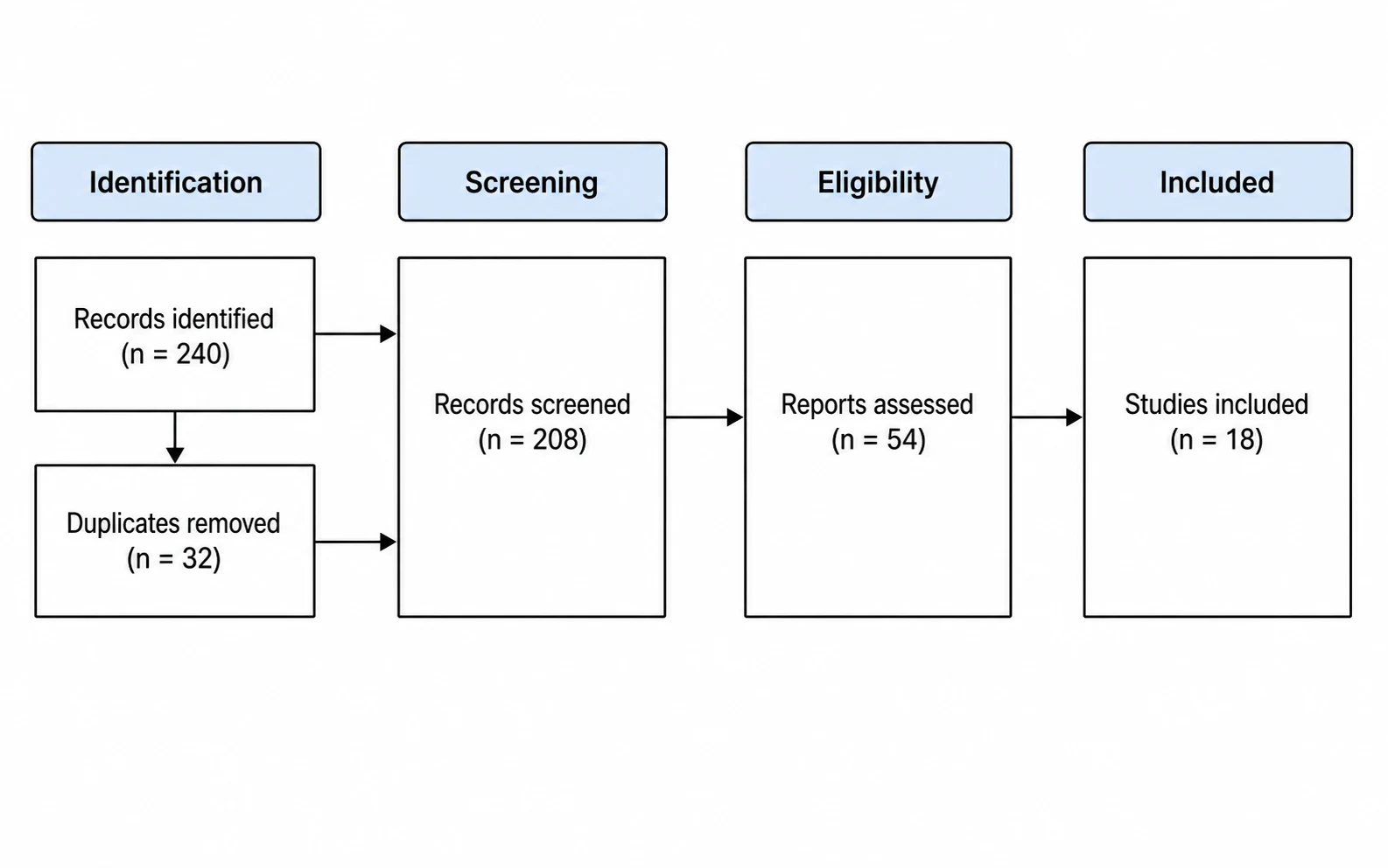
Keep Subjects Consistent Across Turns

Continue editing the same person, specimen, device, or diagram so the visual stays recognizable while the surrounding explanation evolves.

Merge Content, Layout, and Style References — Upload focused references with separate roles for source content, composition, and visual language, then verify every scientific label and relationship.

Merge Content, Layout, and Style References

Upload focused references with separate roles for source content, composition, and visual language, then verify every scientific label and relationship.

What Conversational Image Editing Changes for Researchers

Preserve useful work between revisions while keeping scientific review and final approval in the researcher's hands.

Continue from the Last Good Draft

Keep the composition that already works and describe the next focused revision instead of regenerating the complete figure.

Multi-Turn Editing

Describe Revisions in Plain Language

Request focused changes such as shortening labels, moving one panel, clarifying an arrow, or simplifying a pathway.

Natural-Language Editing

Choose the Right Model per Draft

See the credit requirement before generation and select a model based on the complexity and fidelity your figure needs.

Flexible Credits

Protect Identity and Visual Context

Use reference images and explicit invariants to help preserve subjects, layout, panel order, and visual relationships during revisions.

Subject Consistency

Work Across Research Disciplines

Explore methods diagrams, anatomy plates, ecological mechanisms, system architectures, graphical abstracts, and review flows.

Academic Range

Review Before You Publish

Use the generated result as a draft. Check every label, arrow, value, citation, anatomical detail, and scientific claim against your source material.

Researcher Verification

How to Edit a Scientific Figure with Nano Banana

Upload the current visual, describe one controlled change, then inspect what changed and what stayed intact.

Step 1: Upload the Figure or Enter a Brief

Start with an existing figure for revision or paste a methods summary, caption, or structured outline for a new visual draft.

Step 2: Describe the Change and Invariants

Name the exact labels, objects, panels, or colors to revise, then state which subjects and relationships must remain unchanged.

Step 3: Generate, Compare, and Continue

Compare the result with the source, verify scientific accuracy and image integrity, then request the next focused revision.
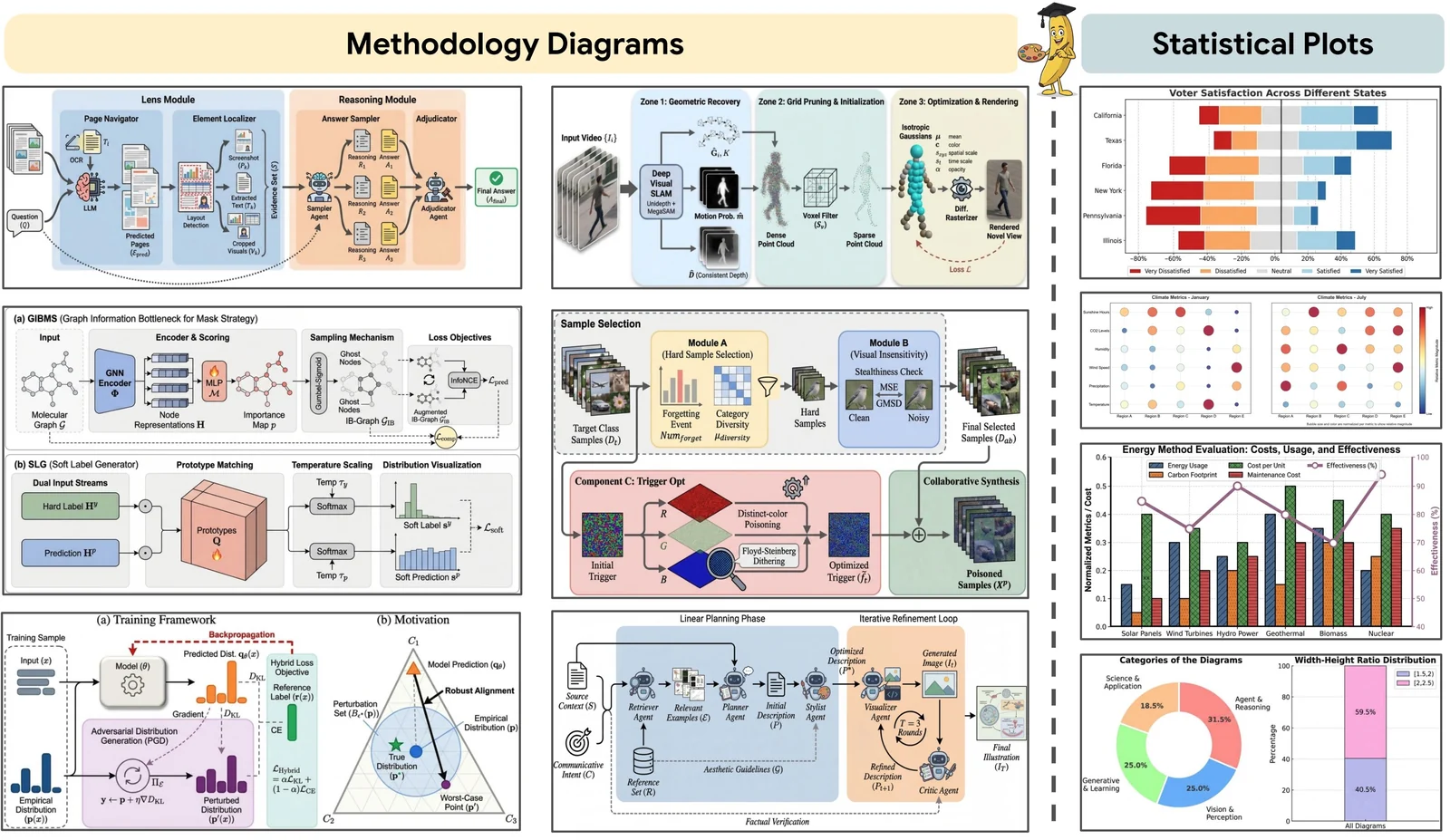
Nano Banana workflow from research brief and reference images to a reviewed scientific figure

Refine labels and arrows

Flexible pricing

Choose a plan that fits your figure workload

Start with free credits, subscribe for regular figure creation, or purchase a credit pack for your next paper or presentation.

Continue with a related workflow

Related tools for your next visual

Choose a closely related FigEditor tool based on the source material, visual structure, or output you need next.

Nano Banana 2 academic results panel

Nano Banana 2

Generate research visuals across varied aspect ratios and resolution needs.
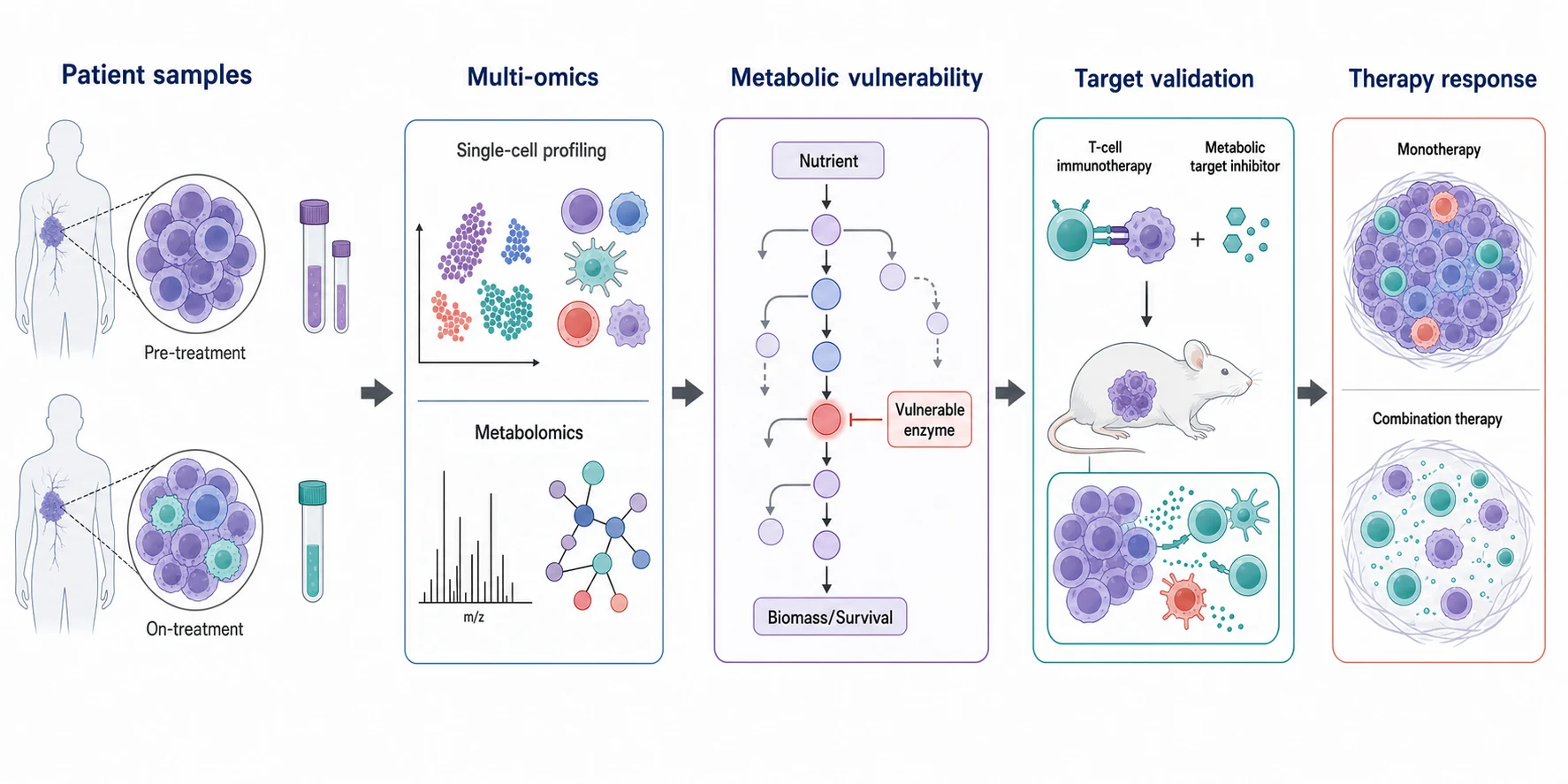
Nano Banana Pro biomedical graphical abstract

Nano Banana Pro

Create polished, high-resolution scientific illustrations with dense visual detail.

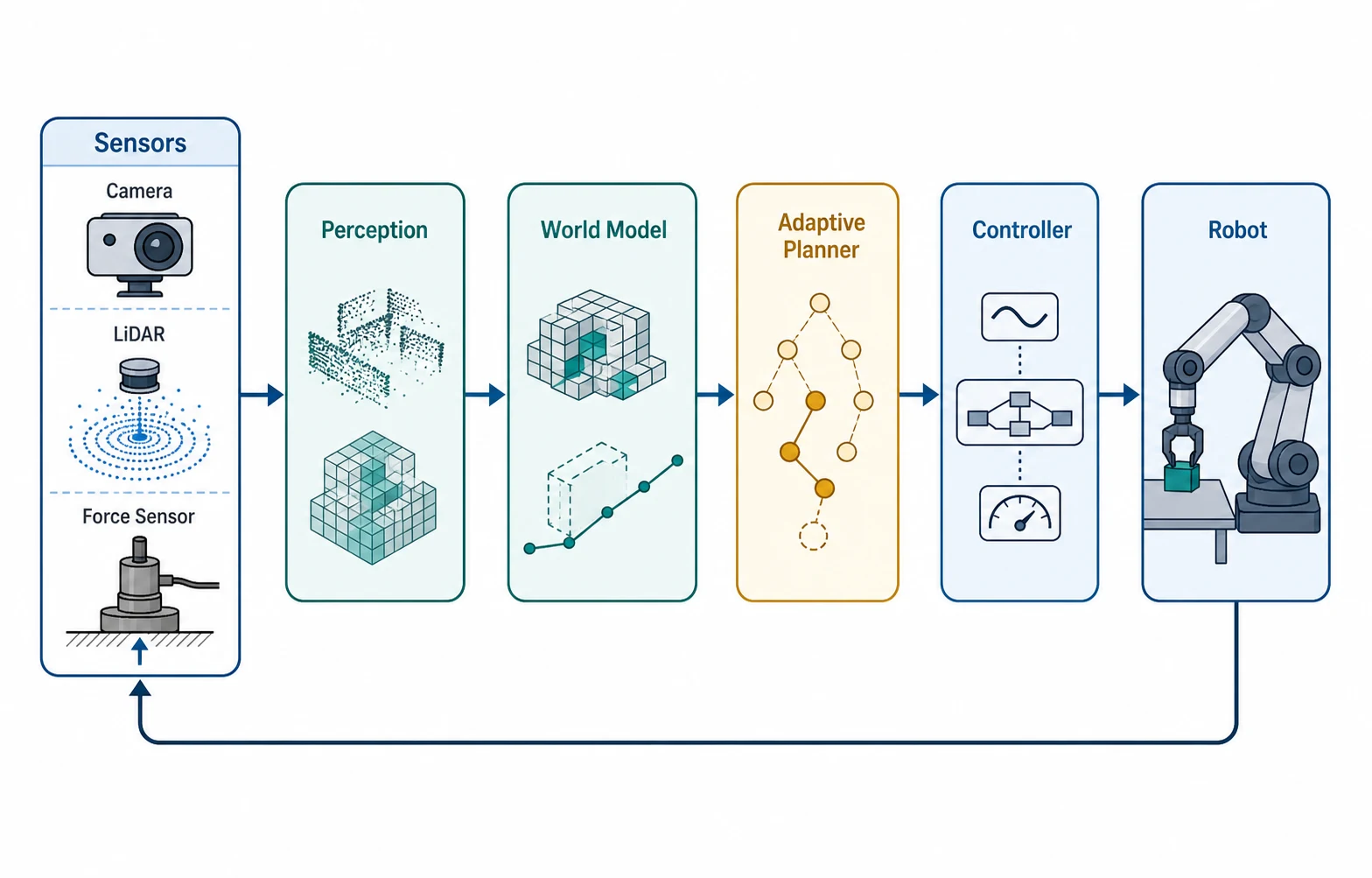
GPT Image 2 robotics system diagram

GPT Image 2

Build clear compositions with strong short-label and diagram rendering.
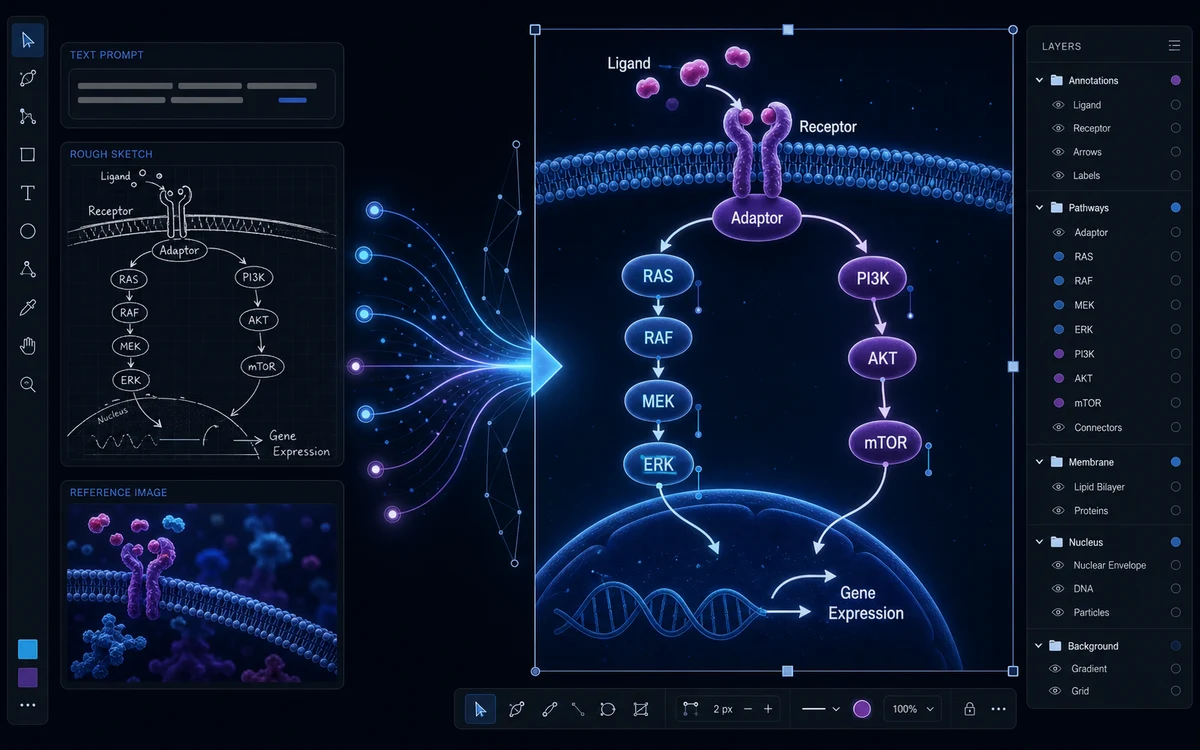
Cell sketch transformed into a detailed scientific illustration and figure panel

AI Scientific Illustration

Generate precise scientific illustrations from a prompt, sketch, or reference—then refine them in one workspace.

Nano Banana Scientific Figure Editing FAQ

Answers about multi-turn editing, subject consistency, local changes, references, and responsible academic use

Upload the current figure, name the exact object, label, panel, or color to revise, and list the elements that must remain unchanged. Nano Banana is designed for conversational local edits, but compare the output with the source because scientific labels, arrows, and relationships can still shift.

Keep the Figure. Change Only What Needs Work.

Upload a research figure or enter a brief, then use Nano Banana to make focused edits while preserving the visual context you want to keep.

Cancel anytime · Subscription credits are valid for 30 days

Starter

$9.9$8.25/month
$99/year🔥 Save 17%

For individual researchers creating and refining publication-ready visuals

Subscribe

Included tools & models

Creation tools

Paper BananaPaper Banana
AI Scientific IllustrationAI Scientific Illustration
Scientific Poster MakerScientific Poster Maker

Image models

Nano BananaNano Banana
Nano Banana 2Nano Banana 2
Nano Banana ProNano Banana Pro
GPT Image 2GPT Image 2
  • 7,800 credits/year (≈780 academic illustrations)
  • Commercial License (Yearly Only)
  • Watermark-free downloads and up to 4K generation
  • Paper Banana figures and code-rendered data plots
  • Scientific Poster Maker from uploaded PDF papers
  • Quick Edit, Region Redraw, Text Edit, Recolor, and Aspect Ratio tools
  • Journal Format presets with PNG, JPG, and TIFF output
  • Editable SVG figures and Flowchart Agent with source code access
  • Projects, conversation history, version history, and share links
Popular

Pro

$29.9$24.92/month
$299/year🔥 Save 17%

For frequent research, publishing, and client work with commercial use

Subscribe

Included tools & models

Creation tools

Paper BananaPaper Banana
AI Scientific IllustrationAI Scientific Illustration
Scientific Poster MakerScientific Poster Maker

Image models

Nano BananaNano Banana
Nano Banana 2Nano Banana 2
Nano Banana ProNano Banana Pro
GPT Image 2GPT Image 2
  • 36,000 credits/year (≈3,600 academic illustrations)
  • Commercial License
  • Watermark-free downloads and up to 4K generation
  • Paper Banana figures and code-rendered data plots
  • Scientific Poster Maker from uploaded PDF papers
  • Quick Edit, Region Redraw, Text Edit, Recolor, and Aspect Ratio tools
  • Journal Format presets with PNG, JPG, and TIFF output
  • Editable SVG figures and Flowchart Agent with source code access
  • Projects, conversation history, version history, and share links
  • Dedicated Support (2h response)
  • Custom Enterprise Service

Premium

$59.9$49.92/month
$599/year🔥 Save 17%

For labs, teams, and agencies producing scientific visuals at high volume

Subscribe

Included tools & models

Creation tools

Paper BananaPaper Banana
AI Scientific IllustrationAI Scientific Illustration
Scientific Poster MakerScientific Poster Maker

Image models

Nano BananaNano Banana
Nano Banana 2Nano Banana 2
Nano Banana ProNano Banana Pro
GPT Image 2GPT Image 2
  • 93,600 credits/year (≈9,360 academic illustrations)
  • Commercial License
  • Watermark-free downloads and up to 4K generation
  • Paper Banana figures and code-rendered data plots
  • Scientific Poster Maker from uploaded PDF papers
  • Quick Edit, Region Redraw, Text Edit, Recolor, and Aspect Ratio tools
  • Journal Format presets with PNG, JPG, and TIFF output
  • Editable SVG figures and Flowchart Agent with source code access
  • Projects, conversation history, version history, and share links
  • Dedicated Support (2h response)
  • Custom Enterprise Service