





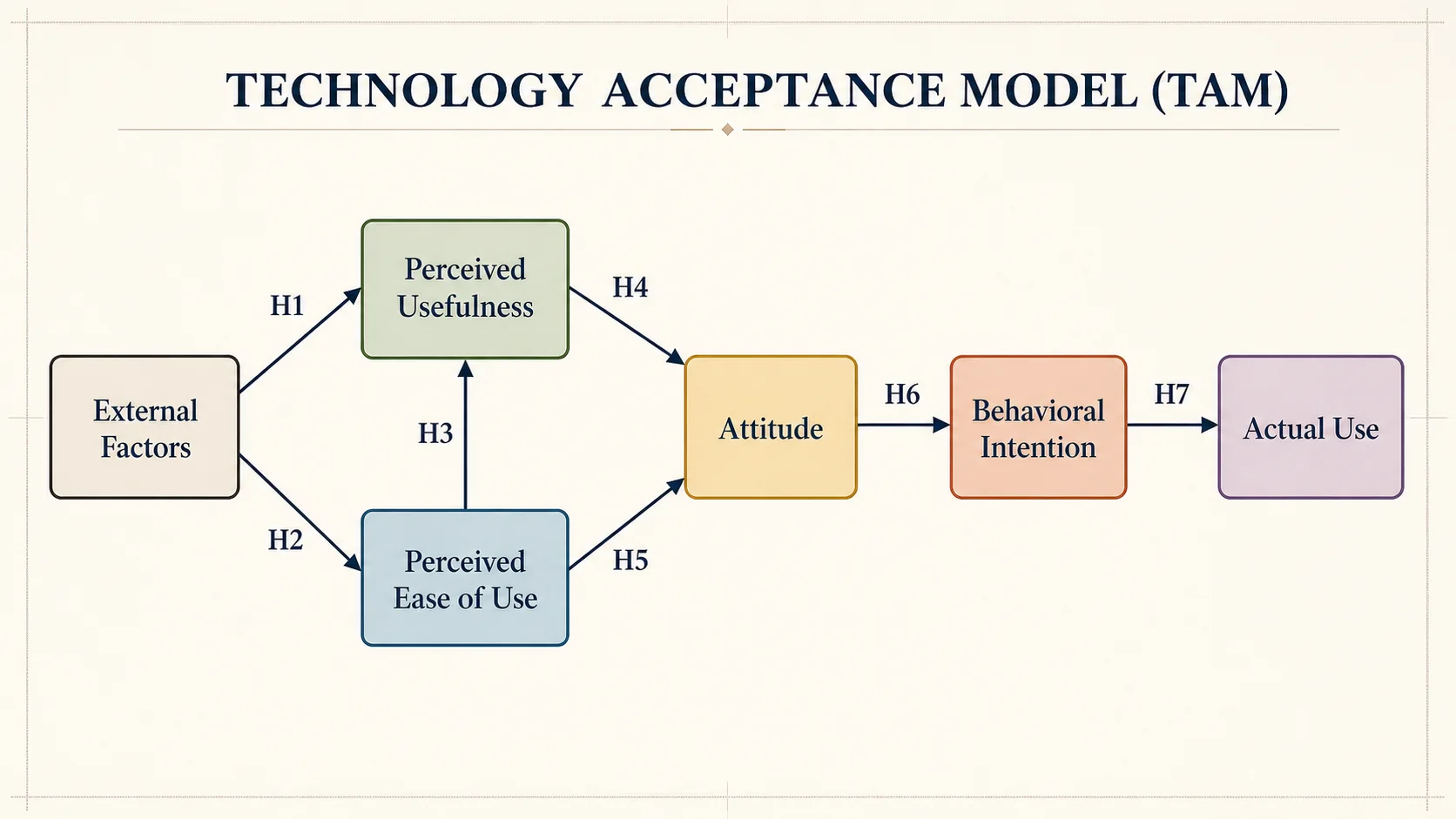
Visualize the Theory Behind a Thesis
Turn the established theory used in your literature review into a figure your supervisor or committee can inspect before you finalize the study design.
Theoretical Framework Generator turns an established theory into an editable diagram for a thesis, dissertation, proposal, or paper. Map constructs, propositions, and hypothesis paths, then verify every relationship in FigEditor.
Start with a recognized theory model, then replace or adapt every construct and relationship using evidence from your own literature review.
Move from a named scholarly lens to a diagram that makes the theory, constructs, and expected relationships easier to review.
Turn the established theory used in your literature review into a figure your supervisor or committee can inspect before you finalize the study design.
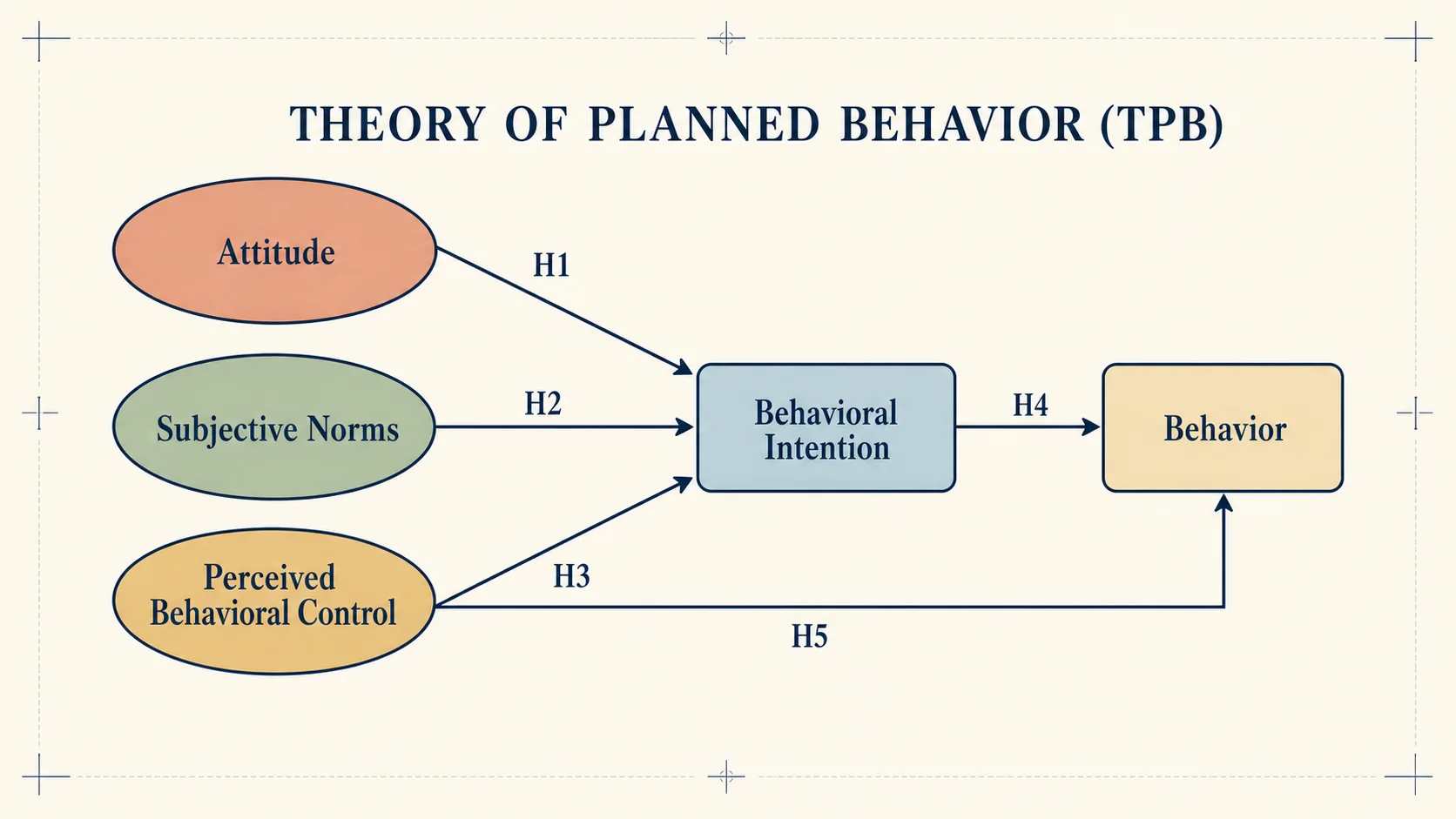
Show which construct influences another, label the relevant proposition or hypothesis, and keep the direction of every relationship explicit.
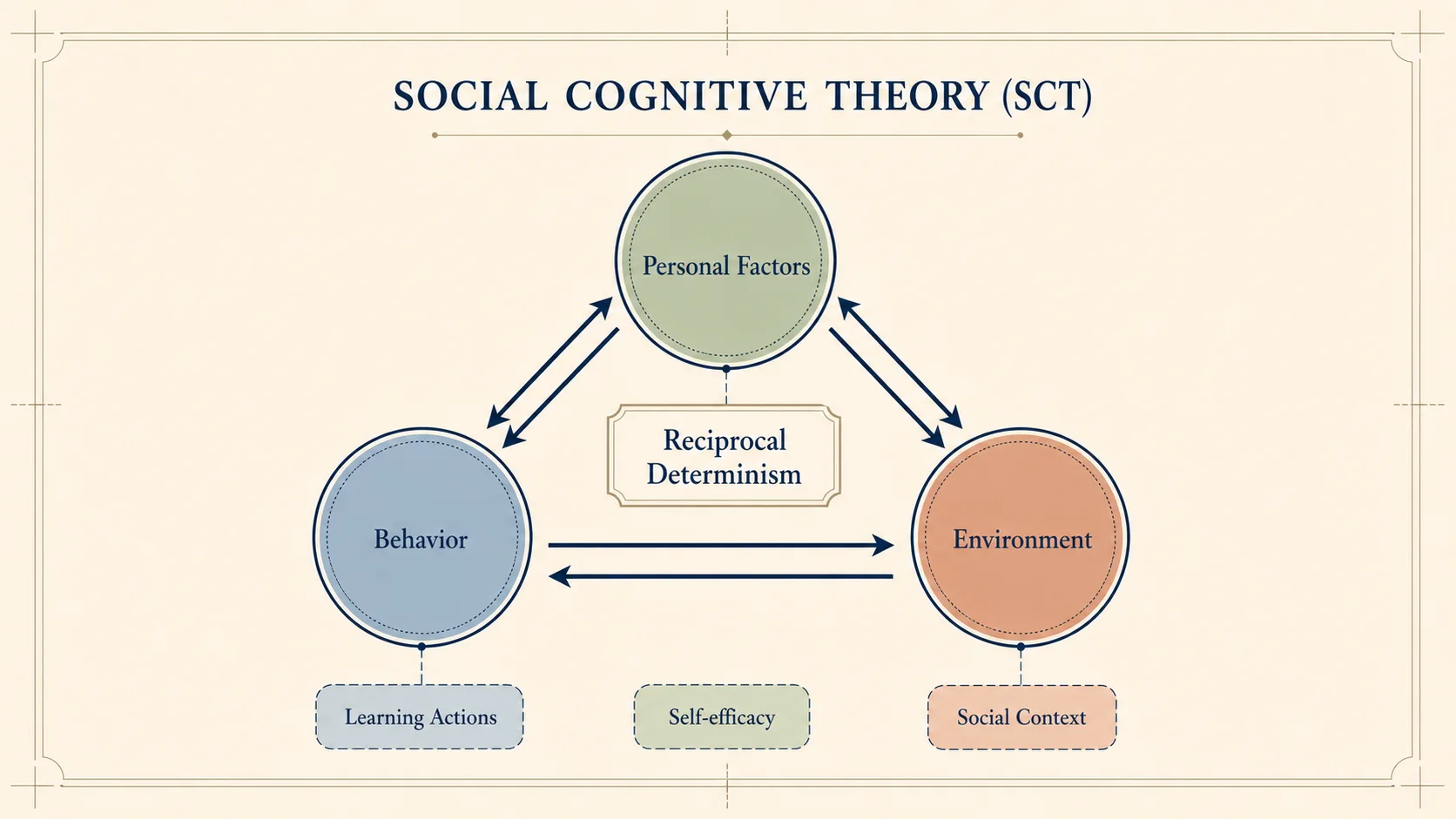
Represent sensitizing concepts, contexts, and reciprocal relationships without forcing a qualitative study into an inappropriate IV–DV model.
02Theoretical Framework Capabilities
A useful theoretical framework generator should preserve the meaning of the theory and make every construct and path reviewable.
State the theory you are adopting and list its canonical constructs. The draft organizes them as a scholarly lens rather than a loose collection of variables.
Describe each expected relationship together with H1, H2, or a proposition label. Clear arrows make unsupported or missing links easier to catch.
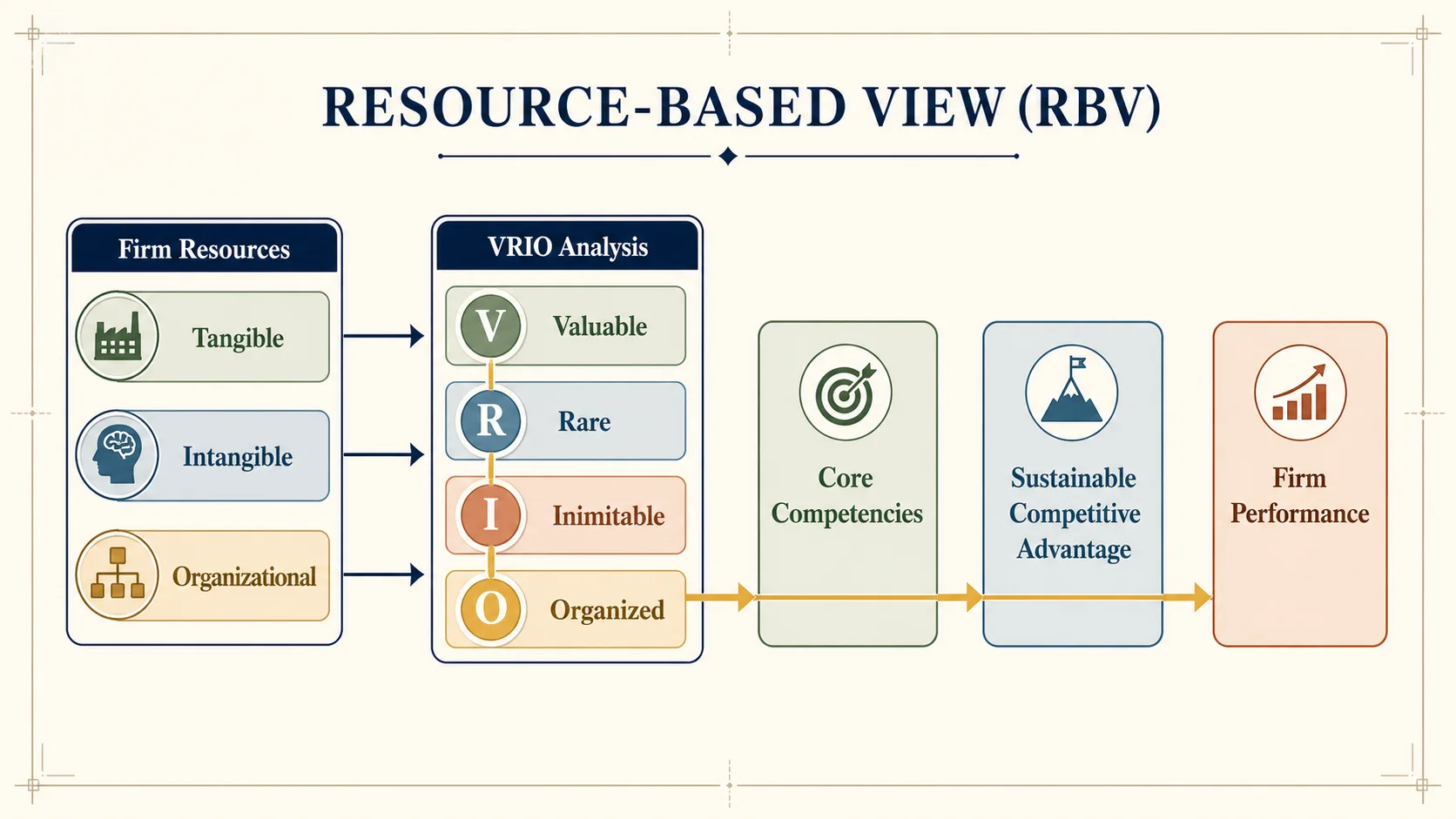
Preserve the useful composition while correcting terms, arrows, hierarchy, spacing, or colors. Review the theory against the original literature before export.
Create a faster visual draft while keeping the researcher responsible for theory selection, evidence, adaptation, and final academic judgment.
Describe the theory and its relationships in plain language, then inspect a concrete diagram before spending hours arranging boxes manually.
Faster First Draft
Use TAM, TPB, SCT, SDT, or RBV as a structural starting point, then replace only what your literature supports.
Theory-Aware Examples
Choose the model and resolution for the current research stage without discovering the generation cost after submitting.
Transparent Credits
Supply concise canonical terms, H-labels, and path directions so the draft remains close to your theoretical argument.
Academic Terminology
Keep what works and make focused changes to labels, arrows, emphasis, spacing, or color before export.
Editable Workflow
Verify the theory, citations, constructs, and implications with primary literature and your supervisor before academic use.
Human Verification
Name the theory, describe its constructs and propositions, then review every relationship before using the framework in a thesis or paper.
Enter the established theory, research question, discipline, canonical constructs, and the sources or definitions you have already verified.
State the direction of each path, reciprocal relationship, proposition, or hypothesis. Use an example only as a structure—not as evidence for your study.
Open the draft in FigEditor, correct every label and arrow, distinguish theory from study variables, and export only after checking the original literature.
The two are related, but they answer different questions and should not be generated as interchangeable diagrams.
The lens you stand on
Uses an established theory to explain the phenomenon. It foregrounds the theory name, canonical constructs, propositions, assumptions, and supporting scholarship.
The model you build
Maps the variables, themes, mediators, moderators, and expected relationships in your particular study. It may adapt one or more theories to the research question.
Open the Conceptual Framework GeneratorContinue with a related workflow
Choose a closely related FigEditor tool based on the source material, visual structure, or output you need next.
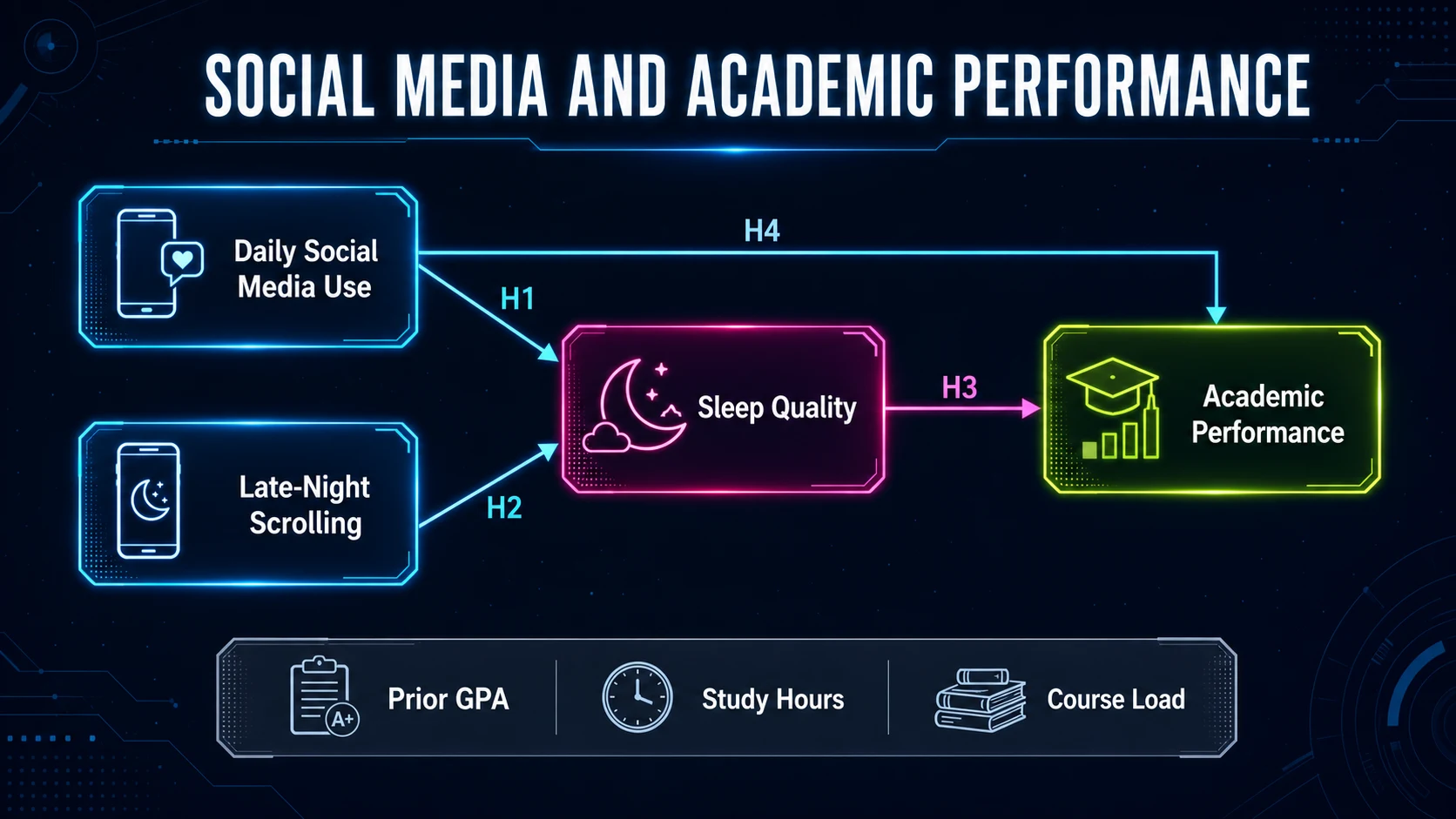
Turn research variables, theories, and hypotheses into a clear conceptual framework for a thesis or paper.
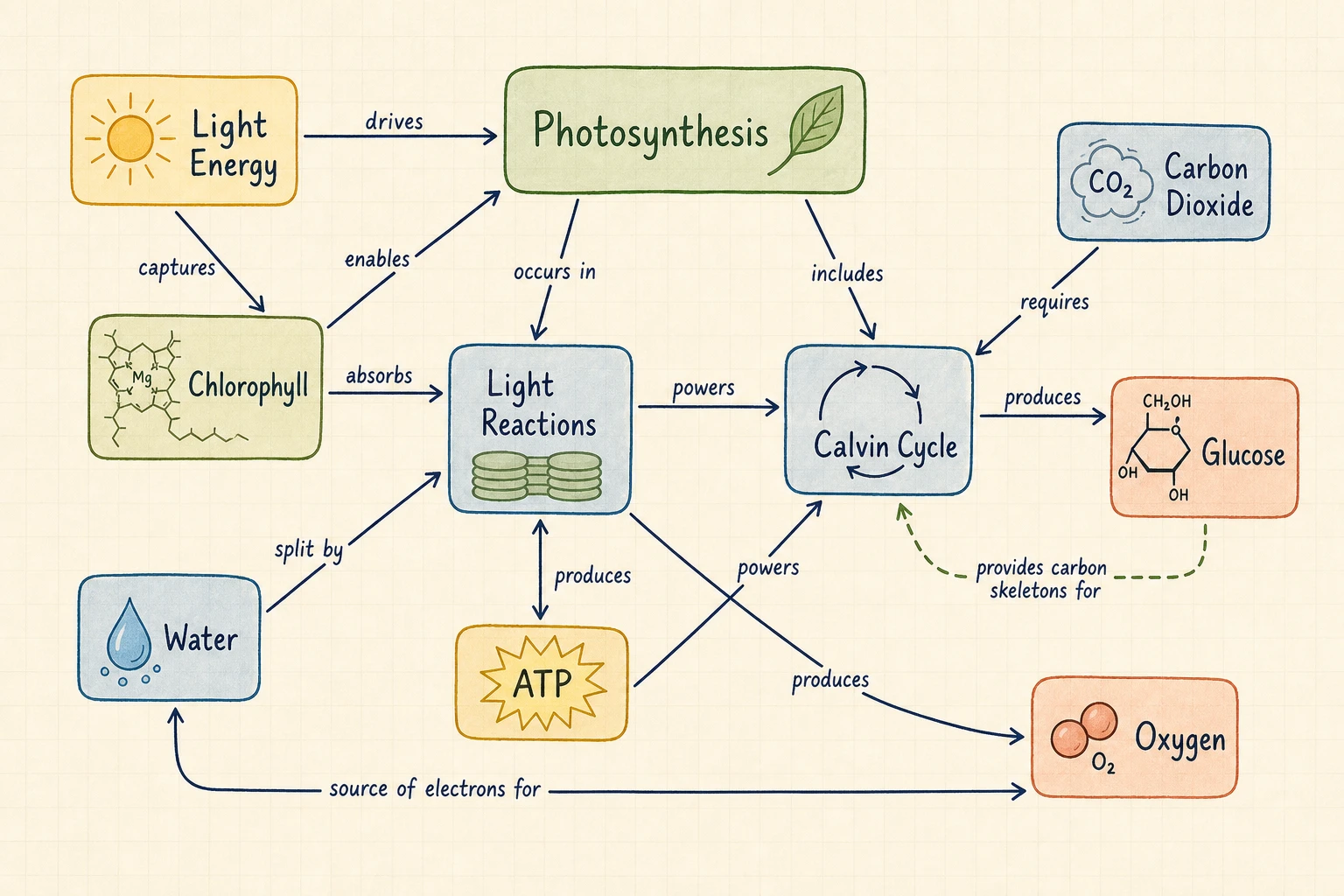
Turn a topic or text into a concept map with labeled relationships, propositions, and cross-links.
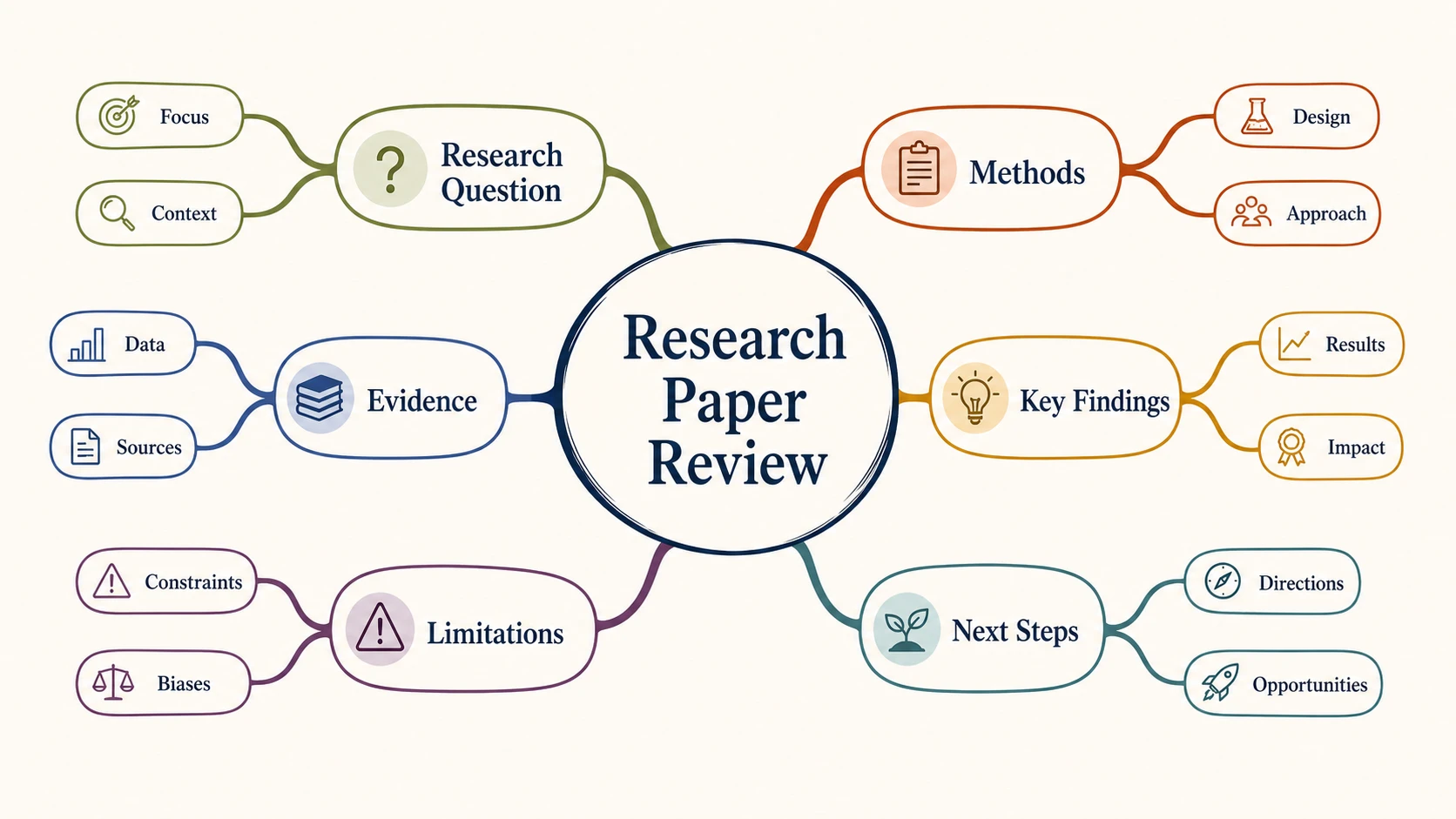
Turn text, notes, or an outline into a clear radial mind map for research, study, brainstorming, and planning.
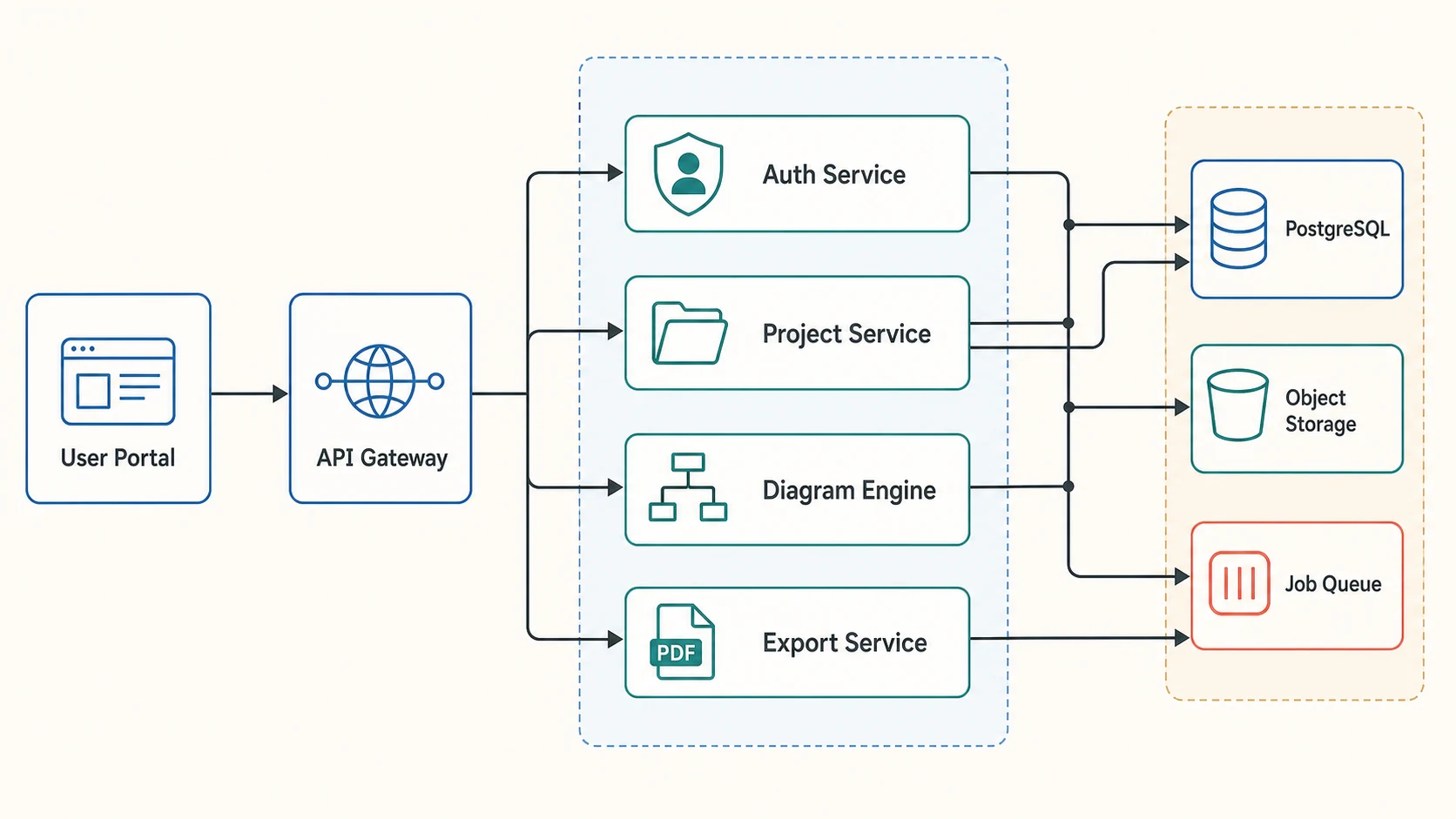
Turn plain text into an editable workflow, study design, or system diagram, then refine every label and connection.
Answers about theory choice, common models, thesis placement, conceptual frameworks, qualitative research, citations, and academic use
Name the theory, map its constructs and propositions, generate a focused diagram, and refine every label and path in FigEditor.