
Concept map
Multiple concepts, named relationships, and cross-links. Use it to explain systems, theories, causes, and evidence.
Concept Map Generator turns a topic, notes, or source summary into a visual where every connection explains the relationship. Generate labeled links and cross-links, then review and refine the image in FigEditor.
Choose an example that matches your task, then replace its concepts, linking phrases, and cross-links with your own material.
Use the right knowledge structure
A concept map connects several ideas through labeled relationships. Read any concept, its linking phrase, and the next concept as a complete statement. Cross-links reveal relationships that a simple tree would miss.
Multiple concepts, named relationships, and cross-links. Use it to explain systems, theories, causes, and evidence.
One central topic with radial branches. Use it to brainstorm, outline, revise, and group ideas quickly.
Concept + linking phrase + concept = proposition
Use a labeled knowledge network when the meaning of each relationship matters as much as the concepts themselves.
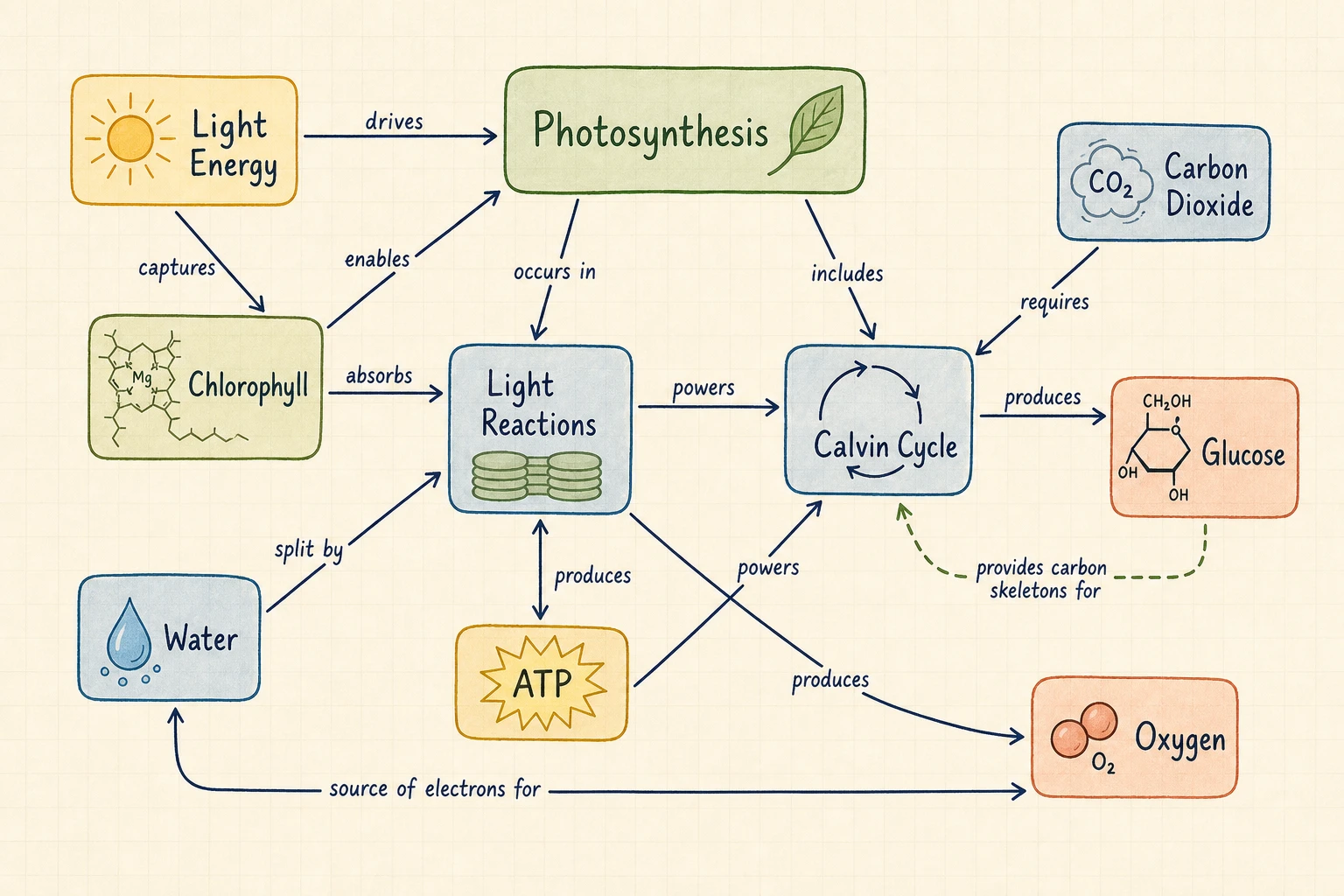
Turn a chapter or lesson into concepts and propositions that expose missing knowledge, misconceptions, and cross-topic relationships.
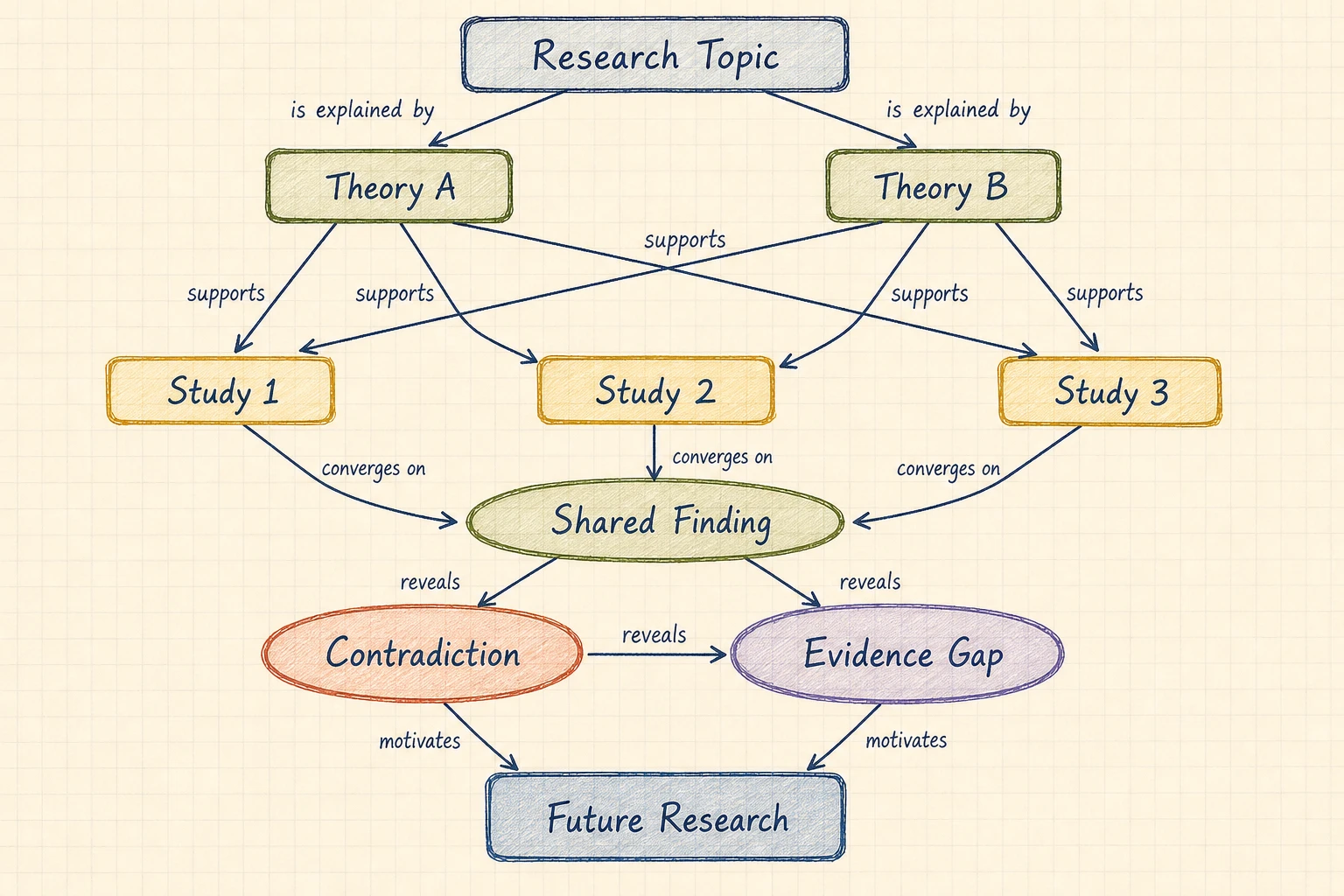
Connect theories, studies, evidence, contradictions, and gaps instead of flattening a literature review into a single hierarchy.
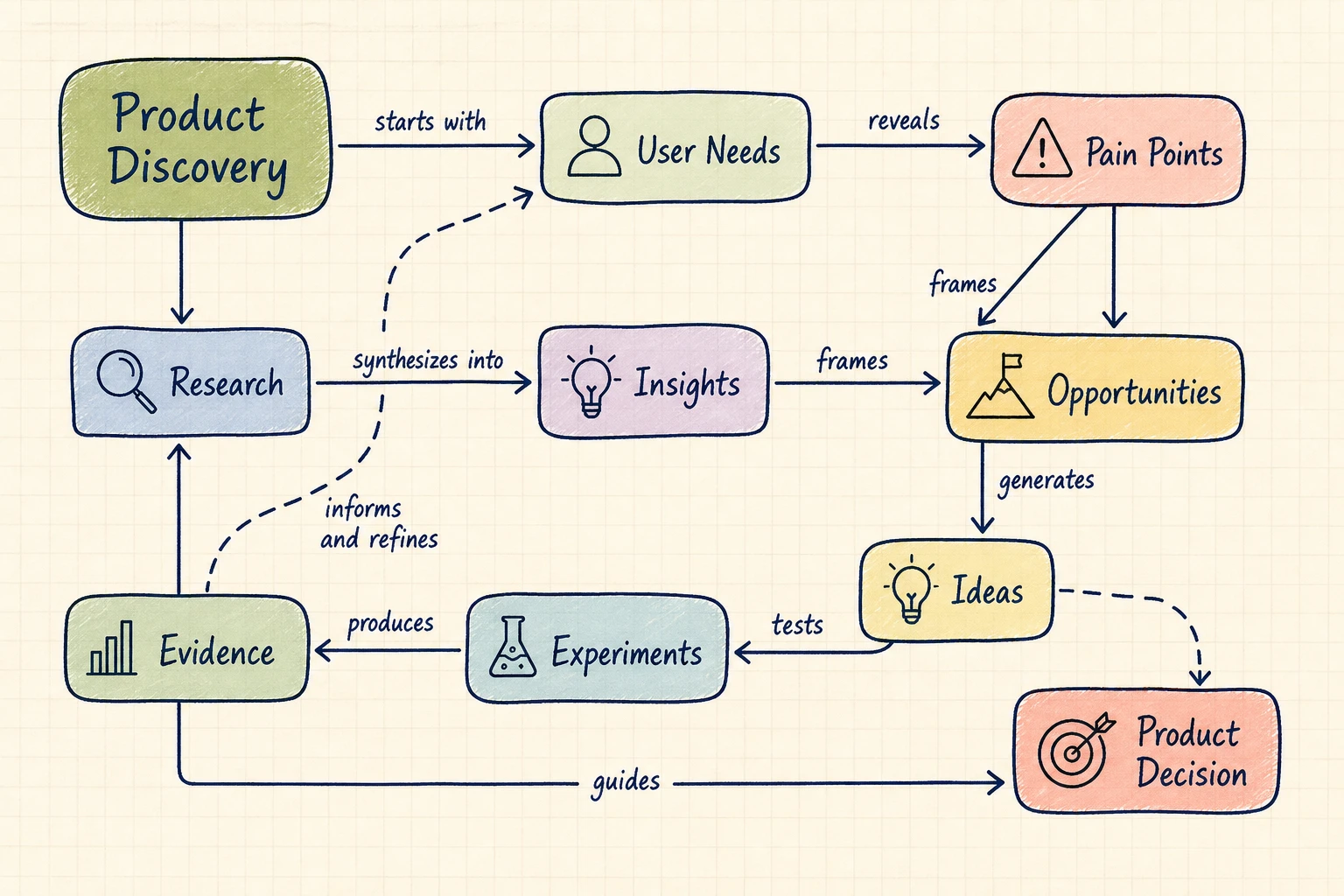
Link users, constraints, causes, opportunities, experiments, dependencies, and outcomes in one reviewable network.
02Concept Map Intelligence
FigEditor sends a bounded prompt to the selected image model and asks for concise concepts, labeled connections, meaningful propositions, and supported cross-links. Review every generated claim against your source before sharing the image.
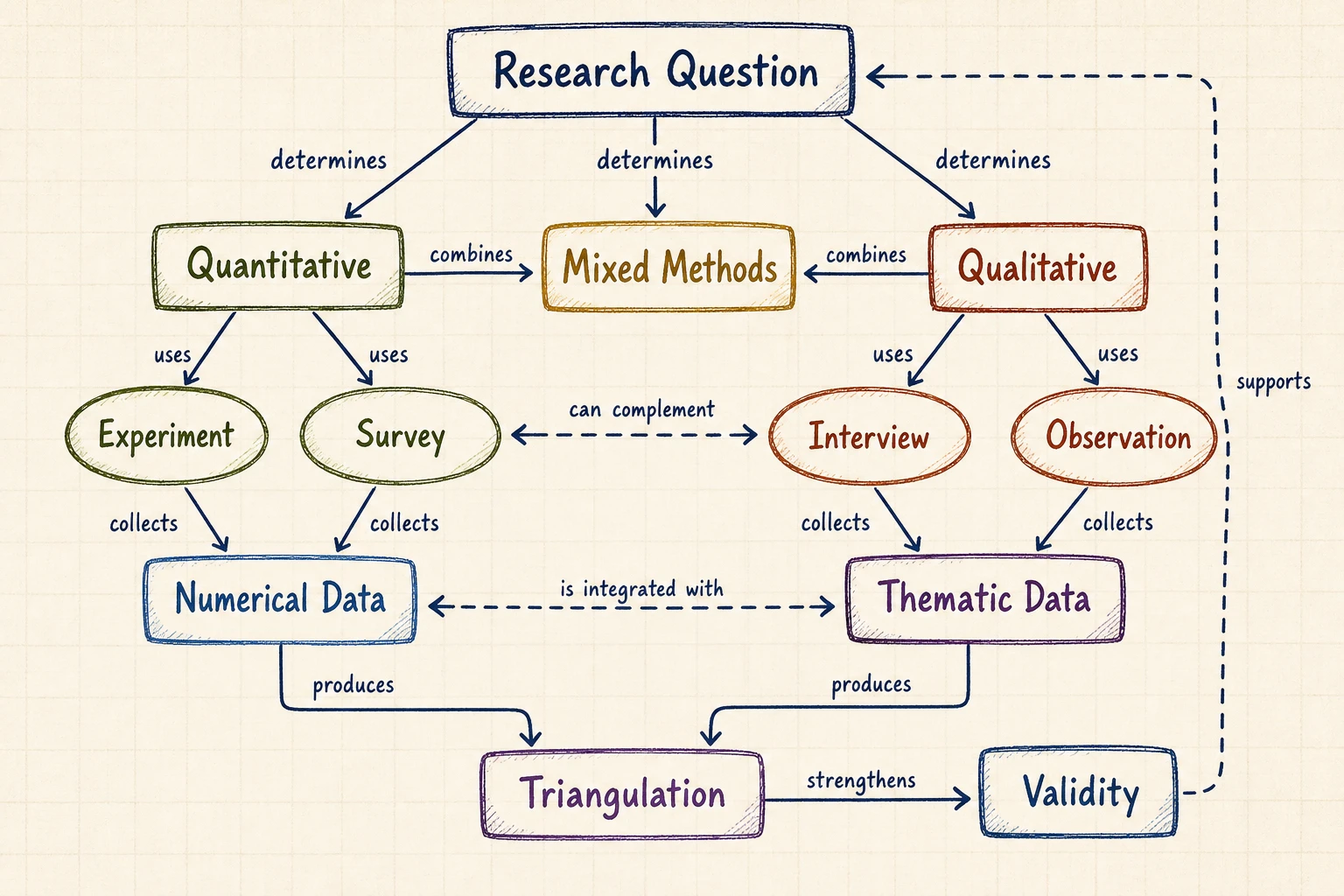
Connections use short phrases such as causes, requires, supports, includes, or leads to, so each path explains what the relationship means.
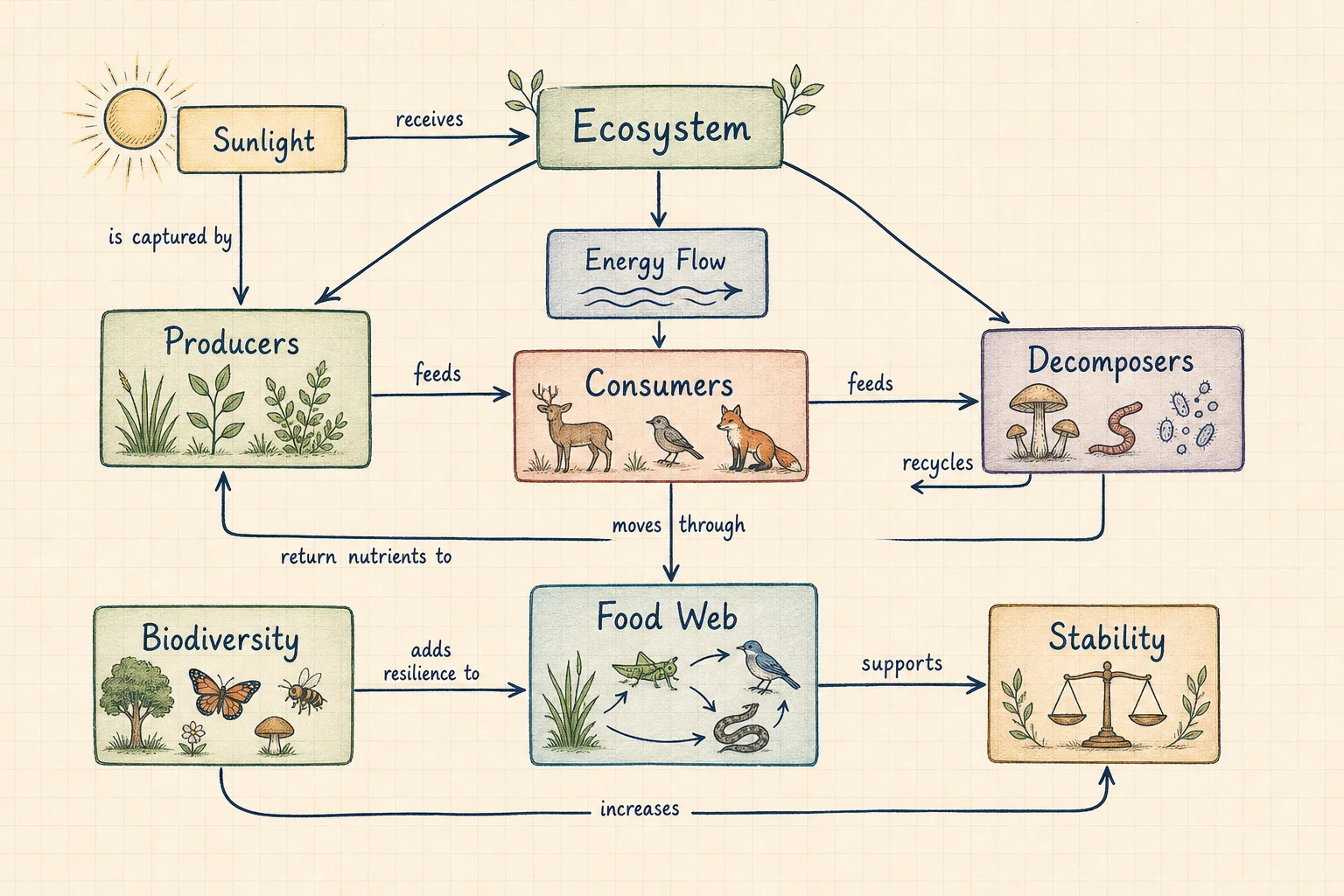
Cross-links join concepts in different regions, helping you see feedback loops, shared evidence, dependencies, and non-obvious relationships.
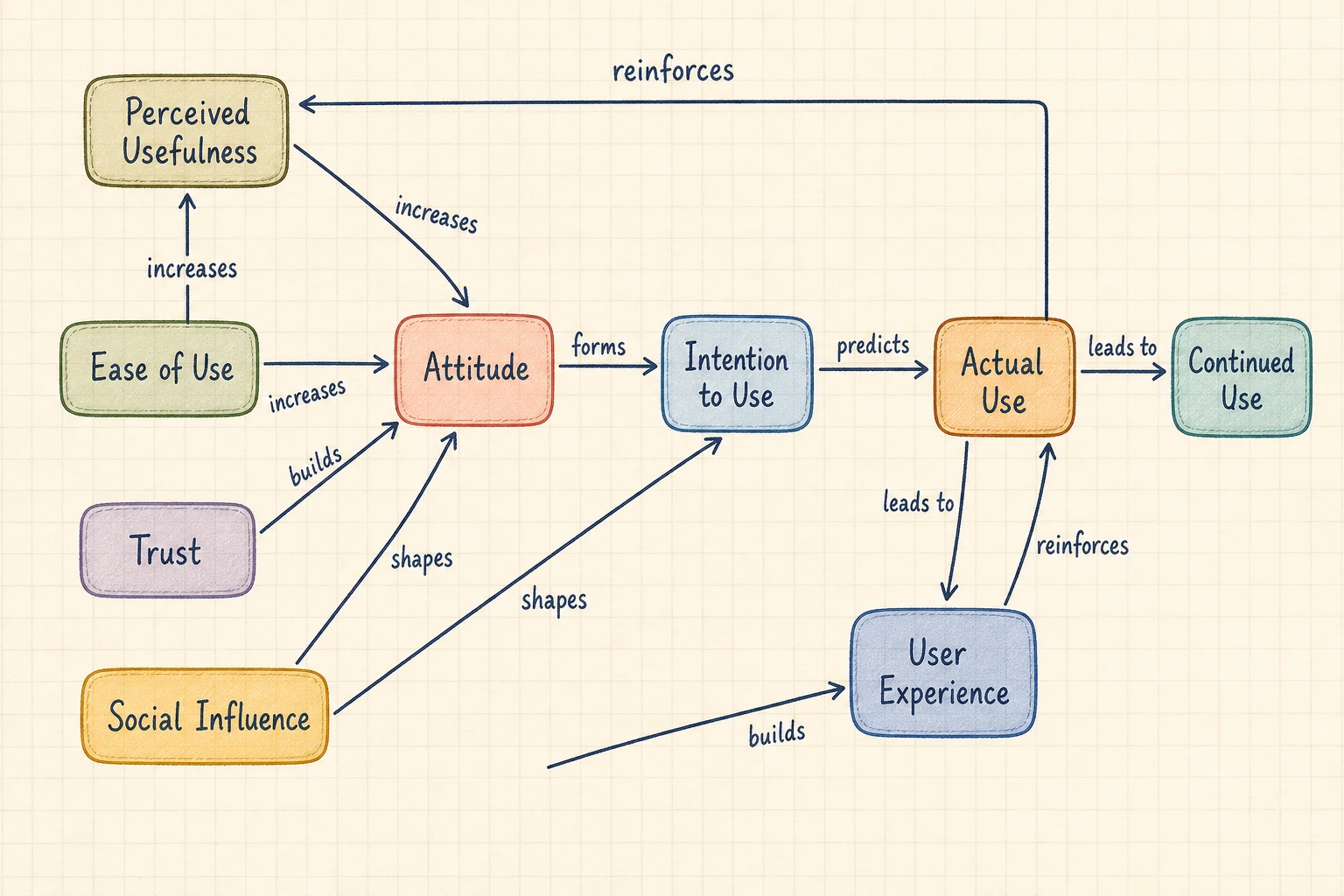
Open the result in FigEditor for image-level AI changes, annotations, cleanup, and another iteration based on the same source material.
Move from unstructured material to a visual explanation without placing and labeling every connection by hand.
Start with a complete network draft instead of manually adding every concept, connector, and relationship phrase.
Faster first draft
Enter a topic or paste notes. No graph syntax, diagram code, or design experience is required.
No code required
Choose the image model, aspect ratio, and resolution before generation so the cost stays predictable.
Transparent workflow
A labeled connection makes the map easier to audit because each path can be read back as a sentence and checked against the source.
Reviewable propositions
Download a high-resolution image for notes, lessons, papers, slide decks, workshops, reports, or planning documents.
Presentation-ready
Name terminology that must stay unchanged, then verify every concept and linking phrase before publishing the visual.
Human-reviewed output
Define the focus, list the concepts and relationships, then generate and review the labeled network.
Start with the question the map should explain. Add source notes when the concepts and terminology must follow supplied material.
Name the important ideas, relationship phrases, and cross-links. Mention anything the AI must not invent or rename.
Read each concept-link-concept path as a sentence. Check it against the source, then download the image or refine the visual in FigEditor.
Start with free credits, subscribe for regular figure creation, or purchase a credit pack for your next paper or presentation.
Continue with a related workflow
Choose a closely related FigEditor tool based on the source material, visual structure, or output you need next.
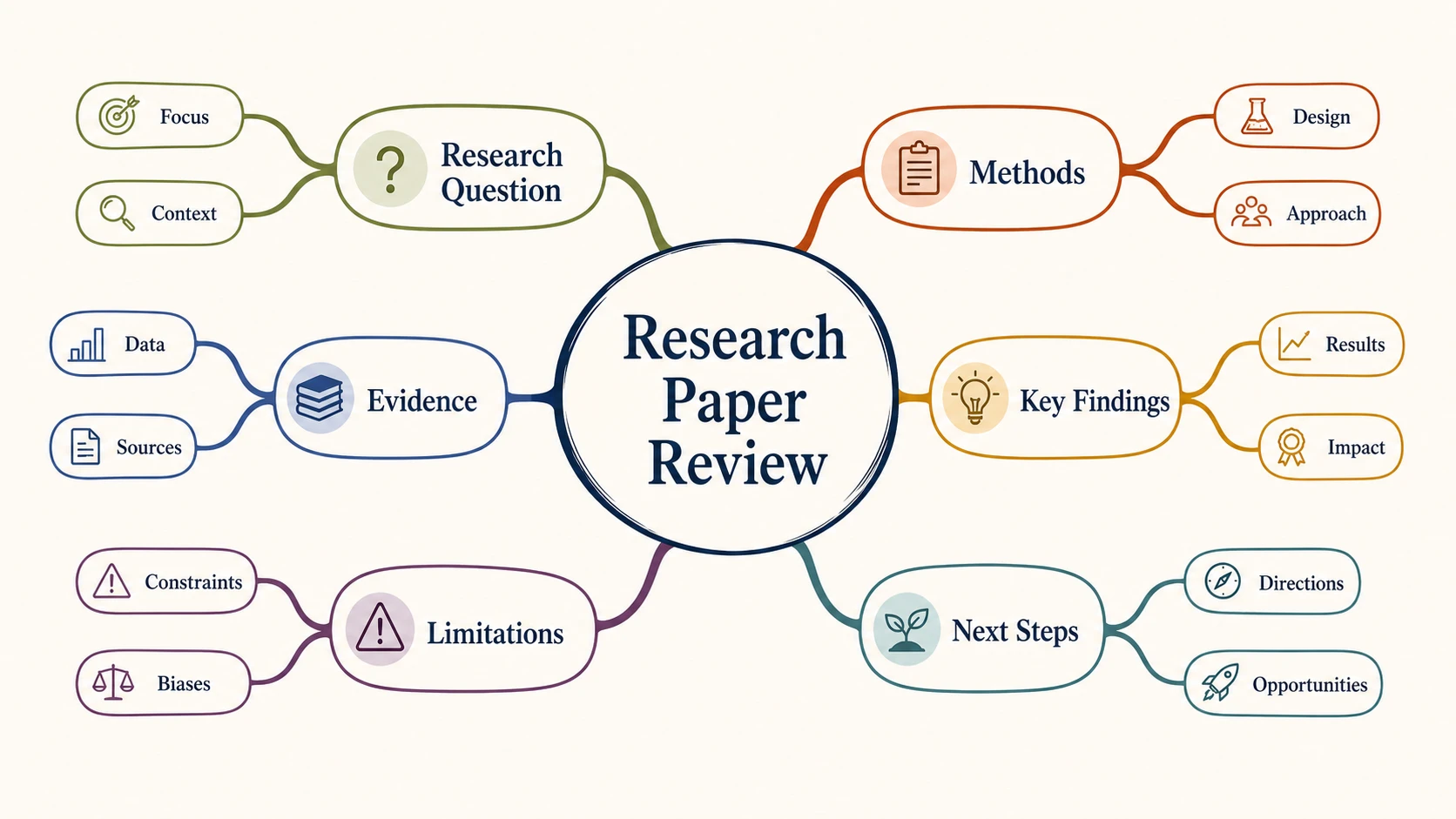
Turn text, notes, or an outline into a clear radial mind map for research, study, brainstorming, and planning.

Turn research variables, theories, and hypotheses into a clear conceptual framework for a thesis or paper.
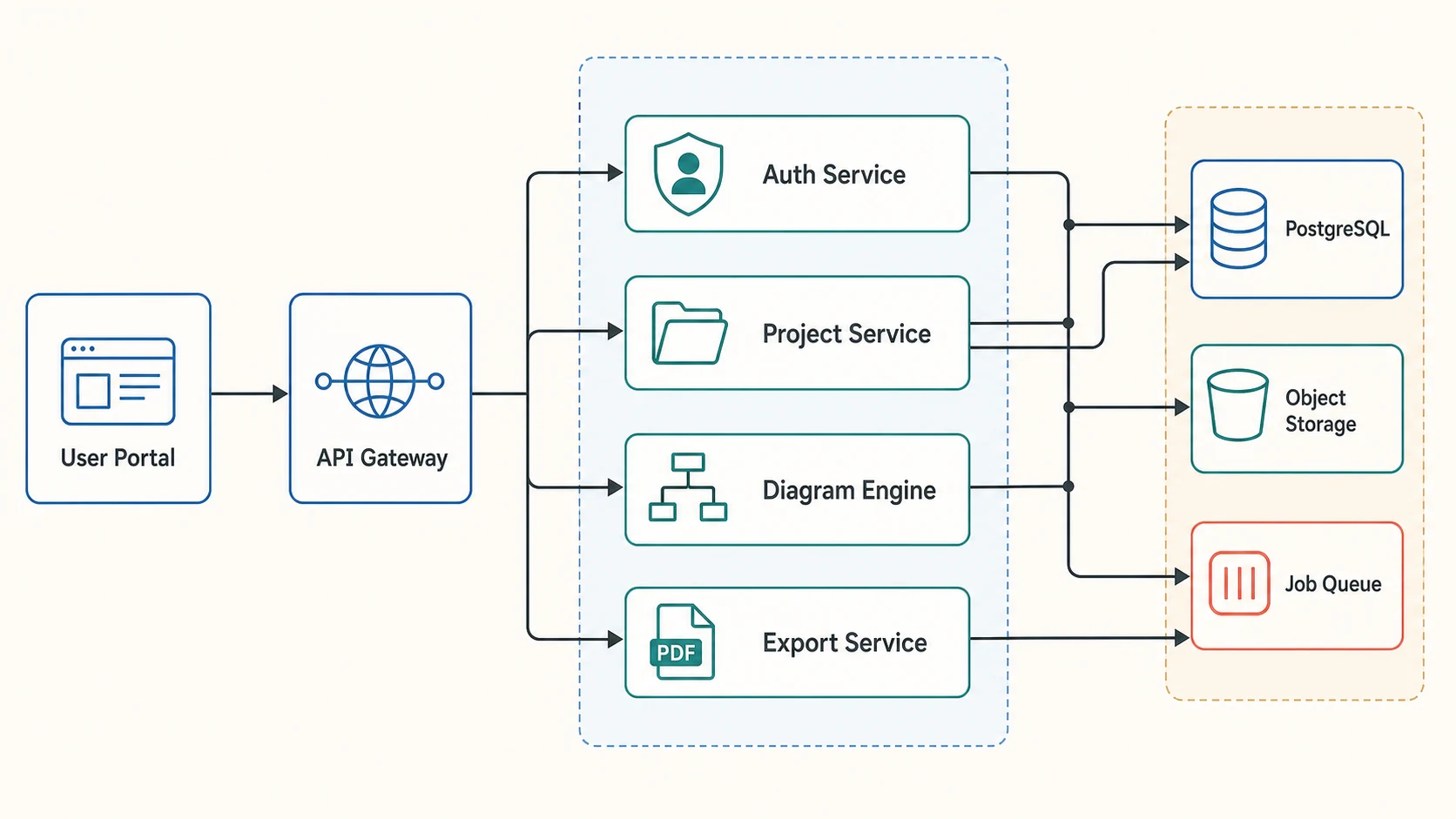
Turn plain text into an editable workflow, study design, or system diagram, then refine every label and connection.
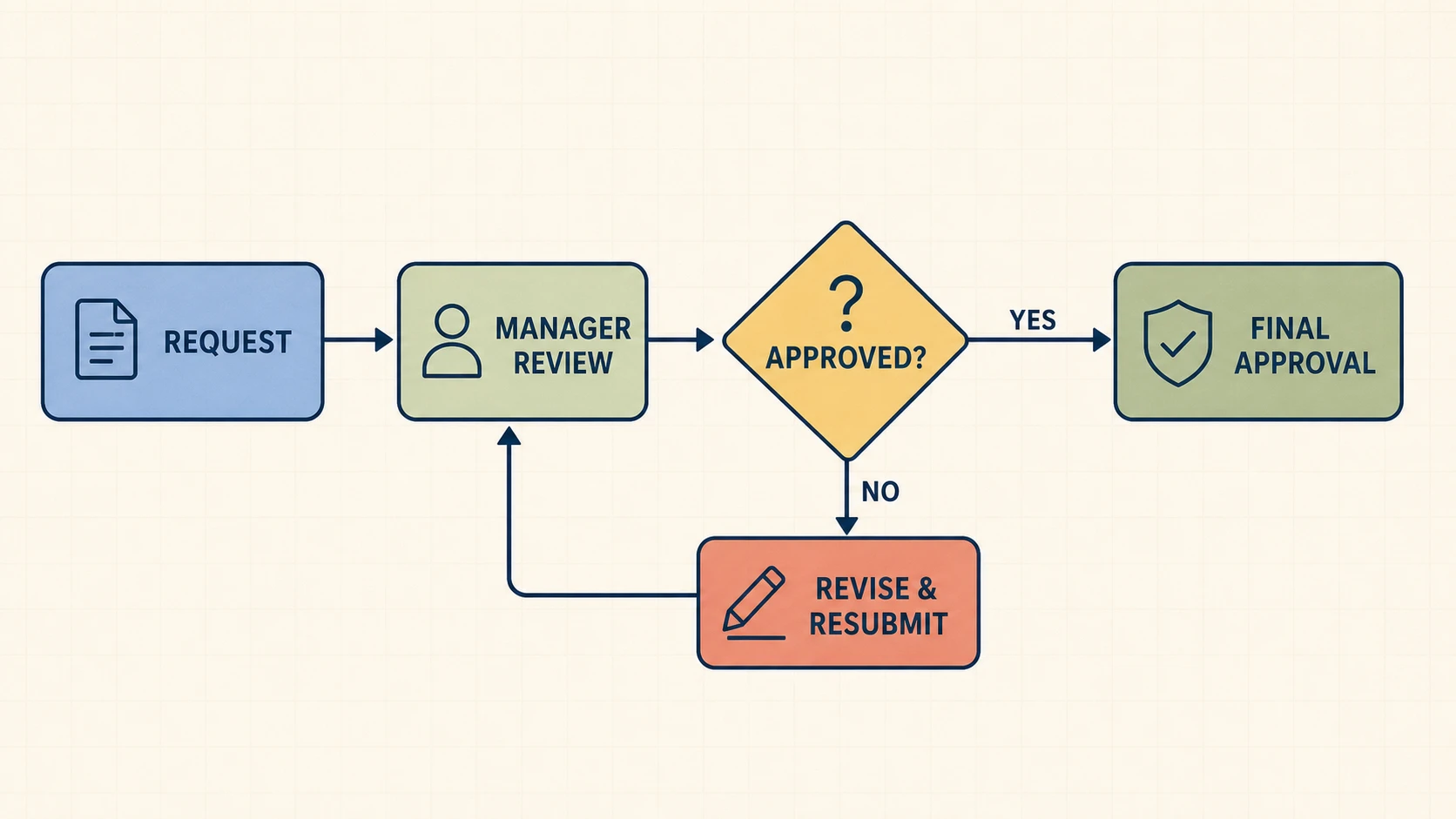
Turn a process description into an editable flowchart with explicit decisions, branches, loops, and connectors.
Direct answers about structure, generation, editing, pricing, privacy, and the difference between concept maps and mind maps.
An AI concept map generator turns a topic or source text into a network of concepts connected by labeled relationships. FigEditor asks the selected image model to create concepts, linking phrases, propositions, and supported cross-links that you can review and download as a visual draft.
Start with a topic or paste the notes you already have. Generate a labeled knowledge network, verify the relationships, and download the result for study, research, teaching, or planning.
Describe the concepts and the relationships you need to explain.
Start from an example
Browse concept map examplesThe selected image model creates an original concept map image that you can download or continue refining in FigEditor.
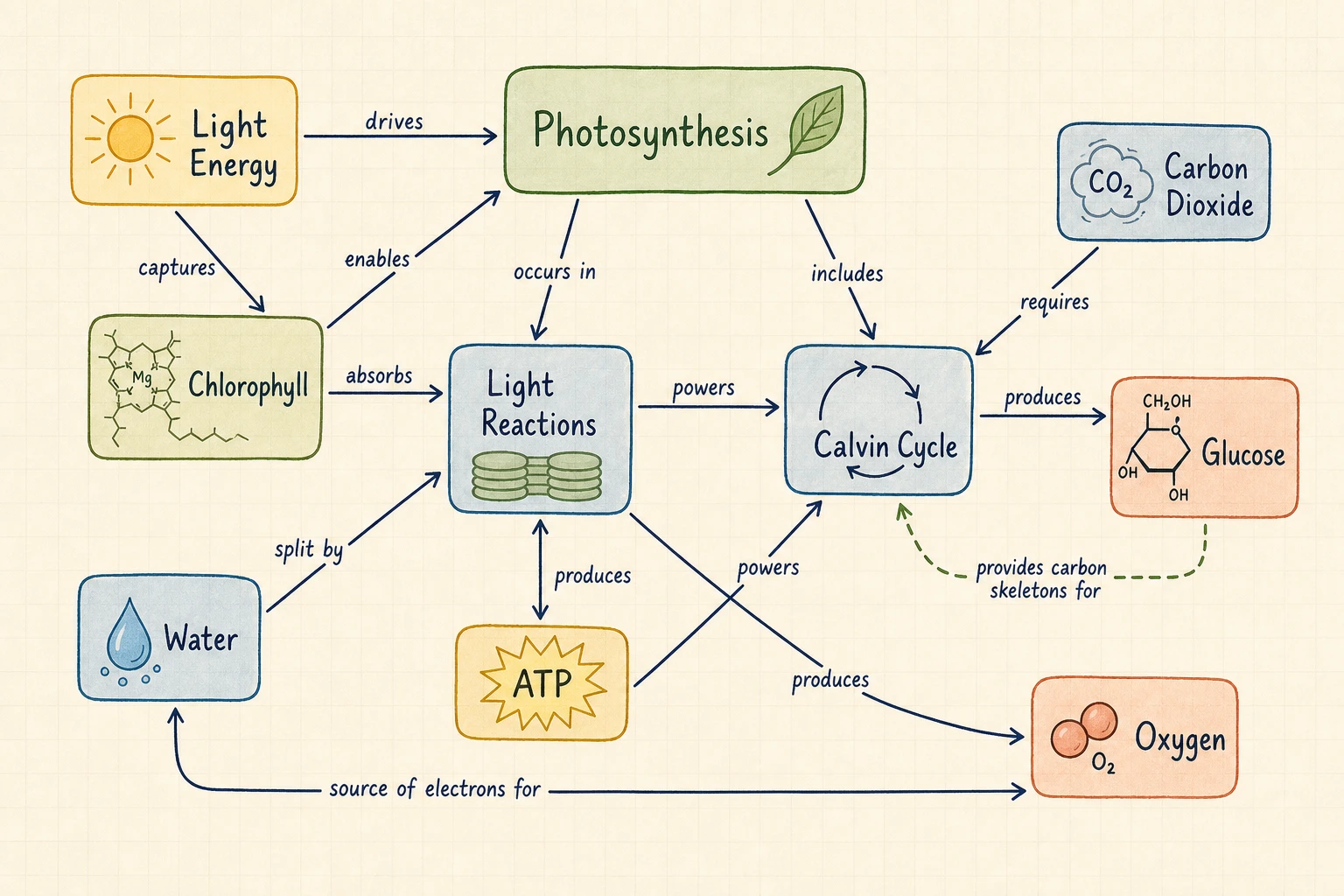
Concept map preview
Photosynthesis Concept Map
Cancel anytime · Subscription credits are valid for 30 days
For individual researchers creating and refining publication-ready visuals
Included tools & models
Creation tools
 Paper Banana
 AI Scientific Illustration
 Scientific Poster Maker
Image models
 Nano Banana
 Nano Banana 2
 Nano Banana Pro
 GPT Image 2
For frequent research, publishing, and client work with commercial use
Included tools & models
Creation tools
Paper BananaAI Scientific IllustrationScientific Poster MakerImage models
Nano BananaNano Banana 2Nano Banana ProGPT Image 2For labs, teams, and agencies producing scientific visuals at high volume
Included tools & models
Creation tools
Paper BananaAI Scientific IllustrationScientific Poster MakerImage models
Nano BananaNano Banana 2Nano Banana ProGPT Image 2