ConceptViz Alternative: FigEditor for Editable Research Figures
ConceptViz alternative compared: FigEditor vs ConceptViz for editable SVG, label revision, versioning, poster workflows, and current pricing.
On this page
- What Is ConceptViz, and What Does It Do Well?
- What People Say About ConceptViz
- How to Use ConceptViz
- Step 1: Set up the subject, prompt, and model
- Step 2: Generate, verify, and correct labels
- Step 3: Download or export the result
- Where ConceptViz Starts to Feel Limited
- Scientific accuracy still belongs to the author
- Text correction is narrower than structural editing
- Credits cover operations, not completed deliverables
- Poster generation may still require another editor
- Why Researchers Look Beyond the First Draft
- Meet FigEditor: A ConceptViz Alternative Built for Revision
- Start with research material, not only a diagram prompt
- Edit the structure a reviewer actually comments on
- Continue from a figure into a paper or poster workflow
- Keep projects, versions, and reusable assets together
- How to Use FigEditor
- Step 1: Start from the material behind the figure
- Step 2: Change one element while preserving the rest
- Step 3: Inspect the SVG and version history
- ConceptViz vs FigEditor: Workflow and Pricing
- Which Tool Should You Choose?
- Choose ConceptViz if…
- Choose FigEditor if…
- How to Move from ConceptViz to FigEditor
- ConceptViz Alternative FAQ
- ConceptViz review: what do real users say?
- ConceptViz pricing: is it expensive?
- Does ConceptViz have free credits?
- What is the best ConceptViz alternative for editable research figures?
- Can ConceptViz export editable SVG?
- Can I edit text inside ConceptViz?
- Which tool is better for scientific posters?
- Are AI-generated scientific diagrams accurate?
- When should I not choose FigEditor?
- Final Verdict
ConceptViz is a focused AI diagram tool that turns prompts, templates, and reference images into labeled STEM visuals. It is fast, covers specific science subjects, and starts at just $5. For a teacher or student who needs a clear standalone diagram, those are genuine strengths.
Bring the rest of your research to life
Create scientific diagrams, graphical abstracts, and research visuals with FigEditor’s AI Scientific Figure Generator.
The short answer: ConceptViz is the better fit for quick, one-off diagrams. FigEditor is the better fit when a figure has to survive coauthor or reviewer revision and stay editable as SVG.
This guide covers what ConceptViz does well, where it runs into limits, and when FigEditor is worth switching to.
Key takeaways
- ConceptViz wins on fast, template-led STEM diagrams and low-cost occasional use.
- Its text editor fixes detected labels, but structural changes — moving an element, reversing an arrow — need a different kind of editing.
- FigEditor becomes relevant when the deliverable must remain editable after the first draft, not simply look finished once.
What Is ConceptViz, and What Does It Do Well?
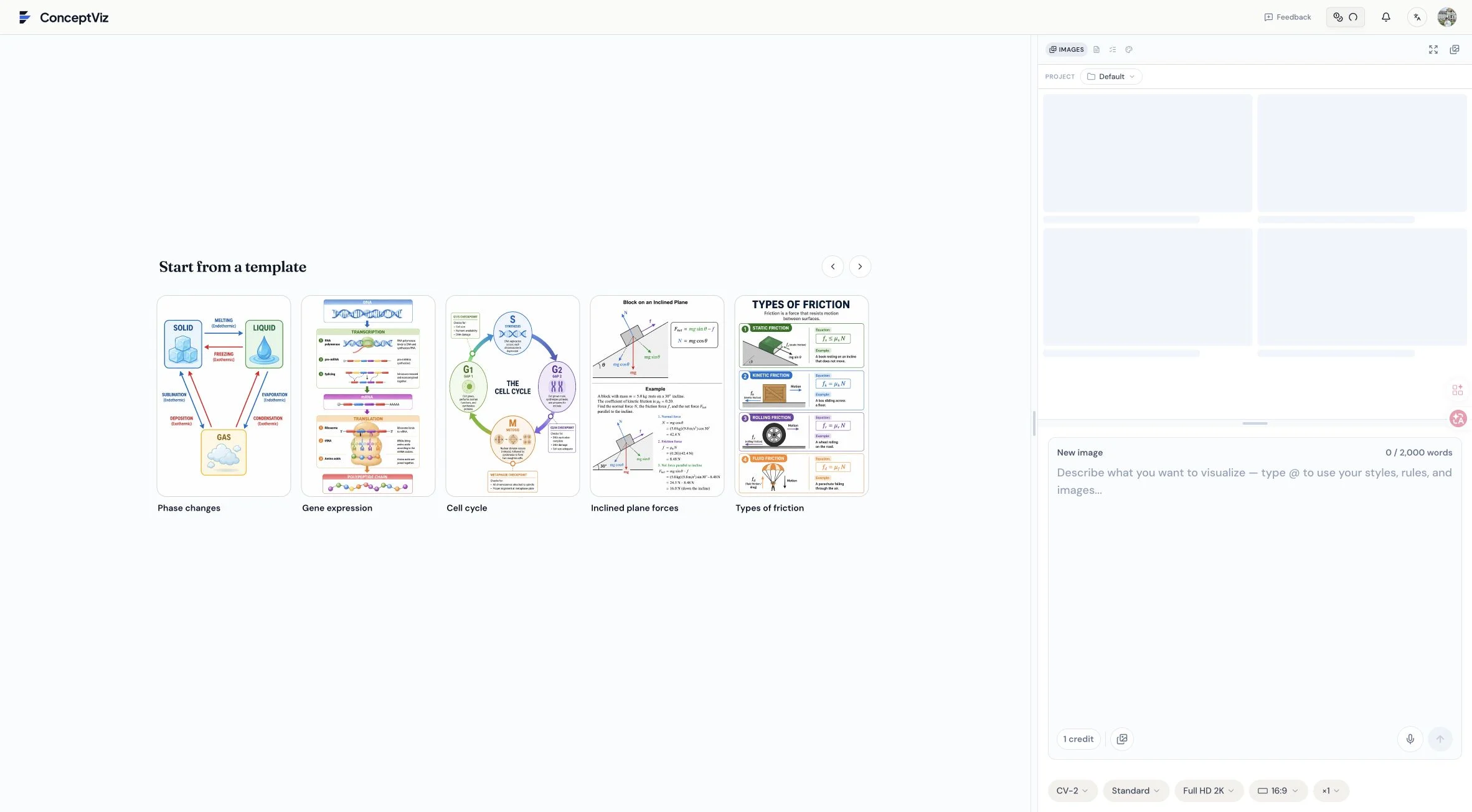
ConceptViz Studio combines subject templates, projects, reference material, prompts, styles, and output controls.
ConceptViz is an AI diagram tool at conceptviz.app that generates labeled STEM visuals from prompts, templates, reference images, and documents. Its Studio organizes generation around concrete science subjects and deliverables rather than a general-purpose image prompt box. During our authenticated review on August 1, 2026, the interface included:
- Biology, chemistry, physics, medicine, research, and earth-science templates
- More than 100 purpose-built tools and grade or subject presets
- CV-1, CV-2 Standard, and CV-2 Max model choices
- Reference images, documents, prompts, rules, and styles
- 2K and 4K output, aspect ratios, batches, background removal, and paid SVG export
- Projects, a saved image library, sharing, downloads, and a dedicated text editor
These features make ConceptViz especially efficient when you already know the subject and want a classroom diagram, study visual, slide asset, or quick scientific illustration without configuring a broader research project.
What People Say About ConceptViz
ConceptViz is still early enough that it has no G2 or Capterra review layer. Most third-party coverage is AI-tool directories rather than verified user feedback.
i10x's ConceptViz listing and Creati.ai both highlight the same strengths: natural-language generation, classroom readability, and time savings. They also flag the same limits: credit-based usage, a narrow STEM focus, and the need to iterate on complex diagrams.
That consensus is useful, but the most reliable signals of what ConceptViz can and cannot do come from its own product, pricing, and terms. The next sections work through those directly.
How to Use ConceptViz
The ConceptViz workflow is designed to get from a subject idea to a labeled visual with relatively little setup.
Step 1: Set up the subject, prompt, and model
Start in Studio with a biology, chemistry, physics, medicine, research, or earth-science tool, and use grade or subject presets when the audience is a class rather than a specialist lab. Write the diagram request in the prompt area and add a reference image or document when composition, terminology, or source material matters. The separate Prompts, Rules, Styles, and Images tabs let you specify more than the topic alone. Then choose CV-1, CV-2 Standard, or CV-2 Max and set quality, resolution, aspect ratio, and batch count. Higher resolution and some export operations use more credits, so pick settings for the actual deliverable rather than the largest option by default.
Step 2: Generate, verify, and correct labels
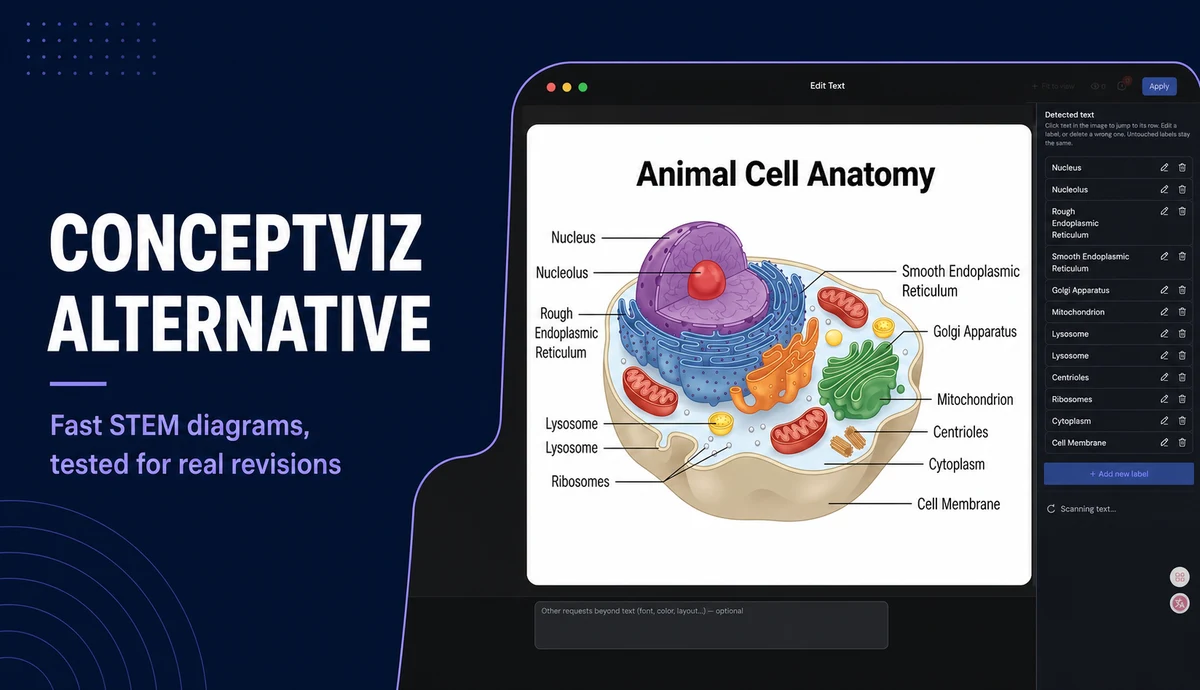
After generation, check every label and scientific relationship against the source. We opened a saved animal-cell diagram and entered its text editor. ConceptViz scanned the visible text and exposed individual labels for editing or deletion, with an optional request for font, color, or layout changes.
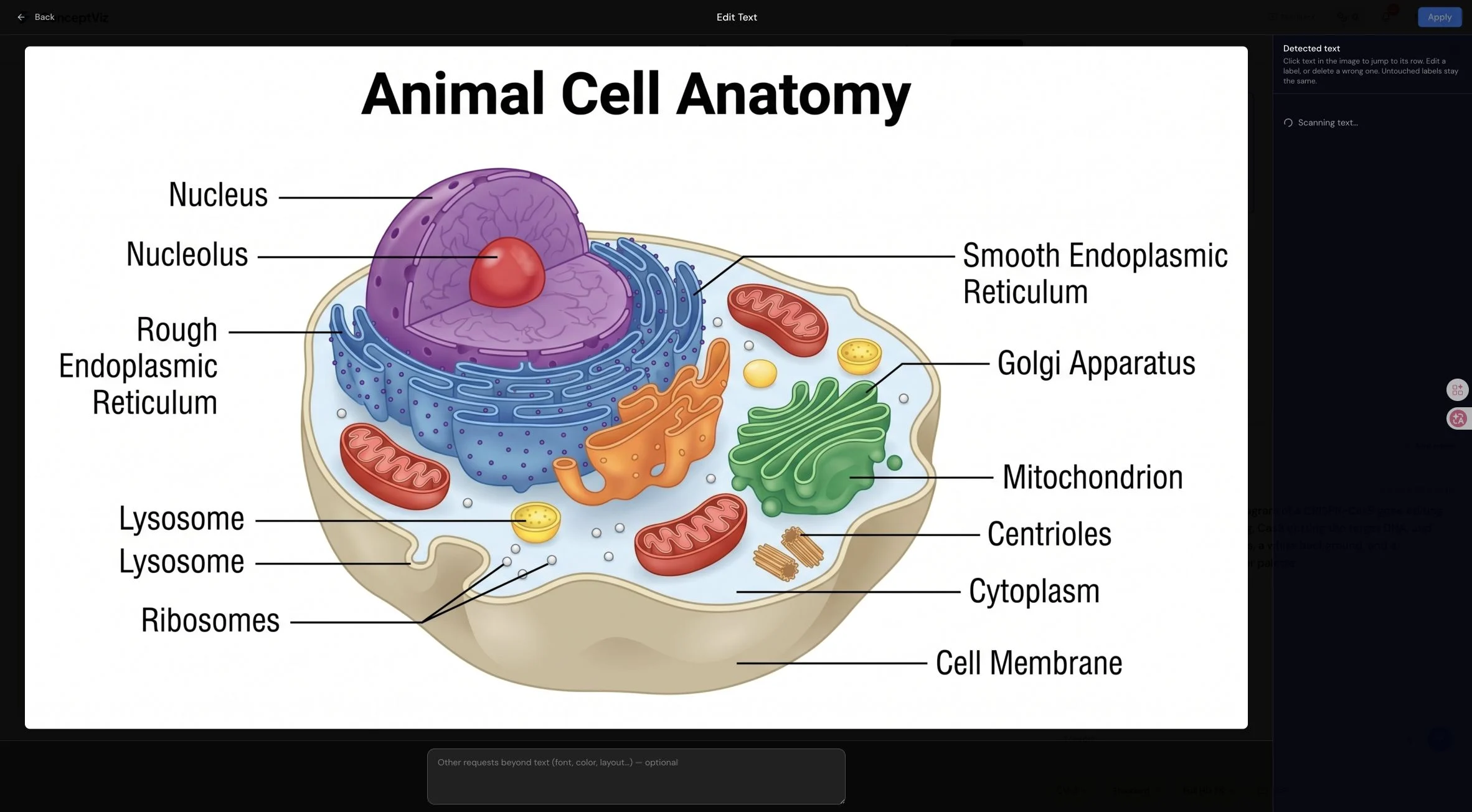
ConceptViz's detected-text editor is useful when the required revision is a label correction.
Step 3: Download or export the result
Download the accepted raster result, or use paid SVG export when future editing matters. Inspect one representative SVG before committing to a larger workflow, because a vector file can be scalable without making every scientific element easy to select.
Testing boundary: We reviewed the authenticated Studio, projects, saved images, model and output controls, and the detected-text editor. We also entered a CRISPR-Cas9 prompt at CV-2 Standard and 2K. The account was one credit short of running it, so we stopped at the purchase window. We did not evaluate a paid SVG export or a completed generation in this review.
Where ConceptViz Starts to Feel Limited
ConceptViz is effective for fast standalone diagrams, but four limits become more important when a figure enters a research revision cycle.
Scientific accuracy still belongs to the author
ConceptViz's own Terms of Service say outputs may be incomplete, inaccurate, mislabeled, visually misleading, or unsuitable for a specific use. Every label, formula, dimension, step, and causal relationship must be verified before publication.
Text correction is narrower than structural editing
The detected-text editor handles typos and label replacement. Reversing an arrow, moving one experimental branch, resizing a node, or preserving every other panel needs structural editing — and that is where text replacement stops.
Credits cover operations, not completed deliverables
Generation, image or text edits, resolution, and SVG export each consume credits. The $5 entry is attractive, but the real cost is the number of operations needed to finish one accepted figure — not the price of a first draft.
Poster generation may still require another editor
ConceptViz can generate a poster layout from a written study description, then expects you to add real figures, data, and text in PowerPoint, Illustrator, or Keynote. That works for layout ideation, but it separates the poster from the paper source.
Why Researchers Look Beyond the First Draft
The strongest reason to consider an alternative comes from user behavior, not from a longer feature list.
We analyzed an anonymized research-workflow survey from an earlier scientific-illustration product: 35 free users and 12 paid users. The sample was self-selected and cannot represent the whole market, but it reflects the tasks researchers were actually trying to finish.
- Of 35 free respondents, 29 were making paper figures.
- 13 said their last result was close to the target but still needed editing.
- 13 actually used the output, which shows the first draft already had value.
- Of 12 paid respondents, 9 most often made paper figures.
- 10 said the first draft was where the tool saved the most time.
- 6 most wanted better SVG editing, and 4 wanted AI selected-area editing.
These answers reveal a clear division of labor: AI can already produce an effective first draft, while product value increasingly depends on what happens after that draft appears. ConceptViz's OCR text editor handles label fixes, but when a reviewer asks to change an arrow's direction, an element's position, or the overall structure, regeneration alone is not enough.
Meet FigEditor: A ConceptViz Alternative Built for Revision
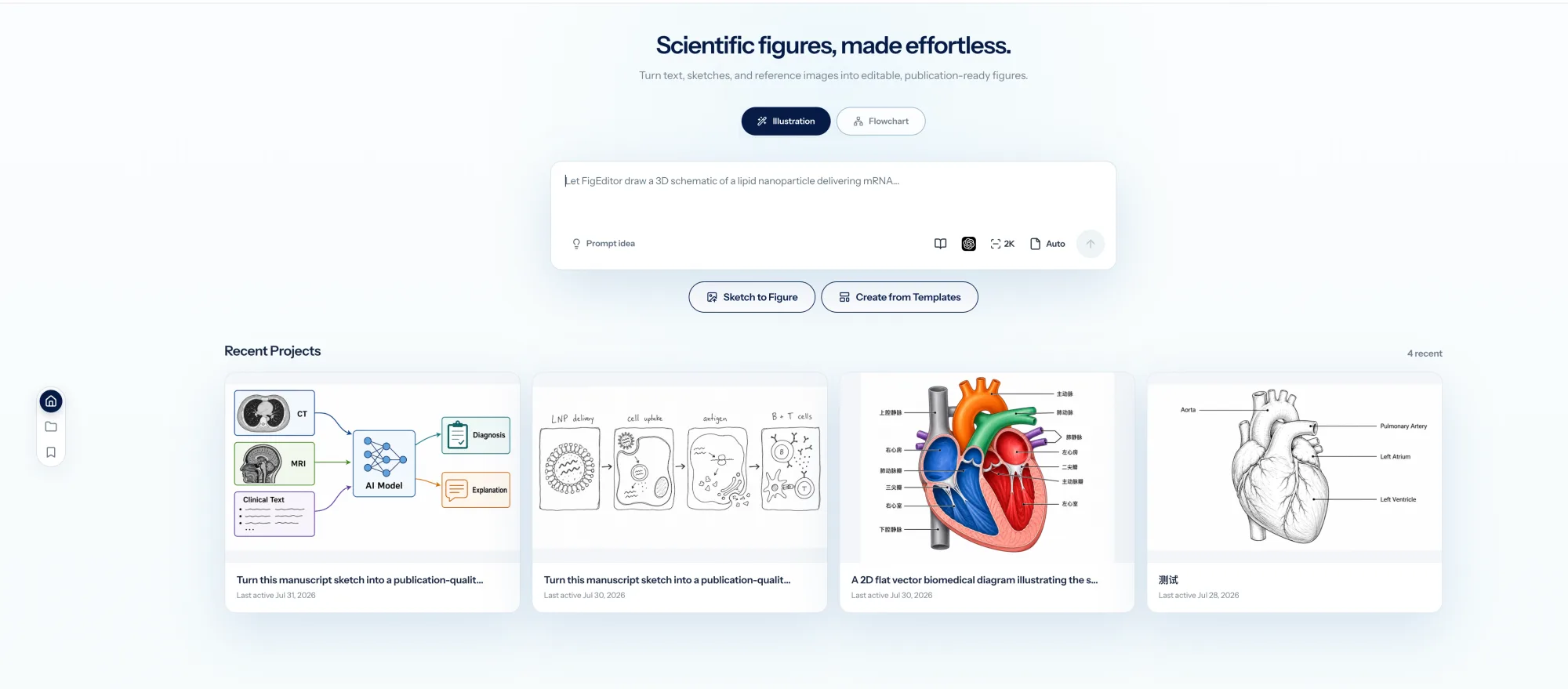
FigEditor keeps figure generation, editable flowcharts, recent projects, and model controls in one research workspace.
FigEditor is built for the part of figure-making that comes after the first draft — the revisions a coauthor or reviewer actually asks for. It turns your research material into an editable SVG you can keep revising, instead of a finished-looking picture you have to regenerate from scratch.
That makes FigEditor the better fit when a figure moves through coauthor review, needs version history, and has to continue into a poster or presentation. The trade-off is that it asks for more setup than a single-purpose diagram generator. ConceptViz is lighter and faster for one-off classroom visuals.
Start with research material, not only a diagram prompt
FigEditor starts from the material you already have: methods text, captions, paper excerpts, sketches, and reference images. The AI scientific illustration workflow turns that input into an editable SVG draft through generation, segmentation, extraction, assembly, and refinement. ConceptViz also accepts reference images and documents, and its 100+ subject tools are faster when you already know exactly what to draw.
Edit the structure a reviewer actually comments on
ConceptViz's detected-text editor is great for label fixes. When the change touches the figure's structure, FigEditor goes further. The scientific illustration workflow and Flowchart Agent expose labels, graphical objects, nodes, connectors, colors, layout, and the SVG source — instead of treating the whole figure as one indivisible picture.
That distinction matters when the request is "change only this label, keep everything else intact." Selected-area AI edits handle image-level local fixes. Direct SVG control handles changes that must stay precise without triggering another full-figure generation.
Continue from a figure into a paper or poster workflow
ConceptViz can generate a poster layout from a written study description, but its own guidance expects you to add real data afterward in PowerPoint, Illustrator, or Keynote. FigEditor's scientific poster maker starts from an uploaded paper PDF and supporting material, so it fits when the poster is a continuation of an existing paper rather than a one-off layout task.
Keep projects, versions, and reusable assets together
Both tools have projects and image libraries. FigEditor adds conversation history, image assets, structured project records, flowchart versions, public project sharing, and automatic credit refunds for failed tasks. The same figure often has to live across paper, reviewer-response, poster, and presentation versions, so keeping those states in one project cuts the cost of moving things back and forth.
How to Use FigEditor
The most useful test is not a gallery prompt. Use a figure that already drew a realistic correction request.
Step 1: Start from the material behind the figure
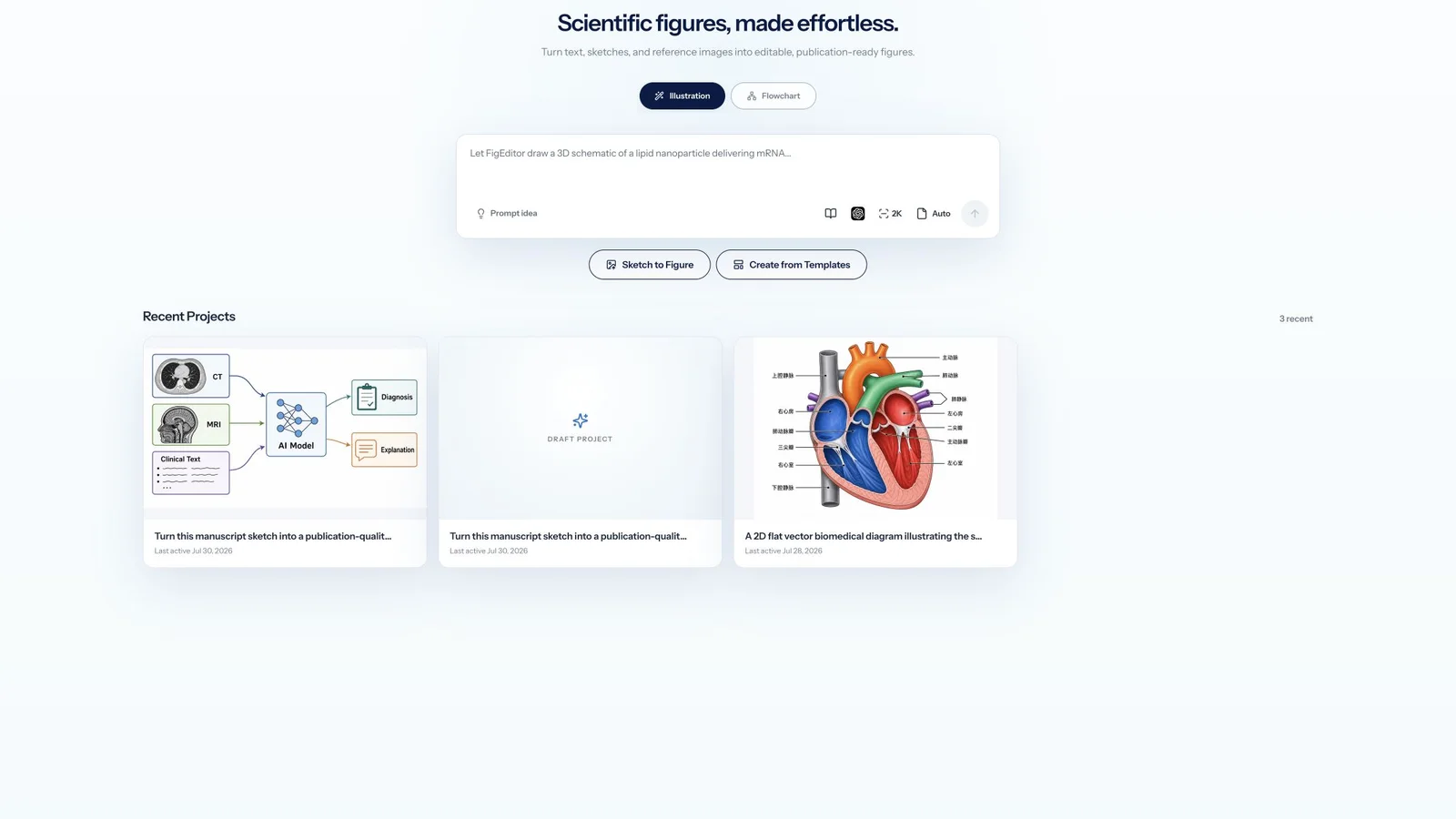
Add the methods paragraph, original prompt, sketch, reference image, or paper excerpt that explains the figure. Keep the verified source nearby so every label and relationship can be checked.
Step 2: Change one element while preserving the rest
Use selected-area editing for an image-level correction, or open the editable flowchart when the change concerns a label, node, connector, color, or layout. Give the same instruction a coauthor would give, such as “reverse this arrow and leave the other panels unchanged.”
Step 3: Inspect the SVG and version history
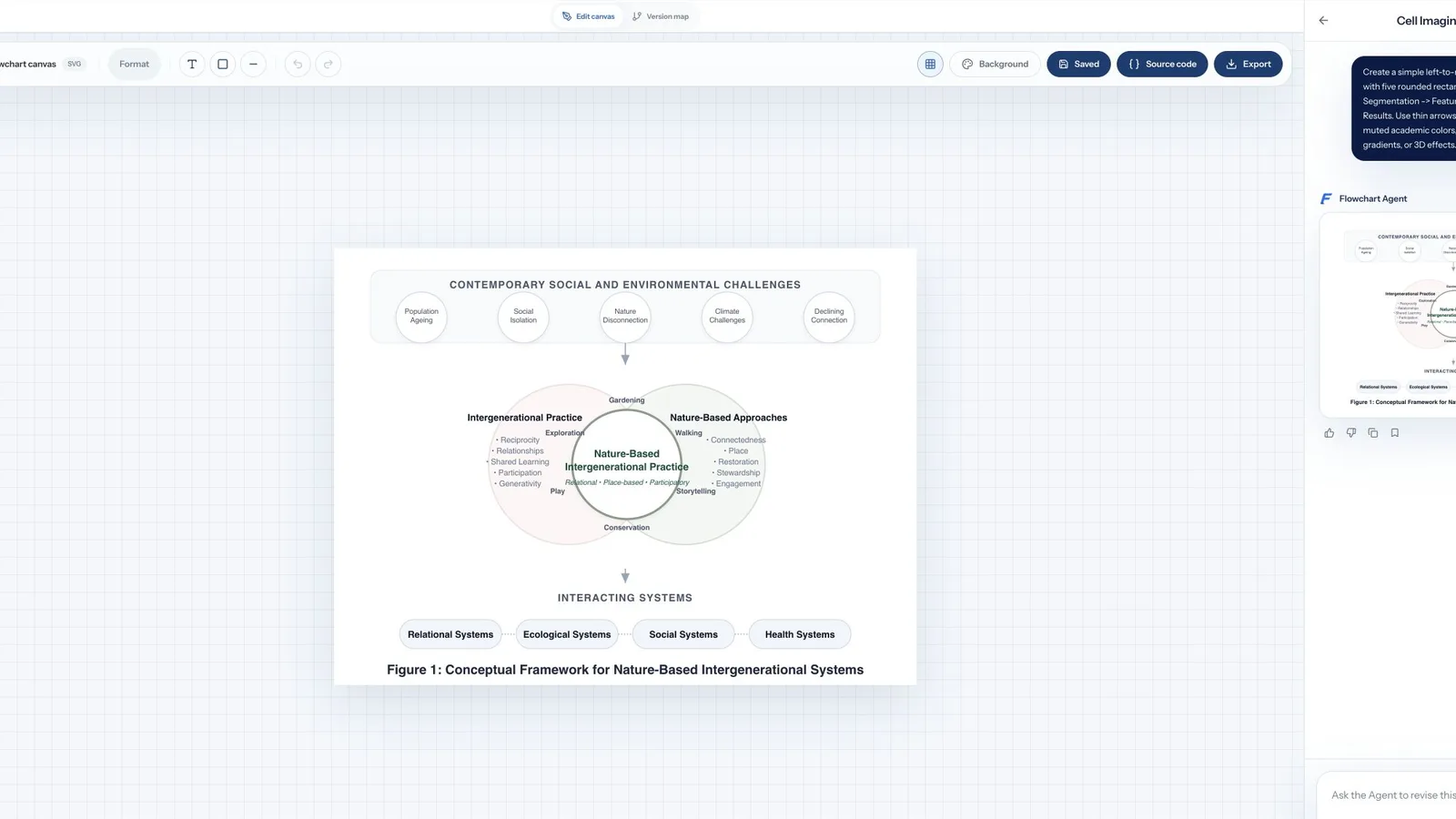
Confirm that important text and graphical elements can be selected directly. Save the revision as a new version, then export and open it in the tool your lab already uses. This reveals more than comparing polished gallery examples.
Bring one current revision request to FigEditor and measure how much work remains before the figure is ready to submit.
ConceptViz vs FigEditor: Workflow and Pricing
| Decision area | ConceptViz | FigEditor |
|---|---|---|
| Best for | Fast STEM diagrams and classroom visuals | Research figures that need repeated, precise revisions |
| Starting input | Prompt, template, reference image, or document | Prompt, methods text, paper excerpt, sketch, reference image, or PDF in supported workflows |
| Main workflow | Generate a labeled diagram, edit text or image, then export | Generate, inspect, edit selected regions or SVG structure, version, share, and reuse |
| Vector workflow | Paid SVG export plus a detected-text editor | Editable SVG, labels, nodes, connectors, source view, and version history |
| Local corrections | Prompt edits and text replacement | Selected-area AI edits plus direct text, object, connector, color, and layout control |
| Poster workflow | Poster layout from a written study description | Scientific poster workflow from an uploaded paper PDF and supporting material |
| Entry price | $5 credit pack, or 12 credits with the displayed bonus | 50 sign-up credits, then $19 monthly or a $39 one-time pack |
| Honest limitation | Scientific facts and export structure still need verification | The broader workspace requires more setup and choices |
ConceptViz has a lower entry price and a lower per-figure cost, and that is a genuine advantage. If your need is "occasionally generate a few standalone diagrams," ConceptViz's pay-as-you-go model is the better deal. FigEditor's value is in bundling generation, revision, SVG structure, versioning, and posters into one complete workflow — not in being cheaper per figure.
Per-operation costs verified on August 1, 2026 from the ConceptViz pricing page and FigEditor pricing page:
| Single operation | ConceptViz | FigEditor |
|---|---|---|
| Generate one 2K image (CV-2 Standard) | 1 credit | 8 credits (main figure flow) |
| 4K output | 2 credits | depends on model and resolution |
| SVG export | +1 credit | included in the edit flow |
| Image / text edit | 1+ credits | AutoFigure edit 10–20 credits |
| Failed generation | verify refund policy | automatically refunded |
A typical scenario, generate a first draft, fix one label and one region, then export SVG:
| Step | ConceptViz | FigEditor |
|---|---|---|
| Generate first draft | 1 | 8 |
| Fix one label / region | 1 | 10–20 |
| Export SVG | 1 | included |
| One fully revised figure | ≈ 3 credits | ≈ 18–28 credits |
Converting credits into how many such figures each entry tier completes:
- ConceptViz Starter: $5 = 12 credits (with the displayed bonus) ÷ 3 per figure ≈ 4 figures/pack
- FigEditor sign-up credits: 50 credits ÷ ≈ 23 per figure ≈ 2 fully revised figures (or about 6 first drafts at 8 credits each)
- FigEditor Basic monthly: $19 = 500 credits ÷ ≈ 23 per figure ≈ 21 figures/month
Do not compare raw credit numbers directly, because each credit buys a different operation. The real comparison is the total work to finish a figure that is submittable, revisable, and reusable. FigEditor keeps that work inside one system. Prices change often, so check the live pages before buying.
If you only need a few standalone classroom diagrams occasionally, ConceptViz's $5 starter pack is the better deal. If your figures get revised repeatedly and need versioning and poster continuity, FigEditor's complete workflow reduces the cost of switching between tools.
Which Tool Should You Choose?
Choose ConceptViz if…
- You are a teacher who wants quick labeled diagrams of cells, physics, chemistry, or earth science.
- You are a student making occasional practice material, slides, or study visuals.
- You already have a precise prompt and mainly need one standalone image.
- You value the $5 minimum over a more complete project system.
- You prefer subject and grade presets over configuring a research workflow.
In these scenarios, ConceptViz is not the weaker product. Its current Studio, template library, text editor, and pay-as-you-go model make it a focused, easy-to-use choice.
Choose FigEditor if…
- You start from methods text, paper content, a sketch, a source image, or a PDF.
- You expect revision requests from coauthors or reviewers after the first draft.
- You need selected-area AI edits and direct control over SVG elements.
- You build method diagrams, model architectures, clinical flows, or experimental pipelines.
- You want the same research context to continue into posters, presentations, and shared projects.
- You want multiple image models and figure version history.
How to Move from ConceptViz to FigEditor
Migration does not require transferring accounts; you can adjust the workflow figure by figure.
- Export the best available ConceptViz result. Choose SVG if the structure works; otherwise keep a 2K or 4K raster reference.
- Bring the exported image, original prompt, source paper, methods text, and checklist into FigEditor.
- When the composition is confirmed, use the existing image as a visual reference or go straight to selected-area AI edits.
- When future revisions matter more than preserving exact pixels, rebuild labels, nodes, connectors, and logic in the editable SVG flow.
- Before publication, verify every scientific relationship against the original sources.
The two tools can also be used together: ConceptViz for quick classroom visuals, FigEditor for paper figures that need structured revision. The best alternative is the one that reduces the total revision work on your current deliverable.
ConceptViz Alternative FAQ
ConceptViz review: what do real users say?
Public reviews are a small sample, and the first page has no G2 or Capterra review layer. The visible third-party pages are mainly AI tool directories: i10x and Creati.ai praise generation speed and classroom readability, and note credit limits, the STEM focus, and the need for multiple rounds on complex figures. AiDOOS's 5.0 rating has no methodology, and Creati.ai shows 0 Reviews alongside 5/5, so those numbers are unusable. Treat them as signals, not verdicts.
ConceptViz pricing: is it expensive?
ConceptViz has a lower minimum ($5) and a lower per-figure cost (CV-2 Standard 2K is just 1 credit), so for occasional standalone diagrams it is the better deal. FigEditor starts at a $19 subscription or a $39 credit pack but bundles generation, revision, SVG structure, versioning, and posters into one workflow. Do not compare raw credit numbers; compare the total work to finish a submittable, revisable, reusable figure.
Does ConceptViz have free credits?
ConceptViz currently uses a pay-as-you-go credit model with no monthly plan ladder, and purchased credits do not expire per its pricing page. The free account has limited access. FigEditor gives 50 sign-up credits to test the main workflows before subscribing.
What is the best ConceptViz alternative for editable research figures?
When a figure must survive multiple rounds of coauthor or reviewer revisions, FigEditor is a suitable alternative. It supports research-source input, selected-area AI edits, structured SVG, element-level control, versioning, and poster continuity. For many quick classroom diagrams, ConceptViz remains the better fit.
Can ConceptViz export editable SVG?
ConceptViz advertises SVG export, and its current pricing page says all paid credit packs unlock SVG. However, converted SVG structure may differ from natively assembled figures, so export a representative file and check whether key labels and objects are easy to select and edit. We did not run a paid export this time, so we did not evaluate the final SVG quality.
Can I edit text inside ConceptViz?
Yes. In the authenticated Studio experience, a saved image offered a detected-text editor that can modify or delete labels with typography, color, or layout requirements. We did not run a paid edit, so we did not evaluate the final OCR replacement quality. When the change involves arrows, element positions, or overall structure, FigEditor's SVG workflow offers more direct control.
Which tool is better for scientific posters?
If you want a poster layout generated from a written research description, ConceptViz is practical. FigEditor is better for a paper-to-poster workflow because it can start from an uploaded PDF and keep the research figure, research context, and poster generation in one product.
Are AI-generated scientific diagrams accurate?
No AI scientific-figure product should be treated as an accuracy authority. ConceptViz's terms explicitly require users to verify output, and FigEditor treats generated figures as editable drafts. A competent researcher must check every label, arrow, value, structure, unit, and causal relationship.
When should I not choose FigEditor?
If you only want a simple classroom diagram and want the lowest possible purchase amount, do not choose FigEditor for that alone. ConceptViz's purpose-built templates and $5 starter pack may be more efficient. FigEditor is worthwhile when editable research output and repeated revision justify a more complete workflow.
Final Verdict
ConceptViz has the edge on fast, template-led STEM diagrams, low-cost occasional use, and classroom scenarios. FigEditor is better suited for research figures that start from source material, go through repeated revision, and need to stay editable or continue into a poster.
The fairest test is a real figure you are revising, plus a realistic revision request. Bring them into FigEditor, keep the verified scientific content, and measure how much work remains to reach the final version for your paper, reviewer response, poster, or presentation.
If you want another comparison focused on editing capability, read the FigureLabs alternative guide. For the research framework behind the scientific-figure workflow, read the Paper Banana implementation guide.