Illustrae Alternative: FigEditor for Scientific Figures You Keep Editing
Compare Illustrae and FigEditor for AI scientific figures, structured SVG editing, version history, export formats, pricing, and research workflows.
On this page
- Why researchers look for an Illustrae alternative
- What is Illustrae? Its strengths and limits
- How to use Illustrae
- Step 1: Pick a starting point and write the prompt
- Step 2: Compose on the canvas and verify science
- Step 3: Check export format
- What people say about Illustrae
- Why the first draft isn't the bottleneck
- Meet FigEditor: an Illustrae alternative built for repeated edits
- Start from research materials, not just a figure prompt
- Edit the structure reviewers actually comment on
- Carry a figure into the paper or poster workflow
- Keep projects, versions, and reusable assets together
- How to use FigEditor
- Step 1: Choose the right workflow and add source material
- Step 2: Make the smallest possible edit
- Step 3: Save a version and verify the export
- Illustrae vs FigEditor: workflow and pricing compared
- Which tool should you choose?
- Choose Illustrae if
- Choose FigEditor if
- How to migrate from Illustrae to FigEditor
- Illustrae alternative FAQ
- Does Illustrae have a free plan?
- Can Illustrae export SVG?
- Can I publish figures made with Illustrae?
- Which Illustrae alternative is better for editable scientific figures?
- Is FigEditor a free Illustrae alternative?
- Can FigEditor edit an existing Illustrae image?
- Is FigEditor better than Illustrae?
- When should you not choose FigEditor?
- Conclusion
Illustrae is a scientific illustration platform that is easy to understand. You type text, upload a sketch or photo, let AI generate scientific elements, and arrange images, labels, arrows, and shapes on a single infinite canvas. For researchers who want to quickly finish paper figures, graphical abstracts, posters, or teaching materials, this workflow is closer to real tasks than a generic image generator.
Bring the rest of your research to life
Create scientific diagrams, graphical abstracts, and research visuals with FigEditor’s AI Scientific Figure Generator.
The short version: Illustrae is better for generating and arranging visually rich scientific elements on one infinite canvas. FigEditor is better when you start from paper materials, reference images, or an existing SVG, and then keep doing local edits, structured SVG editing, and version recovery.
This article is based on what was publicly visible on Illustrae's website, pricing, terms, Google results, and public reviews as of August 2, 2026, plus FigEditor's current product code and anonymized usage data. We did not purchase Illustrae, and we did not turn a public demo into a paid-editor hands-on.
Key takeaways
- Illustrae's strengths are its three starting points (text, sketch, photo), infinite canvas, mobile upload, science templates, and a low-cost annual entry plan.
- Illustrae has no free plan or free trial; the site only promises a 15-day refund after purchase.
- Illustrae mainly exports PNG. Only simple elements, charts, text, and labels that do not include AI-generated images support SVG.
- Independent reviews on Google's first page are still scarce. Public video comments praise time savings, but some call the features basic and the docs thin.
- When a task needs structured SVG, precise label and arrow edits, version history, or a paper-to-poster workflow, FigEditor fits better.
Why researchers look for an Illustrae alternative
Illustrae's core promise is "scientific figures in minutes, not months." For tasks with a clear visual concept and PNG as the main output, that promise is appealing.
The need for an alternative usually shows up later:
- A collaborator asks to change one label or one arrow, and you don't want to regenerate the whole figure.
- A journal or downstream tool needs a still-editable SVG, not a generated image dropped into an SVG container.
- A figure goes through multiple versions, and you need to compare, restore, and keep the review trail.
- Your materials are sensitive or confidential, and you need to carefully assess third-party model and data-handling boundaries.
- You want to test generation quality on a real project before paying, but Illustrae has no free plan or trial.
None of this means Illustrae is a bad tool. It shows that Illustrae optimizes the path from idea to visual first draft, while some researchers get stuck on the path from first draft to final delivery.
What is Illustrae? Its strengths and limits
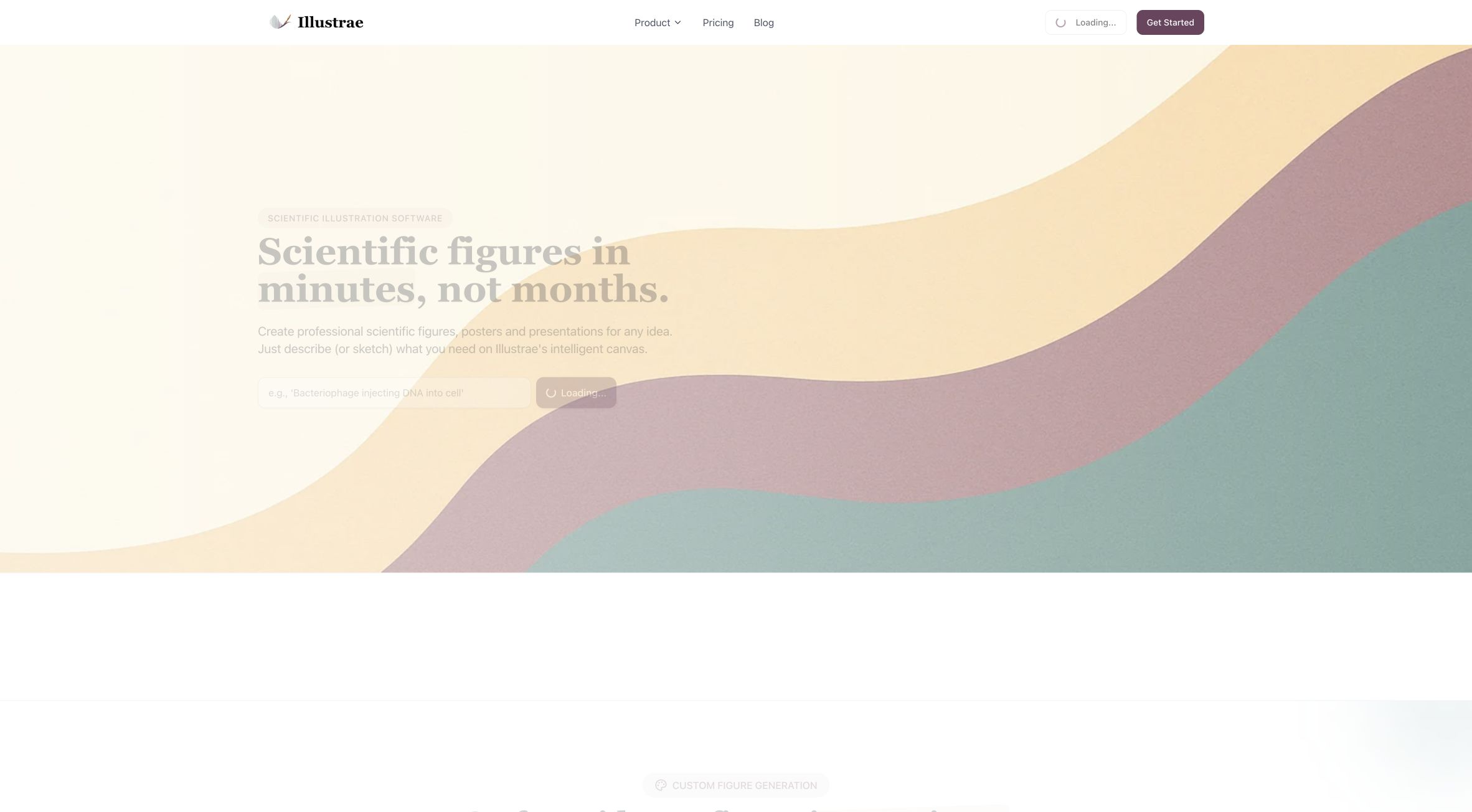
Illustrae is a browser-based scientific illustration platform. According to its website and terms, it combines third-party AI image generation with an interactive canvas. The current AI providers include the OpenAI API and the Google Gemini API.
What works well:
- Text-to-Figure, Sketch-to-Figure, and Photo-to-Figure starting points.
- An infinite canvas with zoom, alignment, measurement, grid, and guides.
- Natural-language edits to add or remove elements, adjust color and lighting, and remove backgrounds.
- Mobile QR-code upload for lab equipment or sample photos, with no app install.
- Coverage of paper figures, graphical abstracts, conference slides, posters, teaching materials, grant proposals, and theses.
- Starter Annual at $59/year with 50 generations per month keeps the entry barrier low.
- Unlimited Annual and Lifetime plans are attractive for high-frequency users.
Where it runs into walls:
- No free plan or free trial.
- Regular export is mostly PNG; complex generated images cannot be exported as structured SVG by default.
- AI output can contain errors, artifacts, and misleading details; scientific verification is the user's job.
- Independent public reviews are scarce; SourceForge currently has no reviews.
- Some public video comments call the features basic and the documentation thin.
- Terms prohibit uploading patient images, clinical photos, sensitive data, and copyrighted images you don't have rights to.
Best for: researchers who want to quickly generate visually rich scientific elements from text, sketch, or photo, work mostly in PNG, and like to lay out, annotate, and export in a single canvas.
Not ideal for: users who want to fully test before paying, edit SVG nodes and connectors directly, or go through multiple rounds of review revisions.
How to use Illustrae
Illustrae's public homepage shows the basic flow, but actually entering the canvas requires Google login and payment.
Step 1: Pick a starting point and write the prompt
If you know what to draw, start with a text prompt. If composition is easier than words, upload a hand-drawn sketch. If the task involves real equipment, samples, or objects, use Photo-to-Figure or upload a photo via mobile QR code.
A good prompt should state the scientific object, the relationships between objects, required labels, arrow direction and causal order, target audience, expected style, and which facts the AI must not invent freely. For example, instead of "draw a CRISPR figure," write "a three-step mechanism of Cas9 with guide RNA recognizing target DNA, keeping the PAM label, cut site, and left-to-right flow, without adding unexplained organelles."
Step 2: Compose on the canvas and verify science
Drop the generated elements onto the canvas and use alignment, grid, labels, arrows, and shapes to organize the information. When making natural-language visual edits, change one variable at a time — avoid editing color, structure, labels, and background all at once.
Then return to the paper, lab records, or verified data and check label spelling and abbreviations, arrow direction, the number and position of structures, the morphology of molecules, organelles, and devices, scale and spatial relationships, causality, and any units, values, and statistical conclusions. Illustrae's own FAQ says it is not an expert in every field, so scientific accuracy stays with you.
Step 3: Check export format
If the final output only needs a high-resolution image for a web page, slide, or poster, PNG is usually enough. If you must continue editing text, nodes, and connectors afterward, export a representative project first and actually open it. Illustrae's FAQ only promises SVG for simple elements, charts, text, and labels when generated images are not used.
Test boundary: Clicking Illustrae's Sign in took us to the Google OAuth account picker. We did not select an account or buy a plan, so we did not evaluate the post-login canvas, generation quality, or export file structure.
What people say about Illustrae
Illustrae is still fairly new, so there's no mature review layer like G2 or Capterra. The third-party signals that exist point in a consistent direction.
Andy Stapleton's Illustrae video has commenters calling it good for model diagrams with many arrows, and describing it as a "lifesaver." What people feel most clearly is a faster first draft, not a full replacement for scientific review or professional design. The same comment section also raises the same objections: no free option, the product feels basic, docs are sparse, and "why not just use Nano Banana or NotebookLM's infographic feature." The sample is small, but it flags the three questions worth testing before buying: whether a dedicated science canvas actually reduces editing time, whether the docs can support complex tasks, and whether it's more valuable than using a general model directly.
FutureTools lists Illustrae as a science illustration and complex-visualization tool for academic users, which shows some attention but offers no verifiable long-form review. Better Posters explicitly notes that, without a free version, the author couldn't review the software itself, and instead raised testing questions about AI-style similarity, typical correction count, content licensing, and team transparency. And SourceForge currently shows no user reviews, so its 0.0 score just means no one has reviewed it yet, not a low rating.
These signals are useful as reference, not as conclusions. The most reliable read on what Illustrae can and can't do still comes from its own product, pricing, and terms.
Why the first draft isn't the bottleneck
The strongest argument for an alternative comes from user behavior, not from a longer feature list.
We analyzed anonymized, read-only aggregation from early scientific-illustration projects. The data covers February 14 to August 1, 2026: 18,200 usage transactions, 16,529 successful tasks, 118 editable projects, and 47 voluntary survey responses. The database keeps growing and the survey sample is small, so these numbers only show real trends inside the product, not the whole market.
- 25.7% of successful tasks included a reference image or source material.
- Of 118 editable projects, 63 started from an imported SVG — 53.4%.
- 113 projects with version history averaged 3.73 versions; the max was 20.
- 40 projects had at least 3 versions; 27 had at least 5.
- Of 35 free users, 29 were making research-paper figures.
- The most common edits were style, scientific accuracy, layout, extra text, labels, arrows, and color.
- Of 12 paid users, 10 said the first draft saved the most time, 6 most wanted better SVG editing, and 4 wanted better AI region edits.
This split is clear: the generator turns a blank page into a first draft, and the editor turns that draft into something a collaborator or reviewer can actually mark up. When the reviewer's note is "just fix this one arrow," structured objects are more controllable than regenerating the whole figure.
Meet FigEditor: an Illustrae alternative built for repeated edits
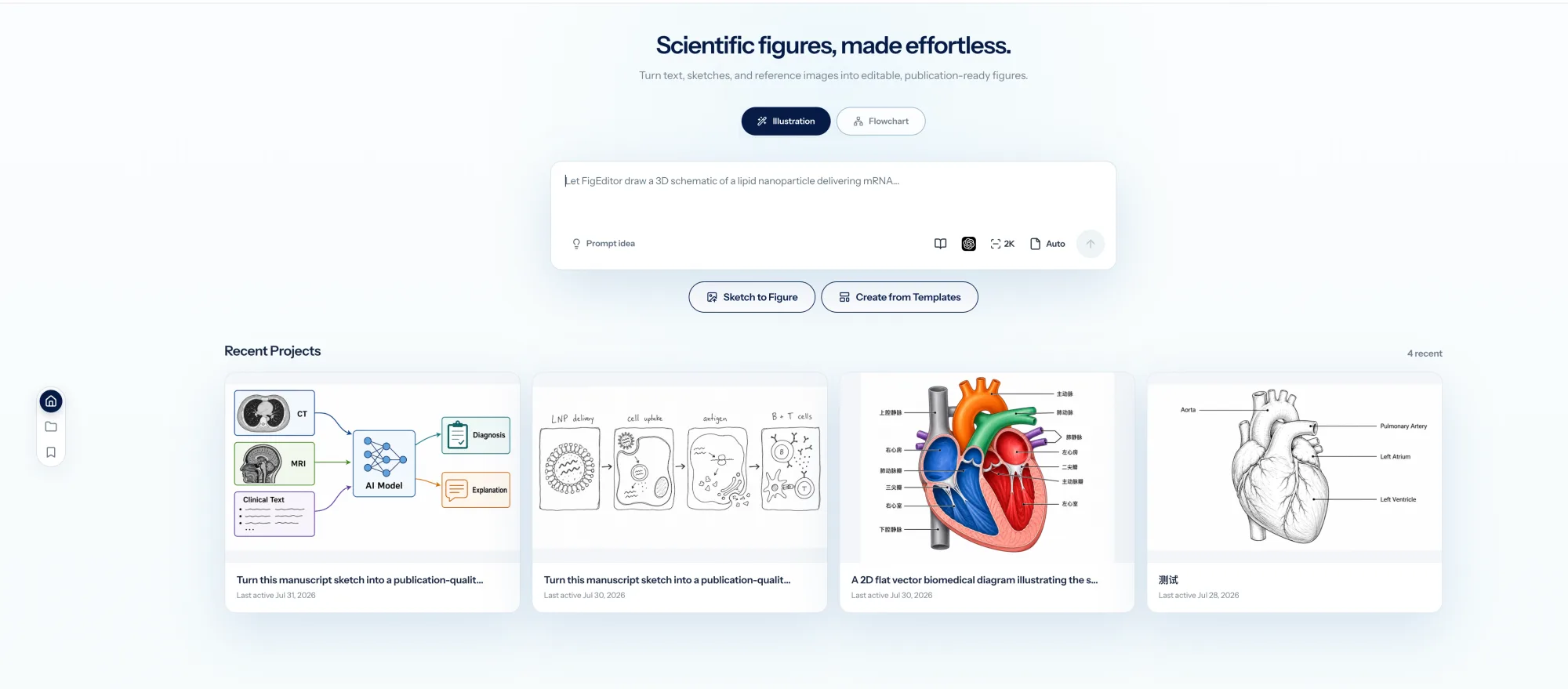
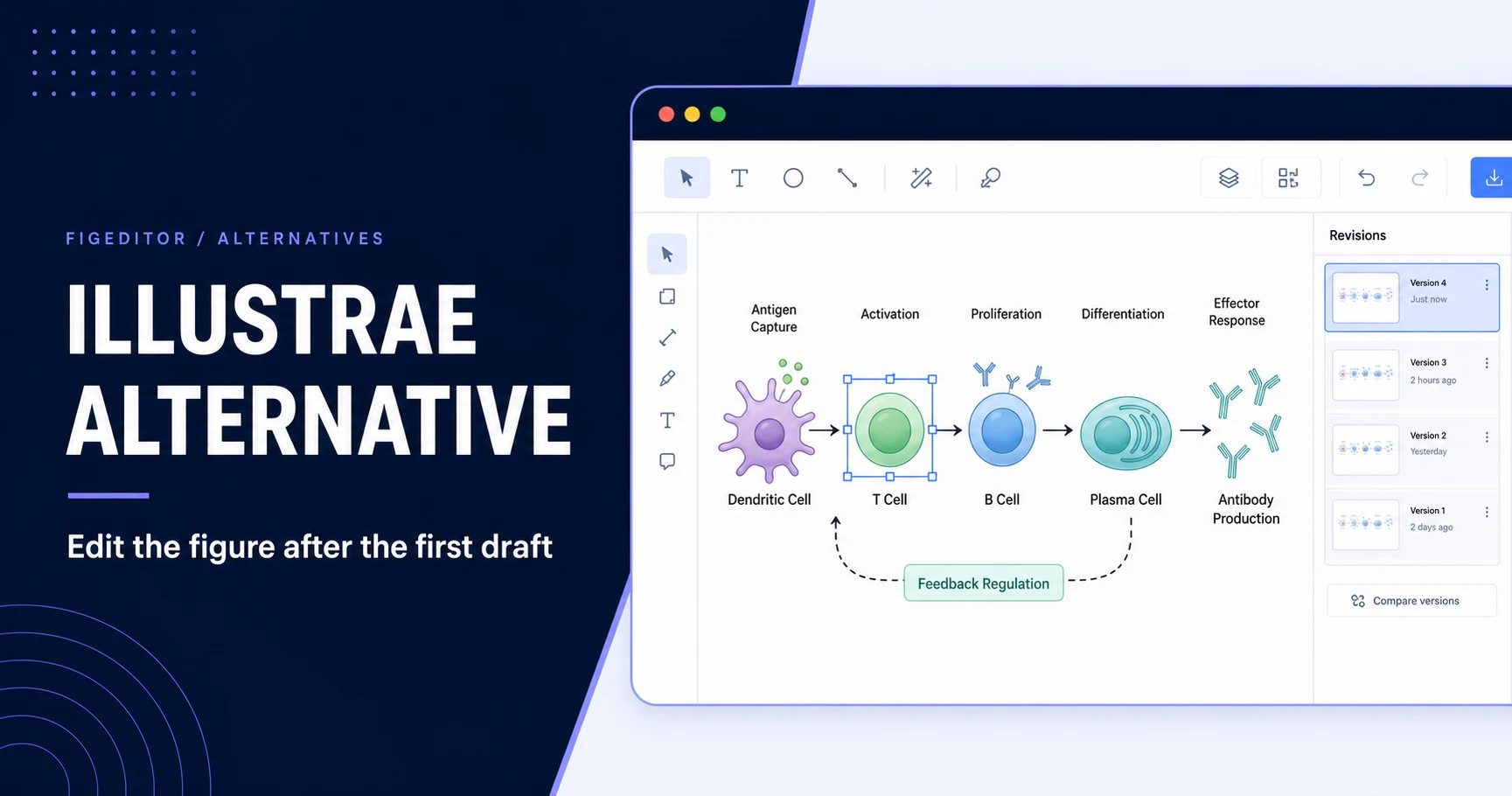
FigEditor is a workspace for the full lifecycle of a scientific figure. It doesn't just generate the first image — it puts raster local edits, structured SVG, project conversations, version history, and scientific posters inside the same product.
What FigEditor does well:
- Studio supports Nano Banana Pro, GPT Image 2, Nano Banana 2, and Nano Banana, up to 4K output.
- Start from text, sketch, reference images, existing scientific figures, and attachments.
- Raster figures support region redraw, OCR text editing, recoloring, and aspect-ratio changes.
- Flowchart supports structured SVG — text, nodes, connectors, shapes, and source-code editing.
- Version history supports viewing, comparing, and restoring earlier states.
- The scientific poster workflow can start from a paper PDF.
- New accounts get 50 sign-up credits, so you can test a real task before subscribing.
- Failed tasks have credit settlement and refund protection.
Where FigEditor has limits:
- Regular Studio scientific illustrations are still raster, not automatically structured SVG.
- Only Flowchart or AutoFigure and similar structured paths support truly operable SVG elements.
- No native editable PPTX export currently.
- Scientific posters currently export images, not PowerPoint source files.
- The workspace is heavier than a single prompt generator; users who just want one quick image may find the path too much.
Best for: researchers who already have paper materials, reference images, or SVG, need to keep editing labels, arrows, nodes, and layout, and want to keep version records.
Start from research materials, not just a figure prompt
FigEditor starts from what you already have: method text, figure captions, paper fragments, sketches, and reference images. The AI scientific illustration workflow turns these inputs into an editable SVG draft through generation, segmentation, extraction, assembly, and refinement. Illustrae also supports reference images and photos, and its text/sketch/photo starts are faster when you already know exactly what to draw.
Edit the structure reviewers actually comment on
When the edit is just a label, Illustrae's canvas and natural-language editing work. When the edit touches figure structure — reversing an arrow, moving a branch, adjusting a node while keeping the rest intact — FigEditor exposes labels, objects, nodes, connectors, color, layout, and SVG source instead of treating the whole figure as one unbreakable image. AI region edits handle image-level local fixes; direct SVG control handles the precise edits that shouldn't trigger a full regeneration.
Carry a figure into the paper or poster workflow
Illustrae promotes generating a graphical abstract or academic poster from an abstract. FigEditor's scientific poster generator starts from an uploaded paper PDF and supplementary materials, so when the poster is a continuation of an existing paper rather than a one-off layout, the research context stays connected.
Keep projects, versions, and reusable assets together
Both tools have projects and image libraries. FigEditor adds conversation history, image assets, structured project records, flowchart versions, public project sharing, and automatic credit refunds for failed tasks. The same figure often has to live across paper, review response, poster, and presentation versions; keeping those states in one project reduces the cost of shuffling them around.
How to use FigEditor
The fairest test isn't typing a random demo prompt — it's bringing a real review comment.
Step 1: Choose the right workflow and add source material
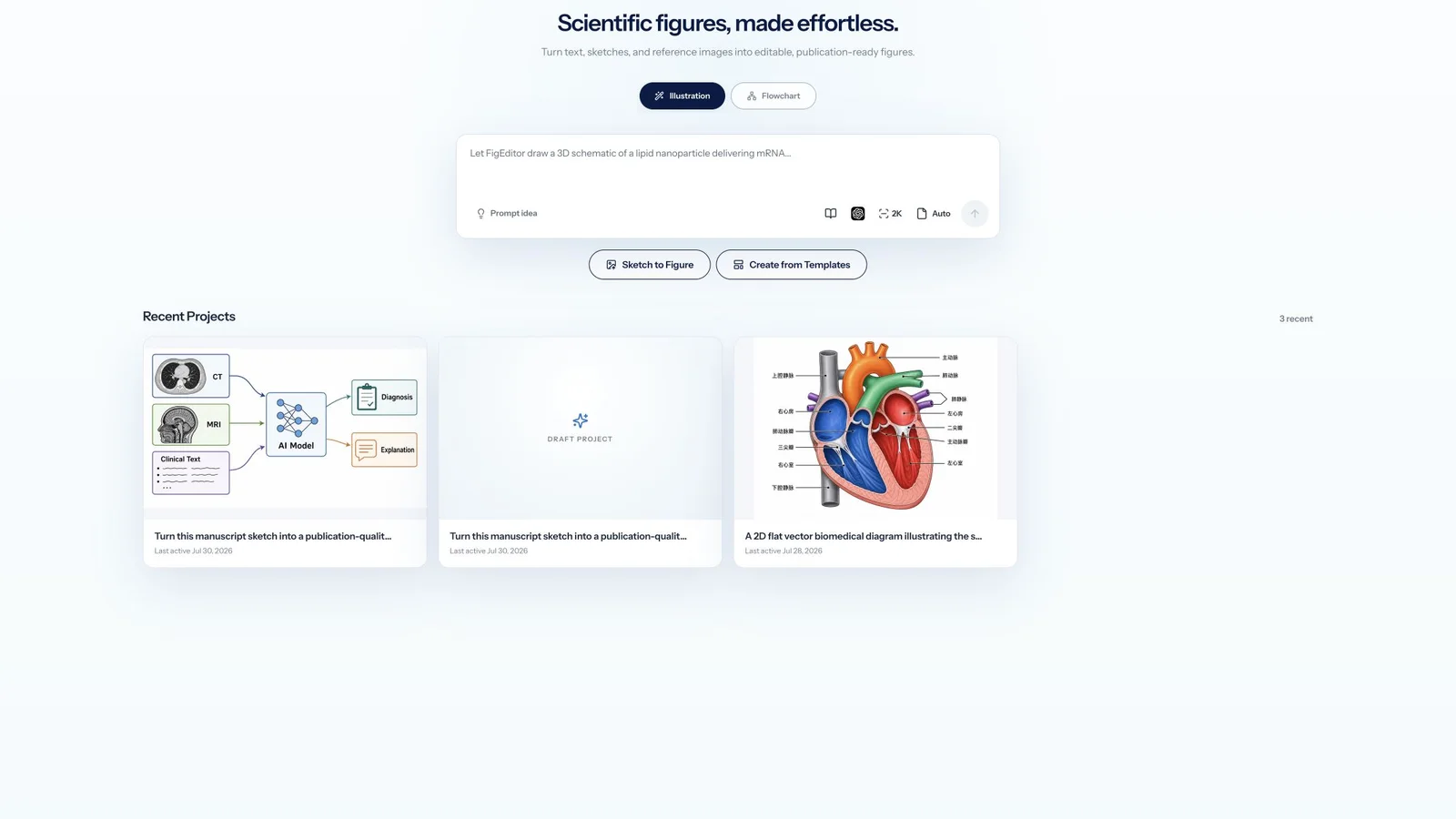
For visual illustrations, organ diagrams, equipment figures, or graphical abstracts, start in Studio. When the core of the task is labels, nodes, connectors, flow order, and SVG structure, start in Flowchart or AutoFigure. Paste a method paragraph, figure caption, or paper fragment; upload sketches, reference images, or existing SVG you have rights to; and write down the scientific relationships that cannot change, such as arrow direction, group counts, experiment order, and required labels. Don't ask one workflow to solve everything — visual complexity and structured editability are two different goals.
Step 2: Make the smallest possible edit
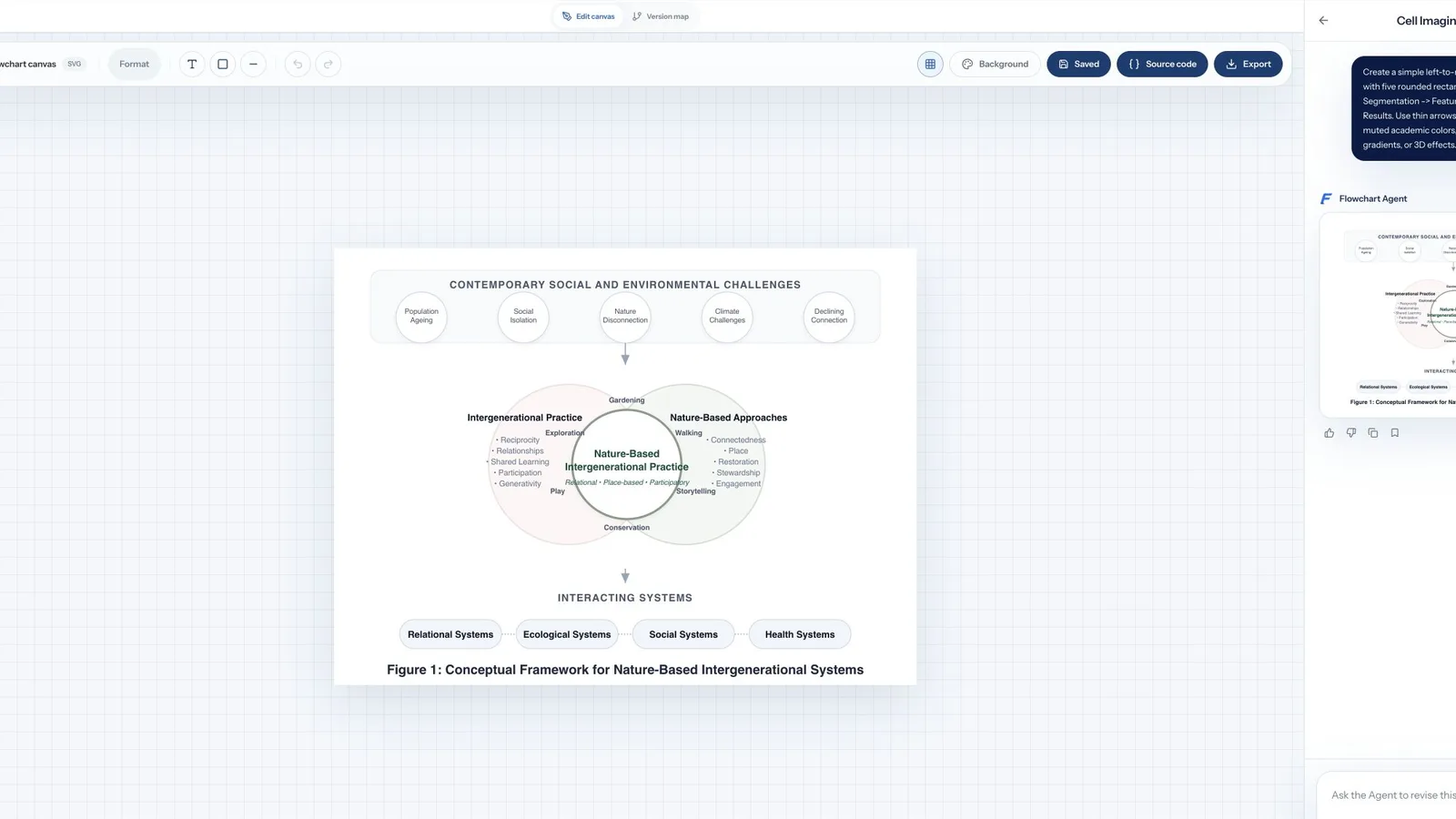
Generate the first draft, then make one real edit: rename a label, move a connector, or replace one region while keeping the rest. Use region redraw, OCR text editing, or recoloring for raster figures; edit labels, nodes, connectors, shapes, positions, or SVG source for structured flowcharts. Check the scientific structure first — objects, relationships, labels, and order — and only then adjust color, style, shading, and background. That avoids spending credits on a visually polished figure with wrong logic.
Step 3: Save a version and verify the export
Before the next round of edits, save the confirmed state. After exporting, open the file in the browser, PowerPoint, Illustrator, Inkscape, or submission system your lab actually uses, and confirm that text, transparent backgrounds, dimensions, and editable structure all meet the requirement.
Bring a real edit comment to FigEditor and measure how much work remains between the current figure and the submittable version.
Illustrae vs FigEditor: workflow and pricing compared
| Dimension | Illustrae | FigEditor |
|---|---|---|
| Best for | Quick generation and layout of visually rich scientific elements on an infinite canvas | Starting from research materials, then local edits, structured SVG, and version iteration |
| Starting input | Text, sketch, photo | Text, paper fragments, sketch, image, SVG; poster flow supports PDF |
| Image models | Terms disclose OpenAI API and Google Gemini API | GPT Image 2, Nano Banana Pro, Nano Banana 2, Nano Banana |
| Canvas | Infinite canvas, alignment, grid, measurement, labels, arrows | Project canvas, image editing, structured flowchart, and SVG source |
| Local edits | Natural-language editing, add/remove elements, color and lighting, background removal | Region redraw, OCR text editing, recoloring, structured node and connector editing |
| Main export | High-res PNG; simple non-generated elements can be SVG | Studio raster; Flowchart and AutoFigure support structured SVG and image export |
| Version workflow | Site shows canvas and projects; public pages don't detail version recovery | Flowchart supports version history, preview, and restore |
| Scientific poster | Promotes one-click graphical abstract or academic poster from an abstract | Generates a scientific poster image from a paper PDF |
| Free testing | No free plan, no free trial, 15-day refund | 50 sign-up credits; free users may wait before generating |
| Current entry price | Starter Annual $59/year | Basic $19/month or $114/year |
| Lifetime plan | Currently shows $299 Lifetime | No current unlimited-generation lifetime plan |
| Native editable PPTX | Not listed as an export format in public FAQ | Not supported |
| Data notes | Requests go to OpenAI and Google Gemini; sensitive medical or confidential content prohibited | Same institutional data and copyright policies apply |
As of August 2, 2026, Illustrae's public pricing shows:
- Starter Annual: $59/year, 50 generations per month
- Unlimited Annual: $155/year, unlimited generations and canvas
- Lifetime: $299 one-time
- Teams & Institutions: custom pricing
FigEditor's current code-defined pricing shows:
- Basic: $19/month, or $114/year
- Pro: $39/month, or $234/year
- Premium: $69/month, or $414/year
- One-time credit packs start at $39 for 880 credits
- New accounts get 50 sign-up credits
Pricing pages change. Illustrae's terms were last updated in November 2025 and still describe Stripe monthly recurring subscriptions, while the current pricing page now shows annual and lifetime plans. Before buying, confirm renewal, refund, and fair-use terms on the actual checkout page.
Don't compare Illustrae's "generations" with FigEditor's "credits" directly — they buy different things. The real comparison is how many generations, edits, exports, and tool switches it takes to finish one accepted scientific figure. If one generation is enough, Illustrae's Starter Annual is competitive. If the project needs multiple structural rounds, versioning and editability may matter more than per-unit price.
If your work style is "generate once and finalize," Illustrae's annual plan may be a great deal. If your figures get revised repeatedly, FigEditor's lower per-operation cost and bundled editing workflow can stretch credits further.
Which tool should you choose?
Choose Illustrae if
- You want to generate, lay out, and annotate in one infinite canvas.
- Text, sketch, and photo starts cover most of your tasks.
- Your final delivery is mainly high-resolution PNG.
- You're fine buying first and using the 15-day refund window to validate.
- Mobile QR upload for lab equipment or sample photos matters to you.
- You're a high-frequency user and Unlimited or Lifetime pricing is attractive.
Choose FigEditor if
- You often start from paper fragments, method text, existing images, or SVG.
- Reviewers repeatedly ask for label, arrow, node, and layout changes.
- You need to directly edit structured SVG or source code.
- You want to keep multiple versions and restore earlier states.
- You need to carry the same research content into figures, flowcharts, and posters.
- You want to validate a real task with sign-up credits before subscribing.
The two tools can also be combined: Illustrae generates visually complex scientific elements, and FigEditor puts existing assets into a more controllable editing and version flow. The key to a hybrid workflow is confirming you have usage rights to exported files and removing sensitive content before import.
How to migrate from Illustrae to FigEditor
- Before canceling or changing your Illustrae plan, export the highest-resolution PNG and save your original prompts and reference materials.
- If a project only contains simple elements and can export SVG, open the file and check whether text, nodes, and connectors are still editable.
- Use the PNG as a Studio reference image, or import the usable SVG into a structured workflow.
- Rebuild only the relationships that need precise control — don't regenerate confirmed content for no reason.
- Save label, arrow, and layout changes as new versions.
- Verify every scientific claim against the original paper or lab records.
- Test a representative export file before migrating the whole project.
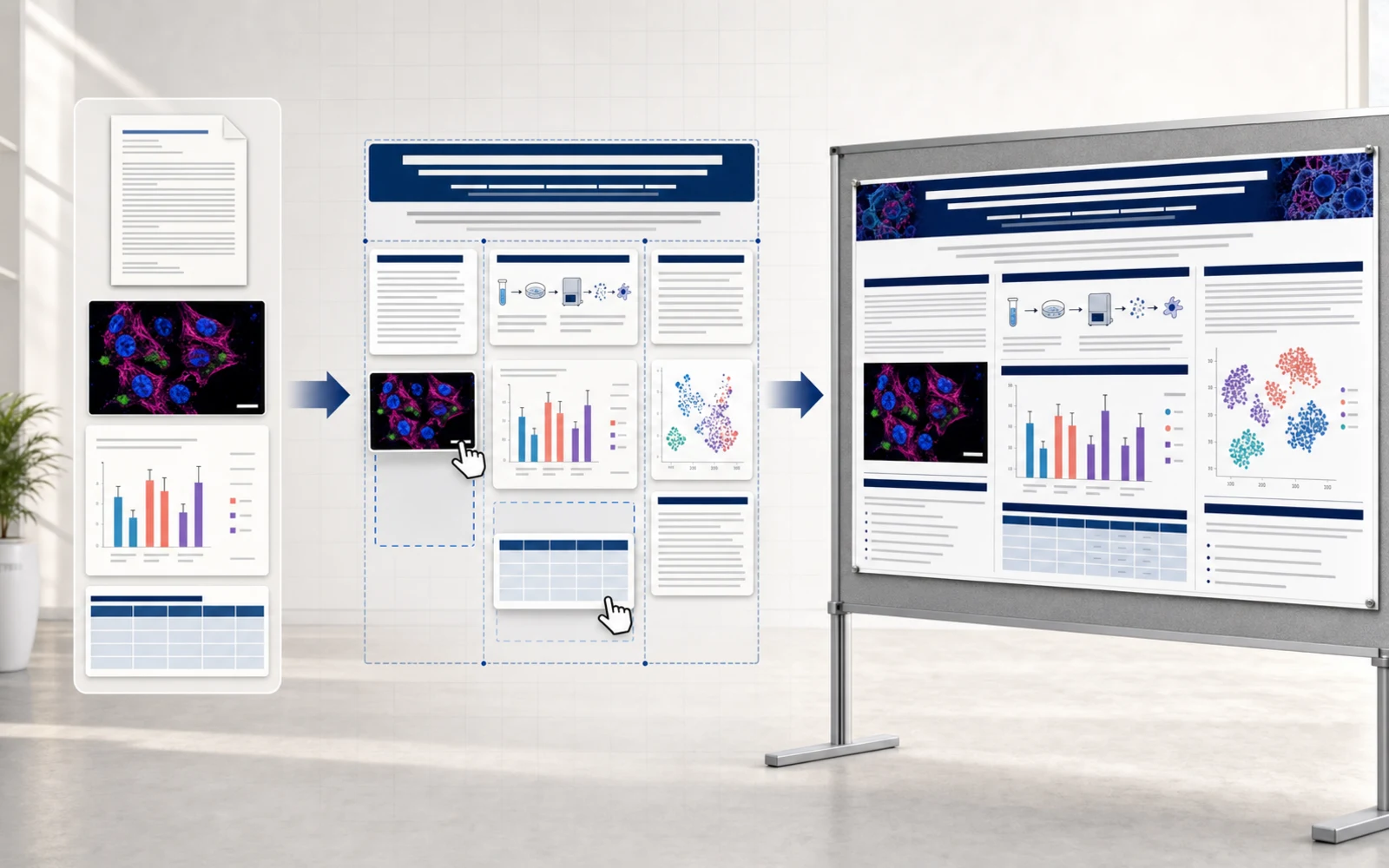
Carrying research structure and version history from a paper figure to a poster saves more time than restarting from a blank page.
Illustrae alternative FAQ
Does Illustrae have a free plan?
No. Illustrae's FAQ as of August 2, 2026 explicitly states no free plan or free trial. You can request a 100% refund within 15 days of purchase.
Can Illustrae export SVG?
Yes, with an important limit. The FAQ says simple elements, charts, text, and labels support SVG when generated images are not used. Complex generated images mainly export as high-quality PNG.
Can I publish figures made with Illustrae?
The site says users own publication and commercial-use rights, but different journals have different policies on AI-assisted images. You must verify scientific accuracy and check the target journal's disclosure and image-manipulation rules.
Which Illustrae alternative is better for editable scientific figures?
If you need region edits, structured SVG, labels, nodes, connectors, source code, and version history, FigEditor is a suitable Illustrae alternative. If you care more about an infinite canvas, photo-to-figure from a phone, and a lifetime unlimited plan, Illustrae may fit better.
Is FigEditor a free Illustrae alternative?
FigEditor gives new accounts 50 sign-up credits to test real tasks before subscribing. It is not an unlimited free product — free users may wait before generating, and ongoing high-frequency use requires a subscription or credit pack.
Can FigEditor edit an existing Illustrae image?
Yes. Use an Illustrae PNG as a Studio reference, or import an exportable SVG into a structured workflow. How much stays editable depends on whether the source file actually contains independent text, nodes, and connectors.
Is FigEditor better than Illustrae?
The two products optimize different stages. Illustrae is better for quick generation and canvas layout. FigEditor is better for local edits, structured SVG, version history, and continuous research workflows. Choose based on the file you ultimately need to revise and submit, not just the homepage examples.
When should you not choose FigEditor?
If you only need a quick, visually rich PNG, or you value Illustrae's mobile QR upload and Lifetime plan most, FigEditor may not be a better fit. If you must deliver native editable PPTX, FigEditor isn't suitable right now either.
Conclusion
Illustrae is a clearly positioned scientific illustration tool. It combines text, sketch, photo, scientific elements, and an infinite canvas, and its low annual price lowers the barrier to professional scientific visuals. Its main limits are no free trial, complex generated figures delivered mostly as PNG, scarce independent reviews, and scientific accuracy that still needs a human.
When your bottleneck is getting the first visual draft from a blank page, Illustrae is worth considering. When the real difficulty becomes changing one label, one arrow, or one node while keeping everything else confirmed, structured editing and version history matter more.
Bring a real collaborator or reviewer comment to FigEditor and test the full path from first draft to final delivery with the same research materials. If your next step is turning a paper into a conference poster, see the FigEditor scientific poster maker. To compare with a nearby product, keep reading the FigEditor vs FigureLabs guide and the FigEditor vs ConceptViz guide.